Hydraulics & controls
A lot of equipment of the aircraft relies on hydraulic power: landing gear, flaps, spoilers, ramp, propeller brake, nose wheel steering, wheel brakes.
It also assists flight controls with servo units for ailerons, elevator, rudder and spoilerons.
Hydraulic generation
There are five separated circuits:
-
Green main circuit.
-
Blue main circuit.
-
Red auxiliary circuit.
-
Yellow auxiliary circuit.
-
Emergency brake circuit.
In normal conditions only blue and green circuits are operated. Each main circuit is supplied by two self-regulated pumps, one on each engine.
Red circuit, yellow circuit and emergency brake circuit are only used in case of malfunction of one main circuit:
-
Red circuit is supplied by an APU driven self-regulated pump.
-
Yellow circuit is supplied by an electro-pump.
-
Emergency brake circuit is supplied by a manual hand pump.
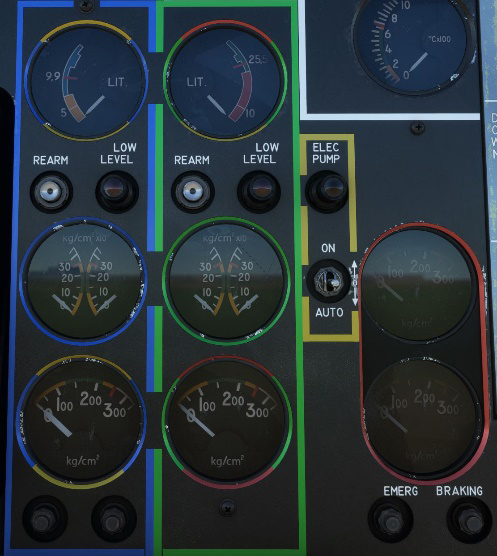
Overall hydraulic system can be monitored on the dedicated front panel section.
Handling
Ailerons & spoilerons
Roll action is servo assisted with hydraulic power, to ease pilot action.
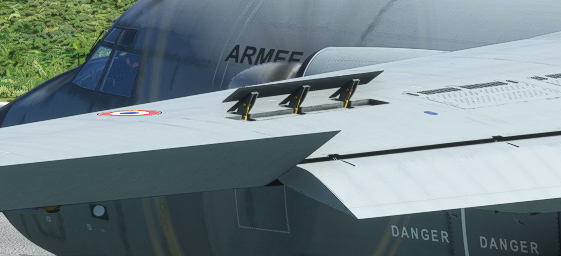
It is reinforced by spoilerons to improve maneuverability at low speed. Spoileron is extended when aileron angle on the same side is above 3° and will reach its maximum angle (45°) when aileron angle is above 10°.
| Delta Angle | |
|---|---|
| Ailerons | +25 °/ - 15 ° |
| Spoilerons | 0° / 45 ° |
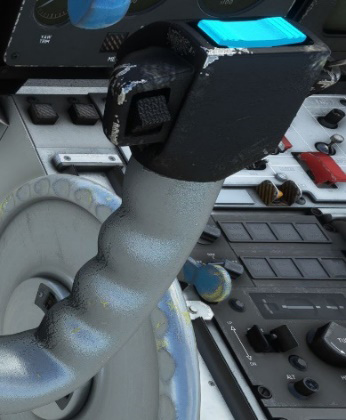
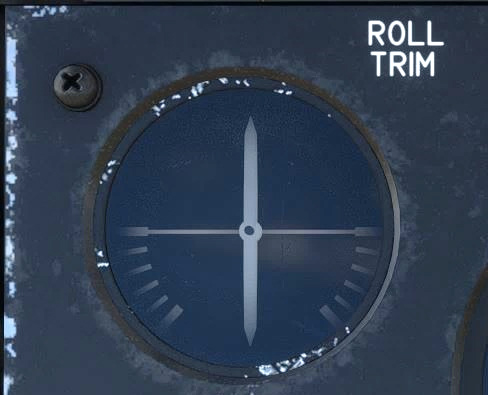
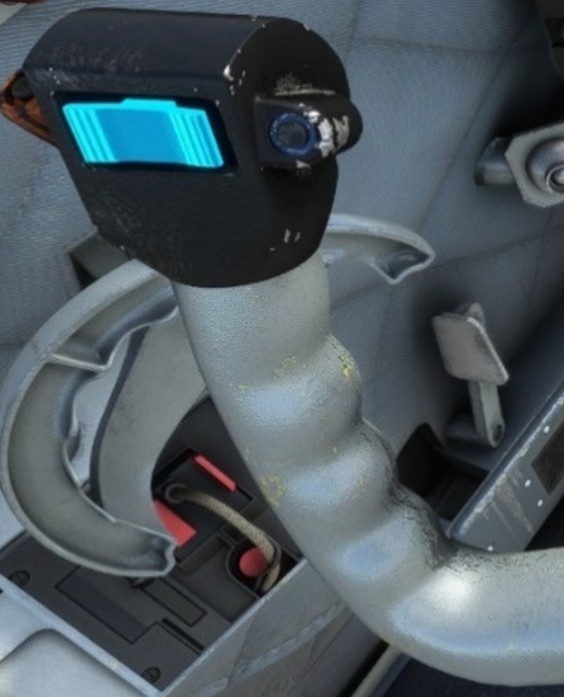
In addition, an electronic trim is available to balance engine gyroscopic effects. It is controlled by a switch located on the right top of both yokes and monitored on the front panel “roll trim” gauge.
Elevator & rudder
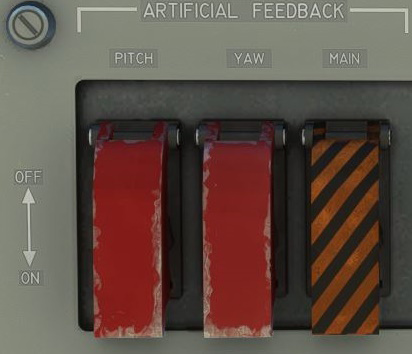
Yaw and pitch axis are also servo assisted with hydraulic power. An artificial feedback system simulates a muscular effort to the pilots. It can be deactivated using the dedicated switches on upper console left panel.
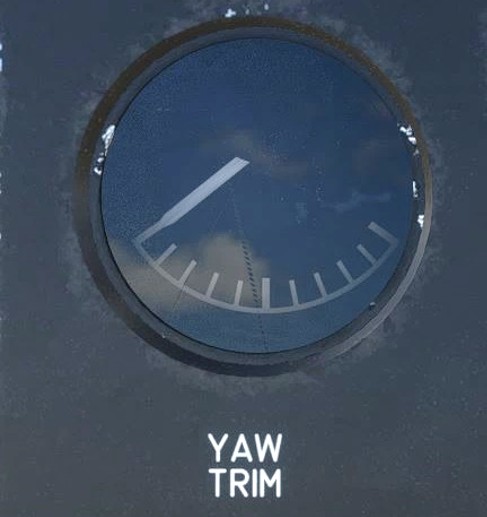
As for ailerons, rudder has its own electrical trim. It is controlled by a switch located on the top left of both yokes.
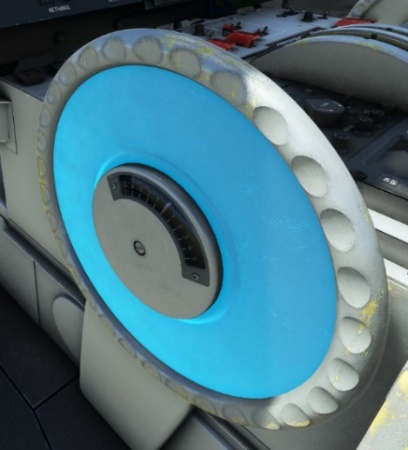
Pitch trim is controlled by a wheel which also includes an angle indicator. This trim has a direct link with the yoke that will move forward and backward accordingly.
Flaps
Flaps system is composed of a symmetrical set of two side flaps and two central ones. They are hydraulically powered with two actioners per set (one normal, one rescue). Rescue actioner is supplied by red hydraulic circuit whereas the normal circuit is supplied by green circuit. An anti-twist safety system prevents any twist of the flaps system.
Flaps handle is located in front of center console:
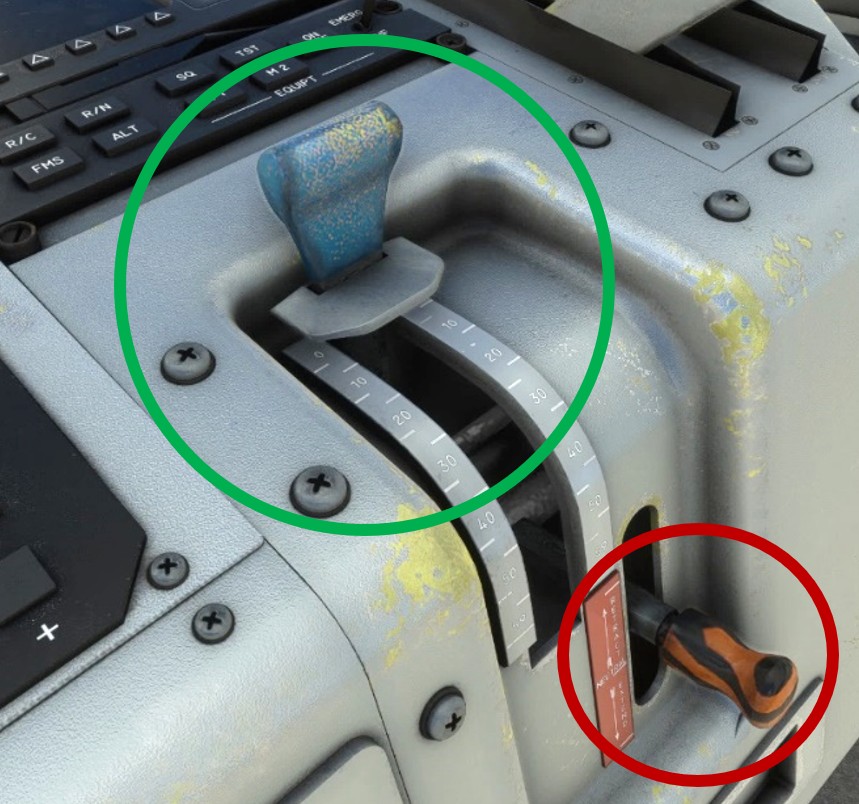
In case of hydraulic failure on the main (green) circuit, an emergency lever is available to operate flaps using red hydraulic circuit.
Spoilers
Spoilers are also hydraulic driven. Their dedicated switch is normally located on the pilot power lever. It has not been modelized on our Transall as targeting it with the click is too difficult.
Spoiler action needs to be bond to a controller key.
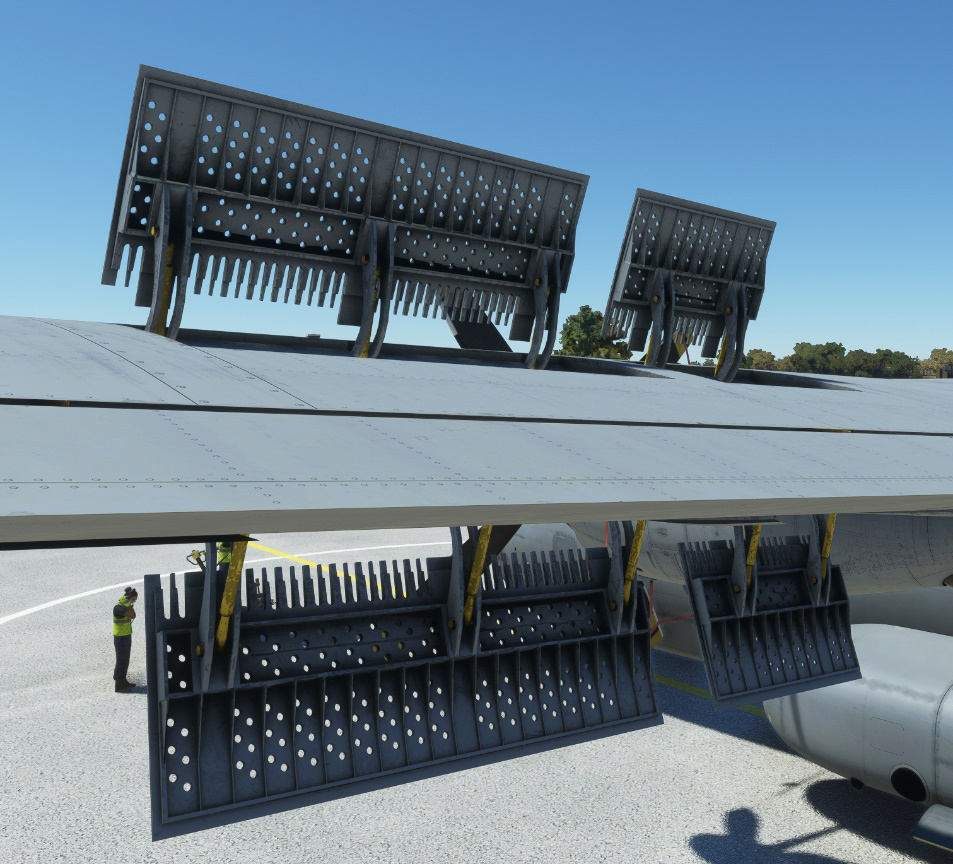
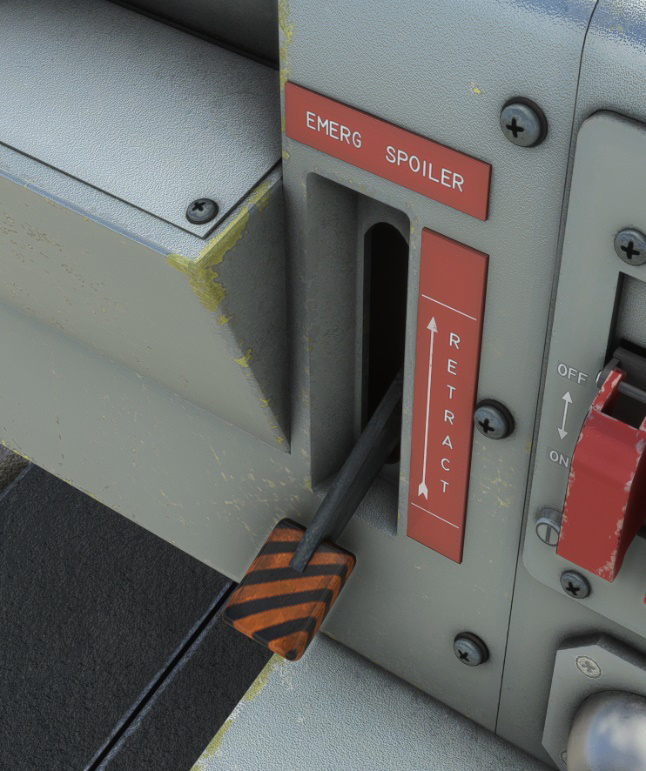
In case of hydraulic failure with spoilers extended, an emergency lever allows to retract them.
Landing gear
Description
The Transall is known for its capacity of landing in almost any kind of surface. That is made possible thanks to its landing gear system made of a strong fully retractable tricycle landing gear.
Main landing gear design allows an important amount of energy absorption. It is mainly due to its complex hydraulic system that permits:
-
High amplitude and chocks absorption.
-
Fuselage lowering and elevation.
Front wheel has steering capacities of ±55°.
Controls
Landing gear lever has four positions:
-
UP (retracted): normal sequence of gear retracting.
-
DOWN: normal sequence of gear extension.
-
EMERG (emergency): unlocks landing gear hatches.
-
MECHANICAL STOP: emergency sequence of gear extension using red hydraulic circuit.
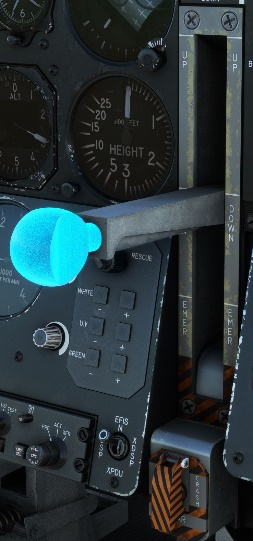
Green hydraulic circuit must be available for normal sequences to work correctly. The two other positions are used in case of emergency only.
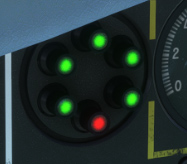
A set of five green lights indicate that landing gear is down and locked (front landing gear and each axle of main landing gear). Red light indicates that landing gear and hatches are maneuvering and not locked.
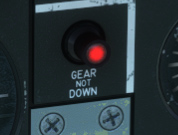
A red light will glow if landing gear is not down and locked while airspeed is below 115 knots and throttle position is low.
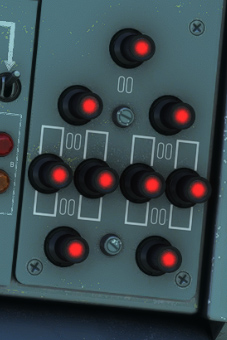
On upper console, a set of red lights indicate more precisely which part of the landing gear or which hatch is currently maneuvering.
Steering
Nose wheel is not mechanically linked to the rudder and is operated with a tiller positioned on left side of the pilot.
For simulation purpose, any action on rudder will be applied to the nose wheel as well.
Brakes
Wheel brakes are hydraulically actuated by green hydraulic circuit, and emergency circuit (hand pump) when main hydraulic power is not available.
Differential brakes are actuated from pilot and copilot rudder pedals.
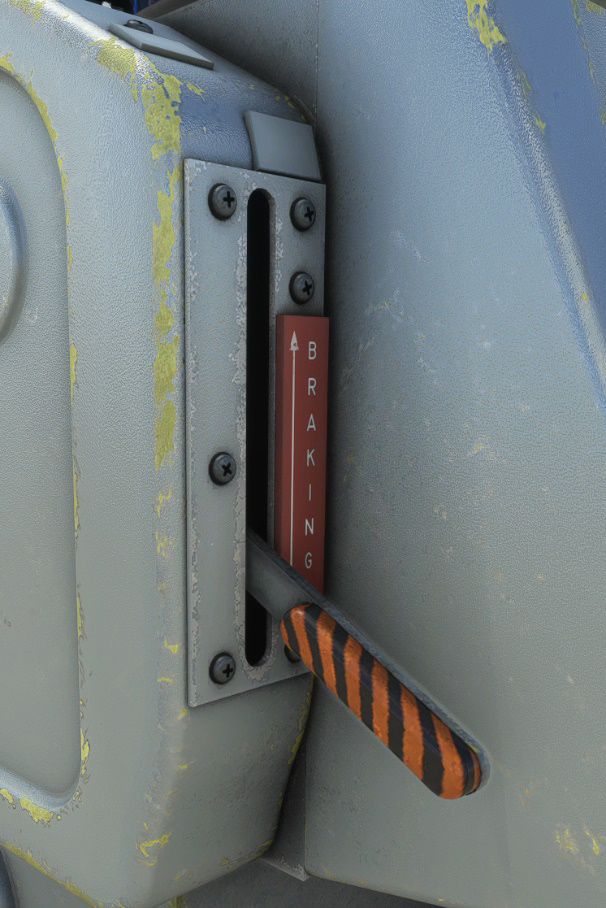
Two handles located on center console are used as emergency brake, one of them having a locking system for parking brake.
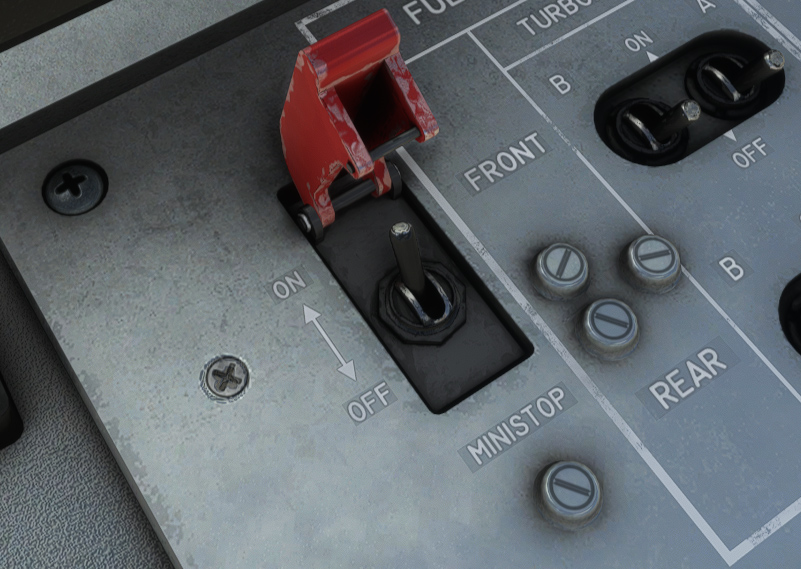
An anti-skid system, called “mini-stop” is enabled from center console. It is automatic and will minimize braking distances depending on wheels rotation speed and ground adherence.
Cargo loading & dropping
Exits
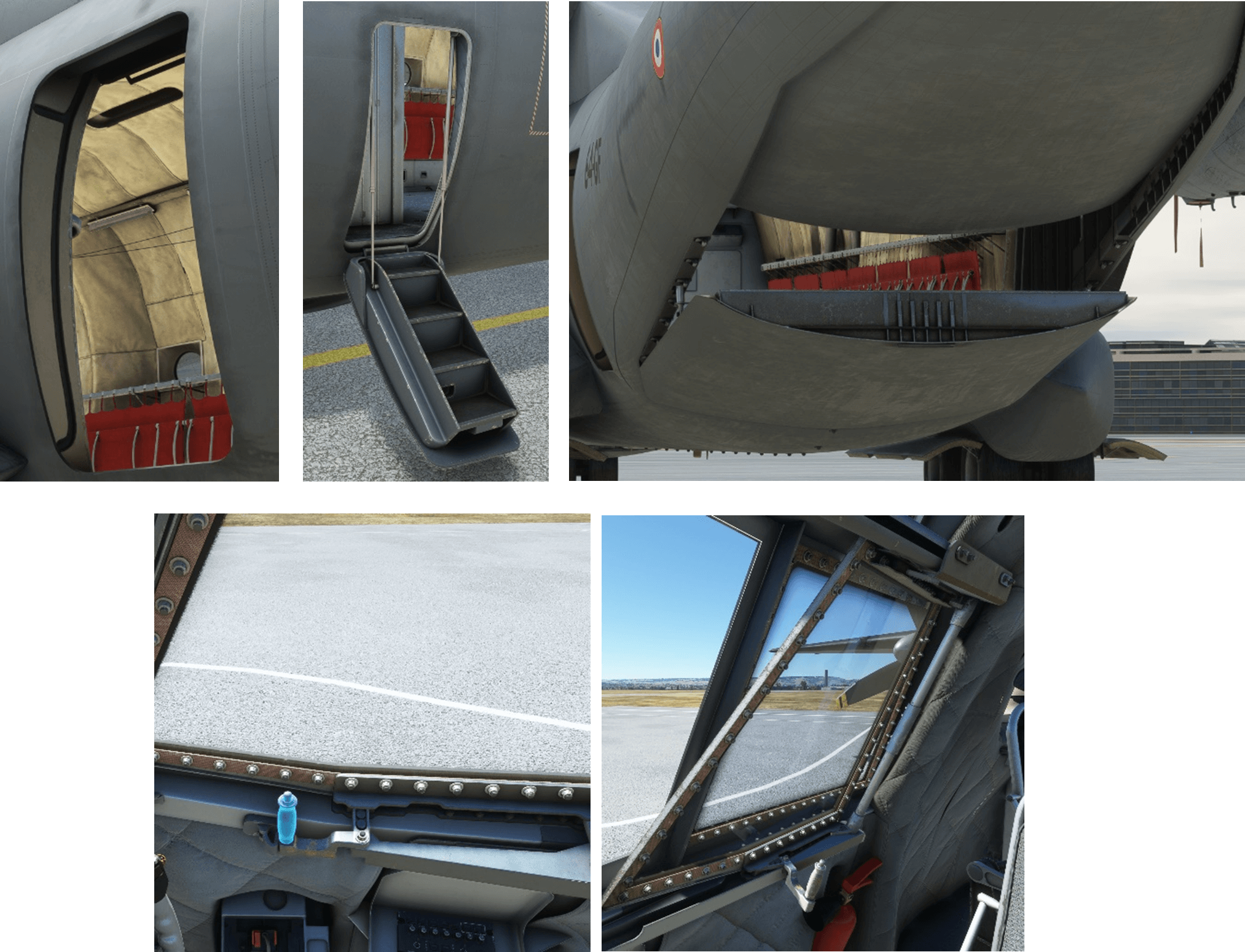
All exits are operational on our Transall. In addition to the three side doors, cockpit windows can be operated.
Rear exit is composed of two parts, a lower ramp that can descend to the ground and a higher door that is raised to provide a sufficient space to load and unload the aircraft. Both parts can be operated independently from the electronic flight bag (EFB).
Here is a recap:
| Exit | Command | EFB shortcut | Conditions |
|---|---|---|---|
| Cockpit windows | Window handle | N/A | Aircraft on ground |
| Side door (front) | N/A | Payload tab | Aircraft on ground |
| Side doors (rear) | N/A | Payload tab | N/A |
| Ramp | Top console (dropping panel) | Payload tab | Hydraulic power must be available Ramp should not be opened above 162 kts |
Lowering
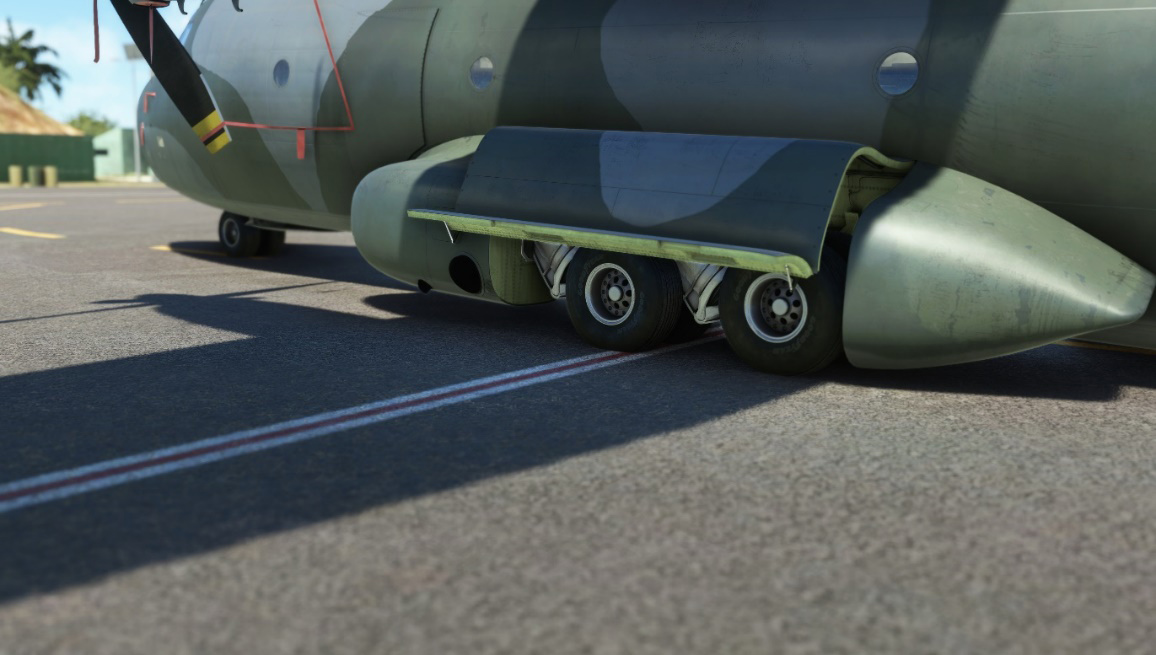
In order to facilitate cargo loading and unloading, the C160 has the ability to “kneel”, by lowering the rear-end of its fuselage.
This feature is hydraulically driven. Either green or red hydraulic pressure must be available for this operation.
In the simulator, the sequence is automated and stops at a defined position. It can be triggered either from the EFB, or using the front panel raising switch. An indicator light indicates when fuselage is lowering.
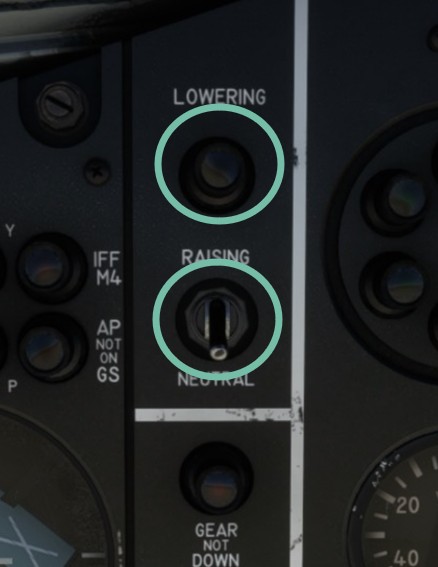
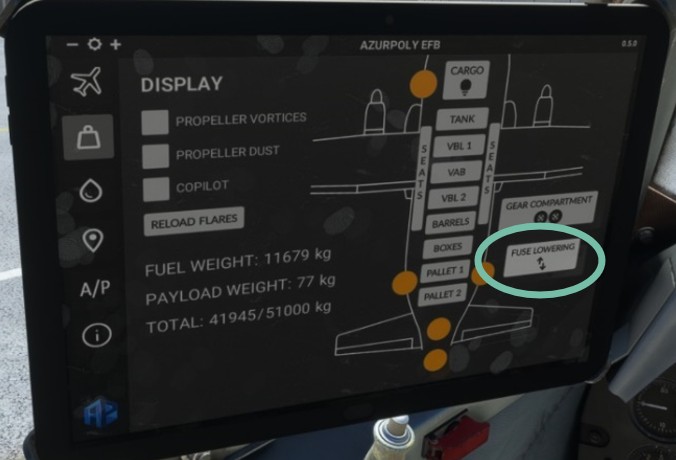
Front panel switch can only raise the fuselage. In the real aircraft, lowering is not automated and must be carried out by an operator on a dedicated panel in the cargo bay.
Cargo
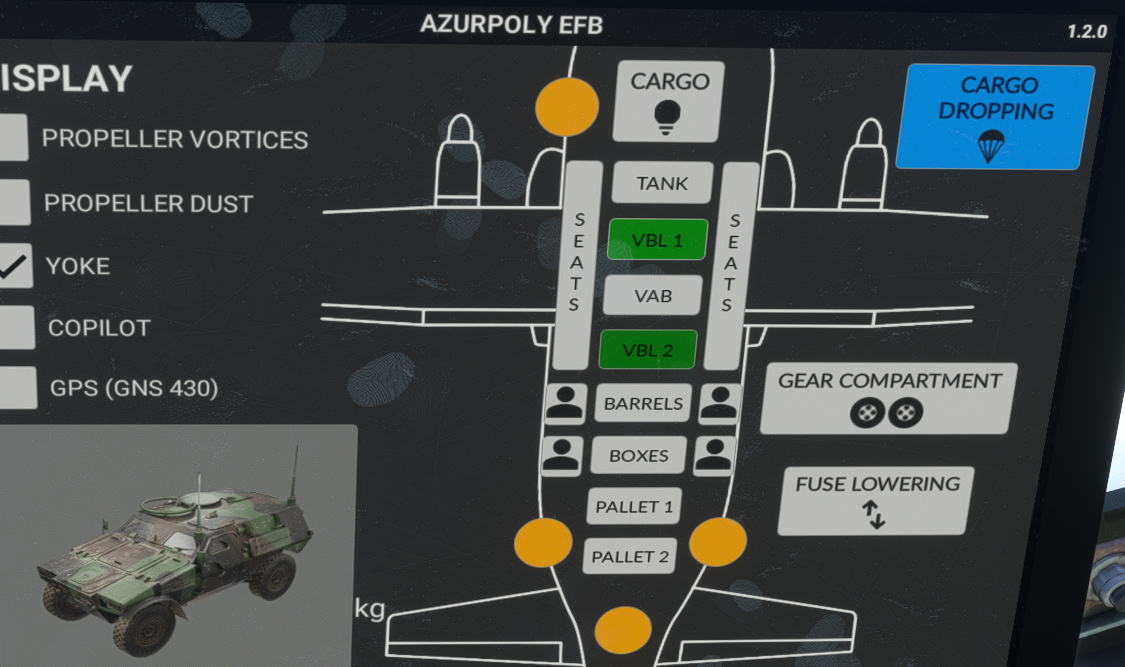
Our Transall can carry various cargo objects (vehicles, boxes, pallets, troops, etc), selectable from electronic flight bag (payload page).
All objects cannot be selected at once as some of them are at the same location in the cargo bay.
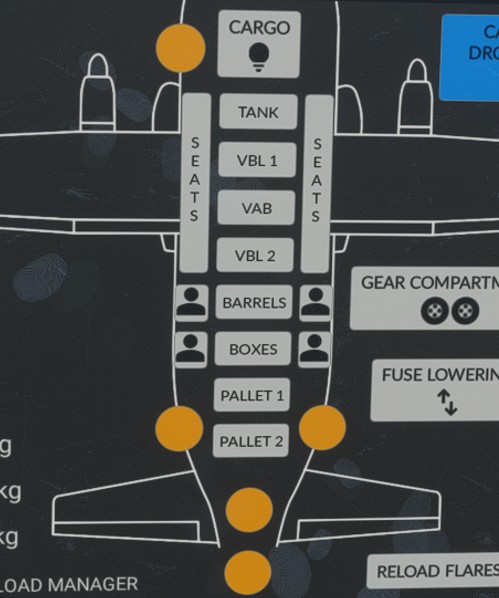
When any payload is added, aircraft weight is updated accordingly. Be careful as it is very easy to exceed maximum takeoff weight, especially with vehicles (VAB and VBL).
If you prefer to manage weights manually from the simulator payload menu, you can disable syncing from the EFB, and cargo objects selected will not overwrite current aircraft weight.

Dropping
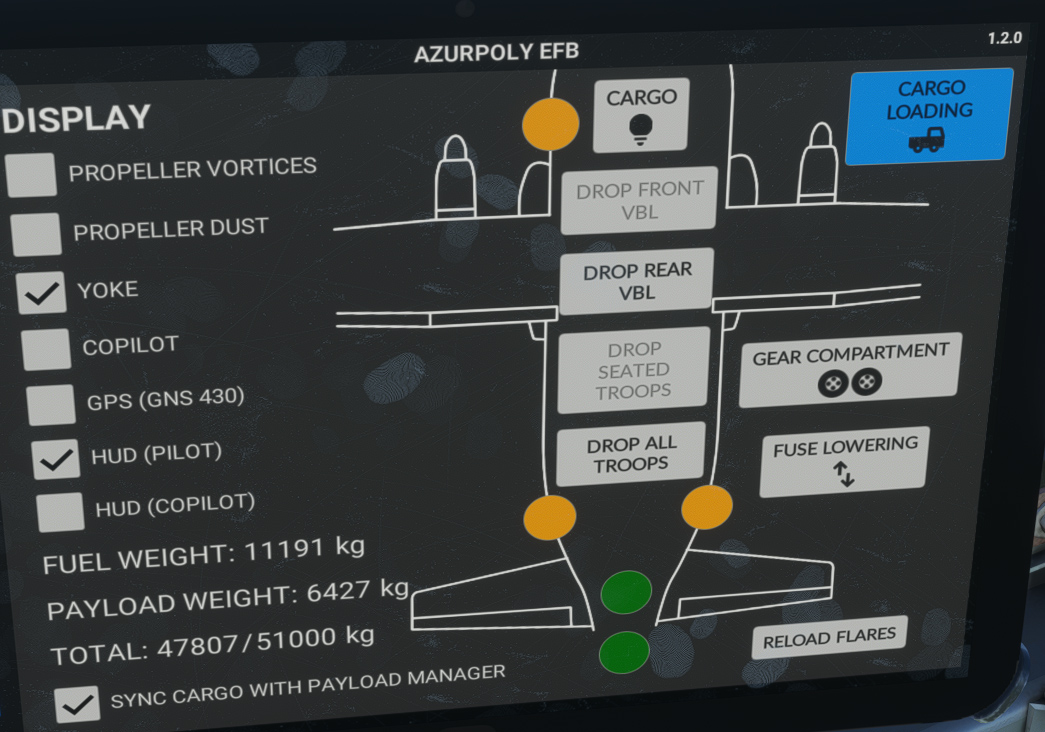
VBL vehicles and troops can be dropped from the cargo, after being added from the EFB, by switching to cargo dropping mode.
Four different scenarios can be triggered:
-
Drop front VBL vehicle.
-
Drop rear VBL vehicle.
-
Drop seated troopers (one to four soldiers, with cargo exit animation).
-
Drop all troopers (ten soldiers without cargo exit animation).
Up to 11 seated troopers can be displayed, and dropped one by one or all together.
Buttons are grayed out if all conditions for dropping are not met (closed cargo ramp for example, or rear VBL blocking front VBL).
Side doors must be opened in order to drop paratroopers.
Cargo panel located on upper console will display:
-
One green light “DROP POSITION” when dropping conditions are met.
-
One green light “DROP” when dropping is ongoing.
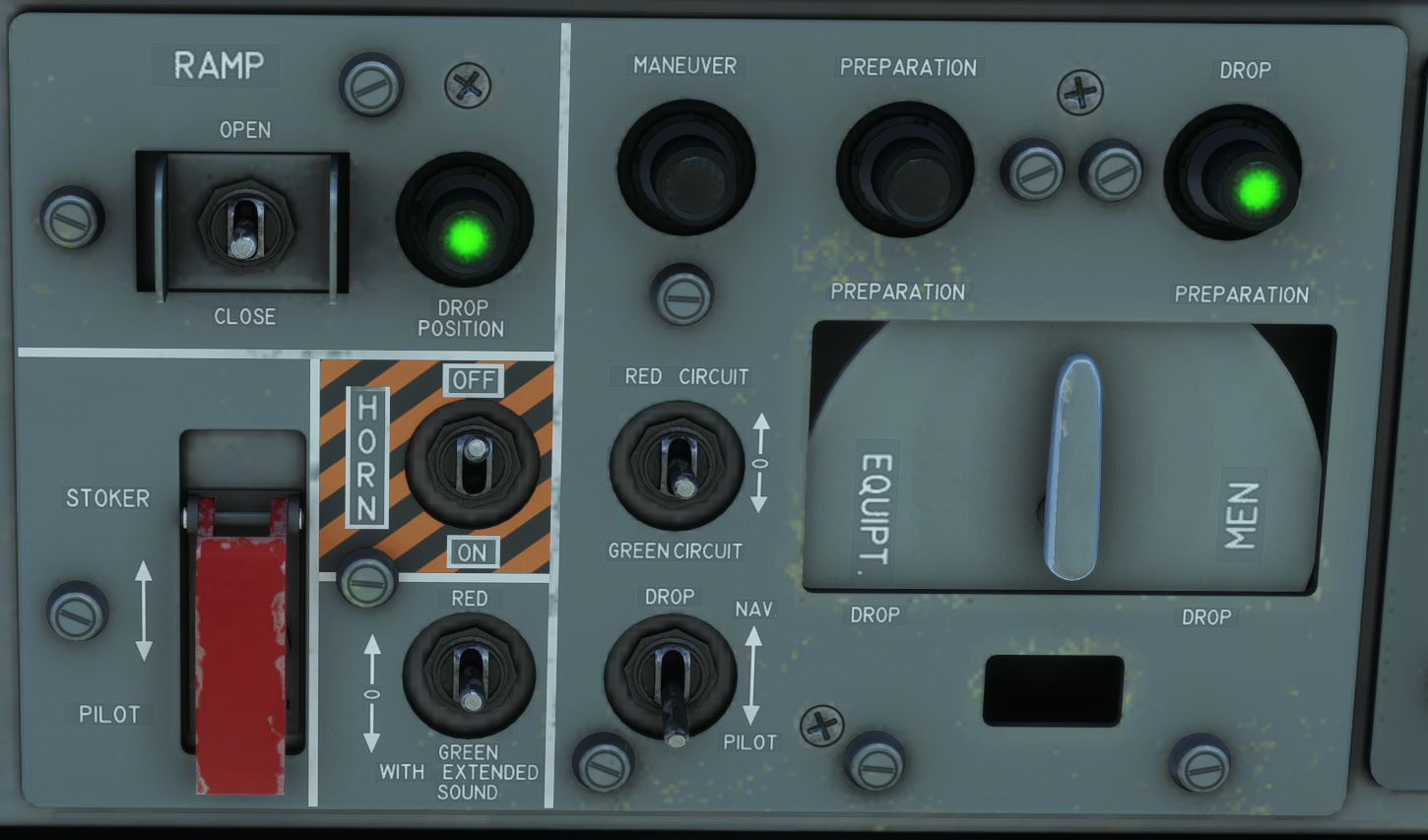
Dropping scenario will be launched few seconds after clicking on the button, in order to have time to change camera.
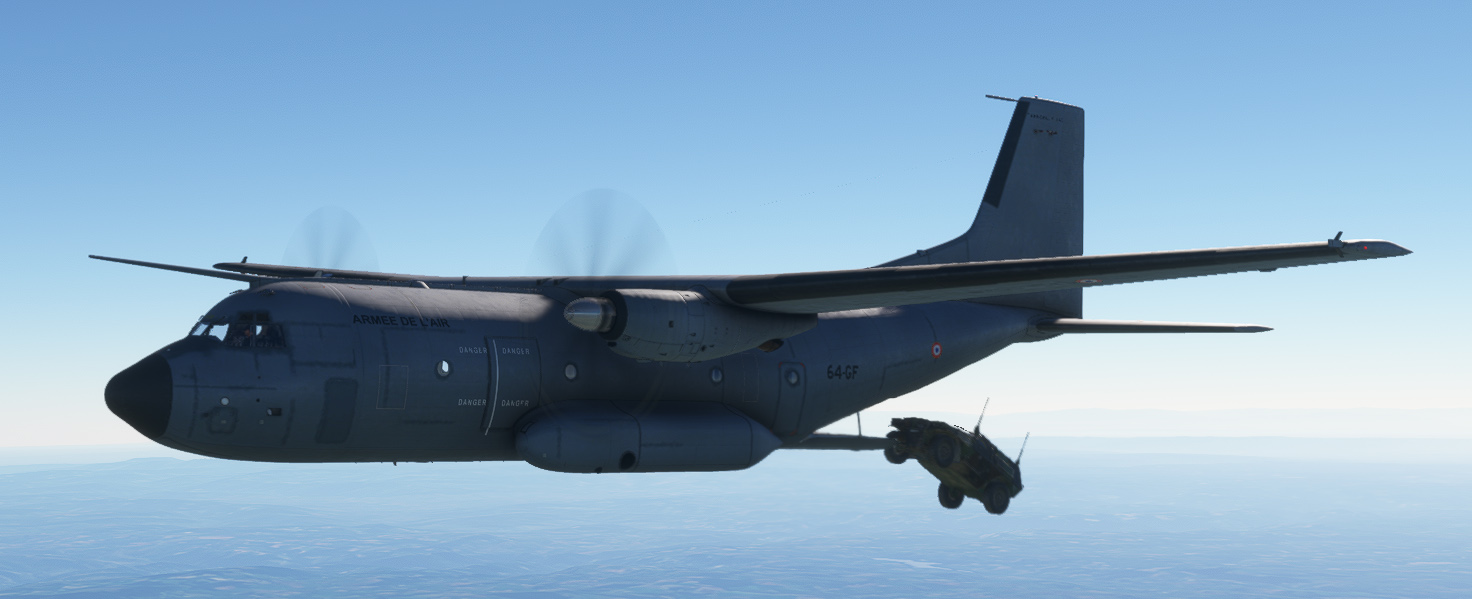
Cargo dropping is an experimental feature which can take up a lot of resources depending on your computer specifications. You could see some flickering on cargo animations which is totally normal.