Other systems
Cabin environment and pressurization
Both cockpit and cargo bay are pressurized, thanks to one compressor linked to each engine. Compressed air has a temperature of 120 °C when collected, and is cooled with refrigerator groups.
Conditioned air can be obtained from the APU as well when none of the engines are functioning.
Air conditioning
Inside temperature can bet set up to +18°C for outside temperatures down to -56°C. It can also be set to outside temperature minus 5°C for an outside temperature up to +56°C.
Bleed air valves can be opened and closed from a dedicated panel on top console. Once engines bleed air valves are used for conditionned air supply, APU valve is automatically closed. At least one bleed valve needs to be open to ensure a functional air conditioning.
Current cabin temperature is indicated by a needle, and temperature knob is used to select desired temperature (from COLD to WARM positions). Few minutes are needed to change temperature in the whole cabin, depending on outside air temperature.
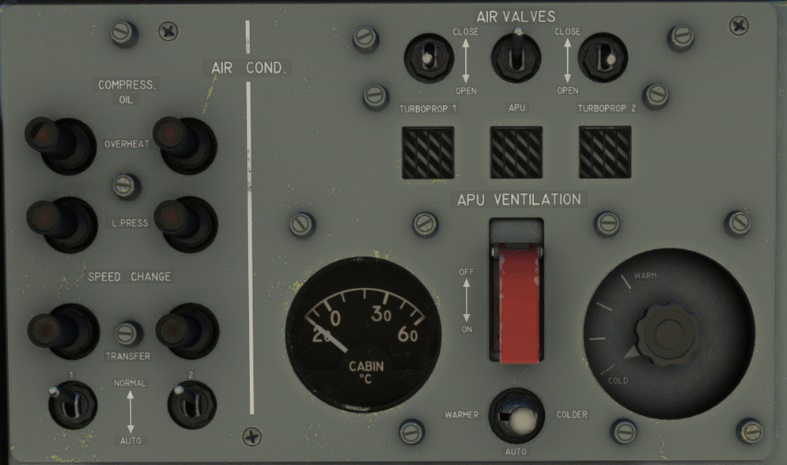
Left part of the panel is dedicated to compressors state with several lights:
-
Compressor oil overheat.
-
Compressor low oil pressure.
-
Compressor speed change. A gearbox is linked to compressor output to manage two speeds depending on engine rotation speed. Light is on when compressor is running in “low speed” mode.
Pressurization
Pressurization allows to get a maximum equivalent altitude of 10,000 feet for an actual altitude of 25,000 ft.
Two knobs allow to select target altitude and rate of change. Target altitude is the equivalent cabin altitude you want to reach while in cruise.
Effective cabin altitude, rate of change and differential pressure are indicated on the right part of the panel, along with depressurization valve that is secured by a hood.
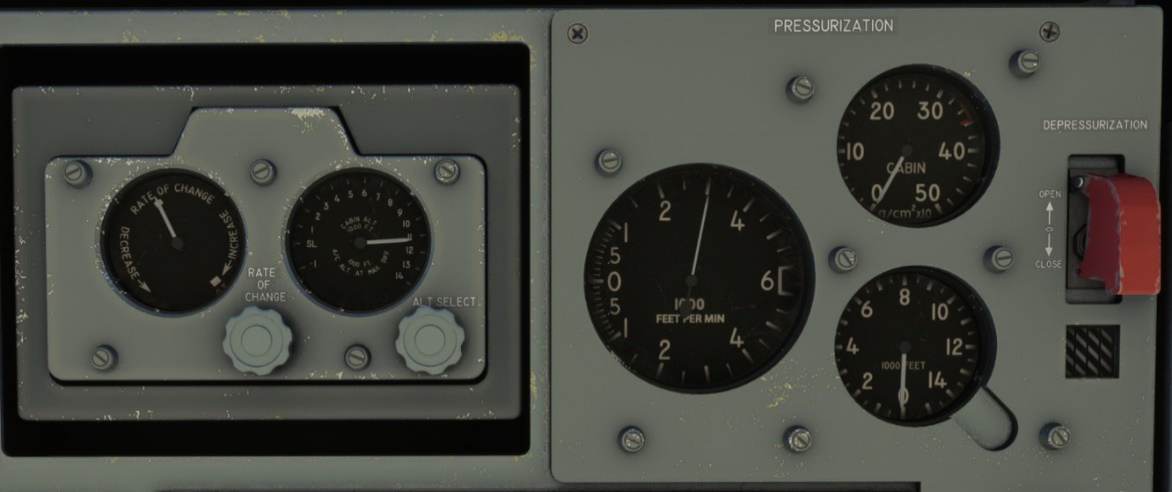
Alarms will be triggered if differential important or cabin altitude are too important. You may need to increase cabin target altitude in this situation.
Pressurization will be lost in the following scenarios:
-
Bleed air valves are closed.
-
A door is opened.
-
Depressurization valve is opened.
Target rate of change is different from actual rate of change which is automatically managed by the simulator most of the time.
Self-protection (flares)
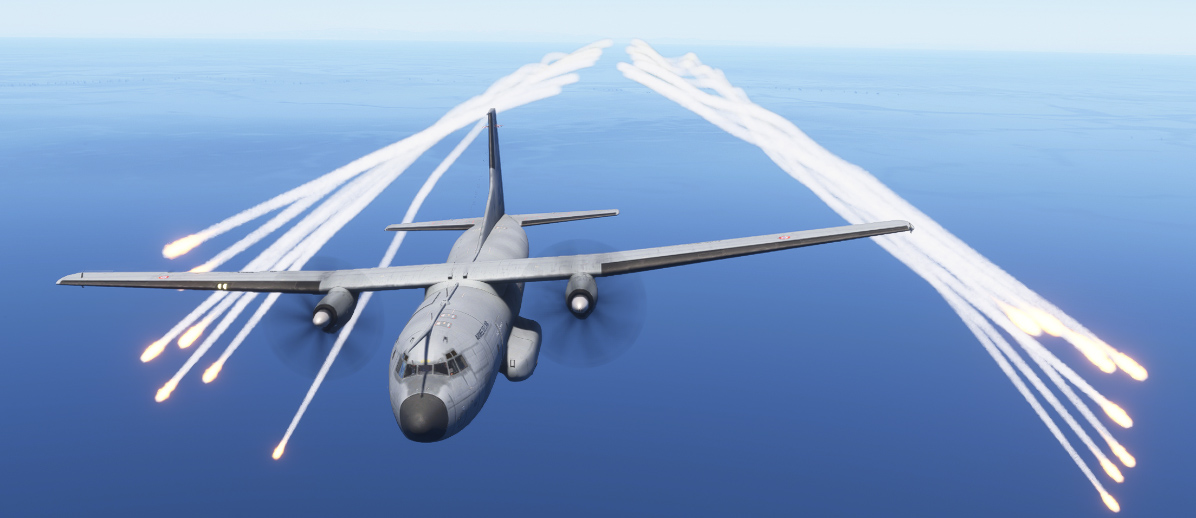
The Transall is not intended to perform any attack, but has a self-protection based on a decoy flares launcher.
Those flares can be launched manually on the simulator, whereas an autonomous system detects potential threats in the real aircraft.
Once the system is turned on, number of remaining flares is indicated on a small screen. Four salvoes of 16 flares can be triggered, and flares can be reloaded from the EFB if needed.
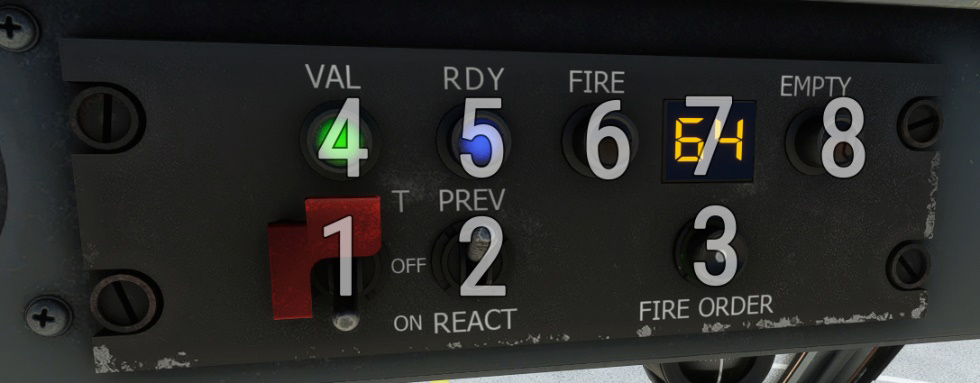
| # | Description | # | Description |
|---|---|---|---|
| 1 | Power switch | 5 | Launch ready light |
| 2 | Threat detection mode switch (inoperative) | 6 | Launch ongoing light |
| 3 | Flares launch button | 7 | Remaining flares counter |
| 4 | Flares system operative light | 8 | Empty flares light |
Once fire button is pressed, flares will be launched five seconds later.
Launch button can be bound to EMERGENCY WAR POWER in controls options.
Display on MSFS 2020:
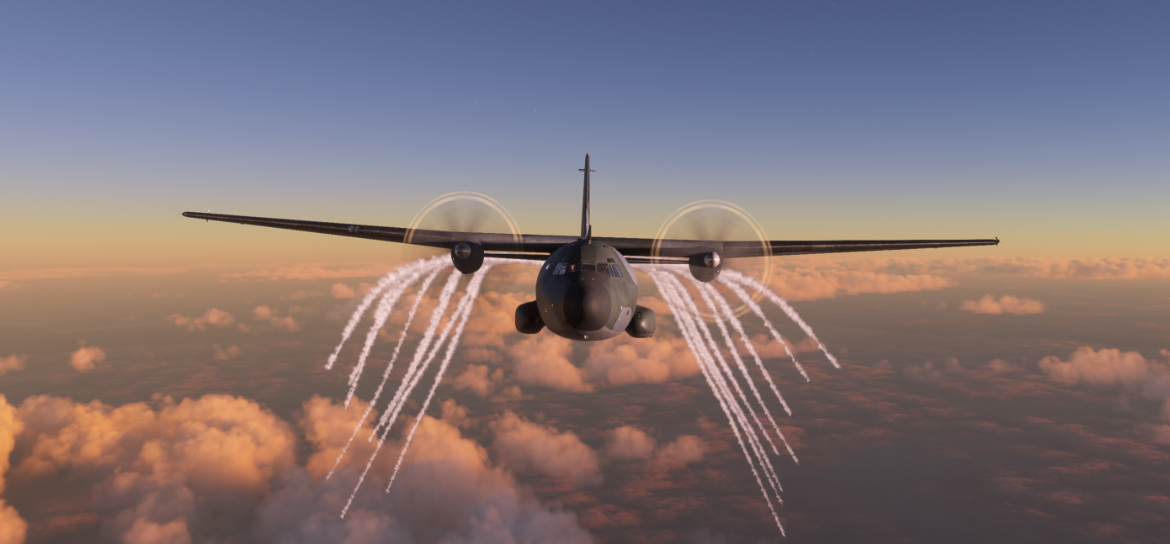
Display on MSFS 2024: