Electronic flight bag
The electronic flight bag is a small tablet designed for various actions.
It can be hidden by clicking on its “home” button and moved in all directions by dragging its left border.
Aircraft
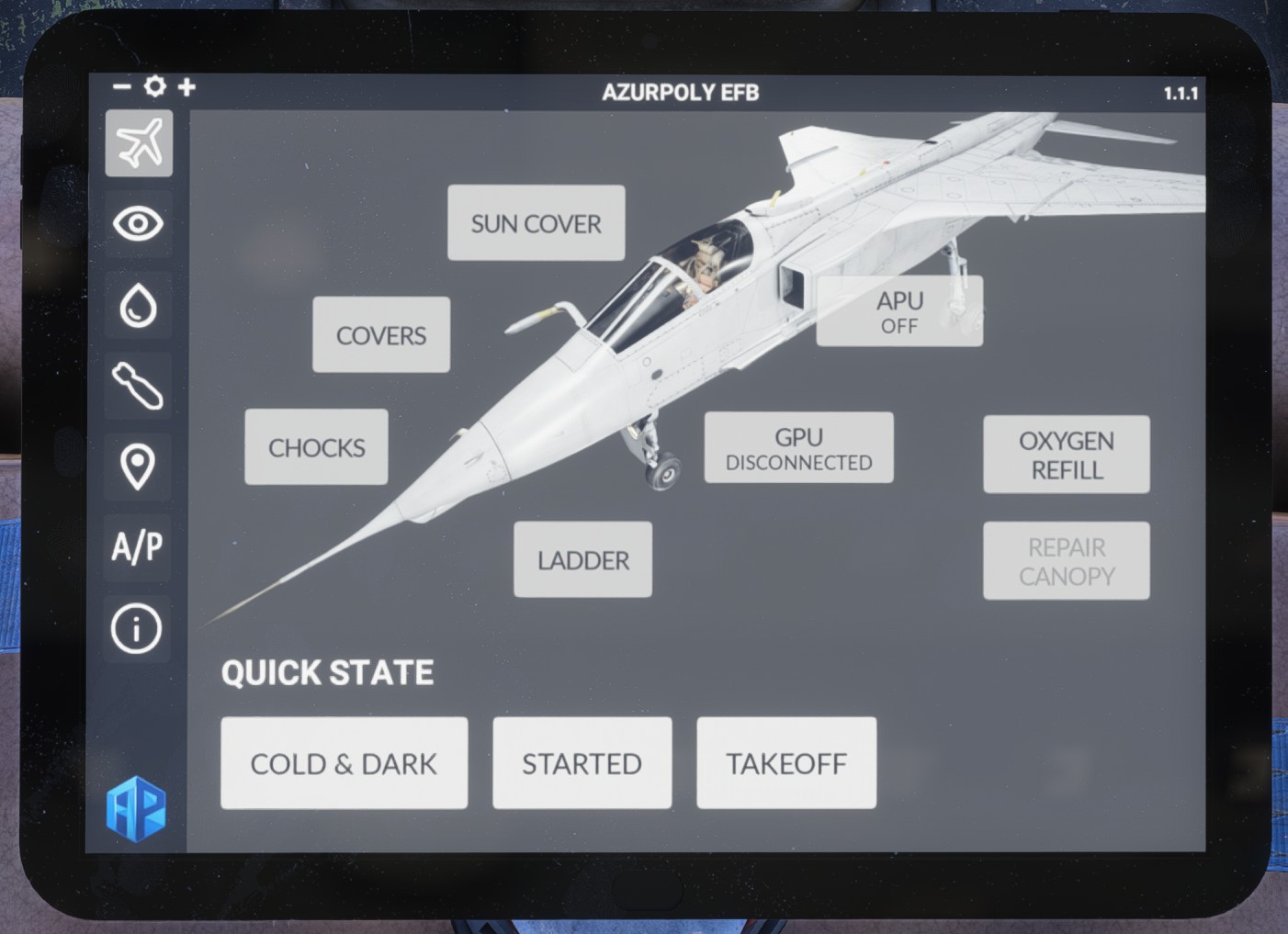
First page covers main functions related to the aircraft.
Preflight equipment can be removed or displayed (if aircraft is stopped):
-
Exterior covers.
-
Wheel chocks.
-
Pilot ladder.
-
Interior sun cover.
A ground power unit (GPU) can be connected in order to power the aircraft electrically on ground without discharging the battery.
If you run out of oxygen, a button will refill it to 100%. Also, a button to repair canopy can be clicked if canopy has been jettisoned while in flight, in order to repair it.
To bypass manual actions, pre-defined configuration can be set:
-
Cold & dark (all off).
-
Aircraft started.
-
Takeoff configuration.
Display options
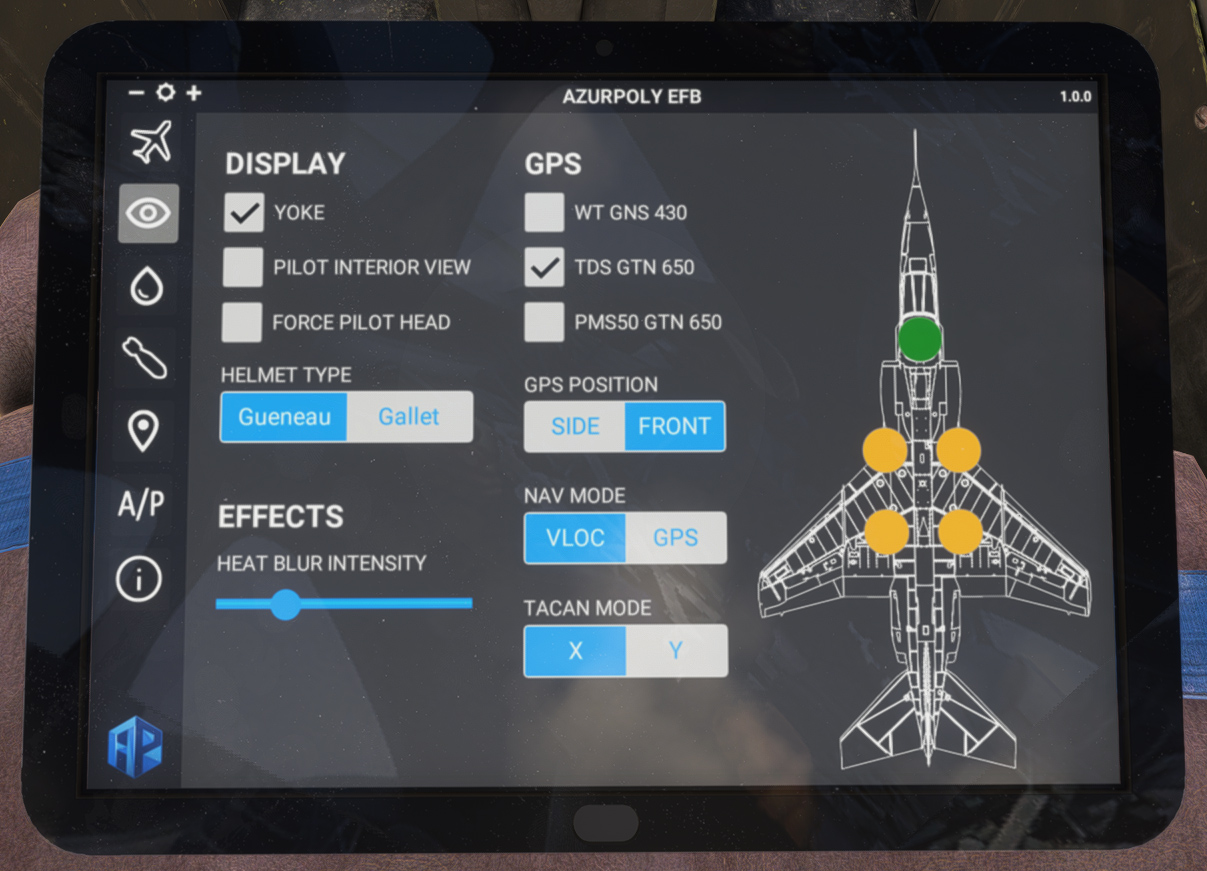
This page shows various options for the aircraft.
Few checkboxes allow to display the pilot model in interior view, and to force displaying its head as well (to do some nice screenshots in the cockpit). Please note that if yoke is hidden, pilot cannot be displayed.
You can also switch between two French helmet types (Gueneau and Gallet).
A slider can be moved to set the intensity of heat blur effect behind the aircraft.
Second column is related to GPS and radionavigation. You can display or hide three different GPS (default GNS 430, TDS SIM GTN 650 or PMS50 GTN 650), and choose its position (instruments panel or right console).
Below is a shortcut to toggle between VLOC/GPS, and another to chance TACAN mode quickly (X/Y).
On the right, round buttons allow to toggle canopy, gun doors and landing gear doors.
Fuel
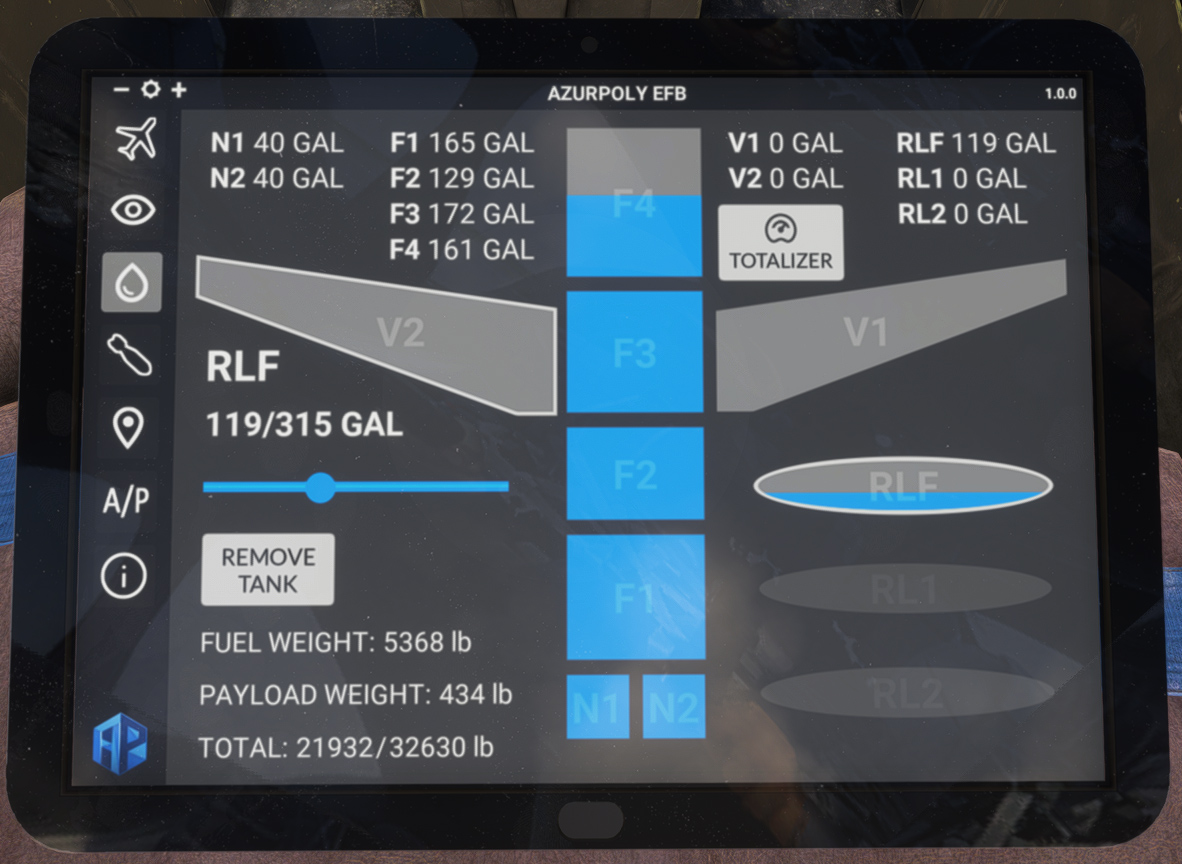
As the Jaguar did not have a fuel quantity gauge for all tanks, you can find a recap in this page, with the quantity of fuel in each tank (including external tanks).
In order to add/remove fuel in a tank, click on it and move the slider as desired. You can also add or remove each of the external tanks.
On the bottom left, a recap displays total fuel weight, payload weight and total weight of the aircraft, with maximum takeoff weight which should not be exceeded.
Lastly, a TOTALIZER button can be used to set the totalizer value automatically in the cockpit, using the current fuel weight in the aircraft, as moving the drum manually can be a bit annoying.
Weapons
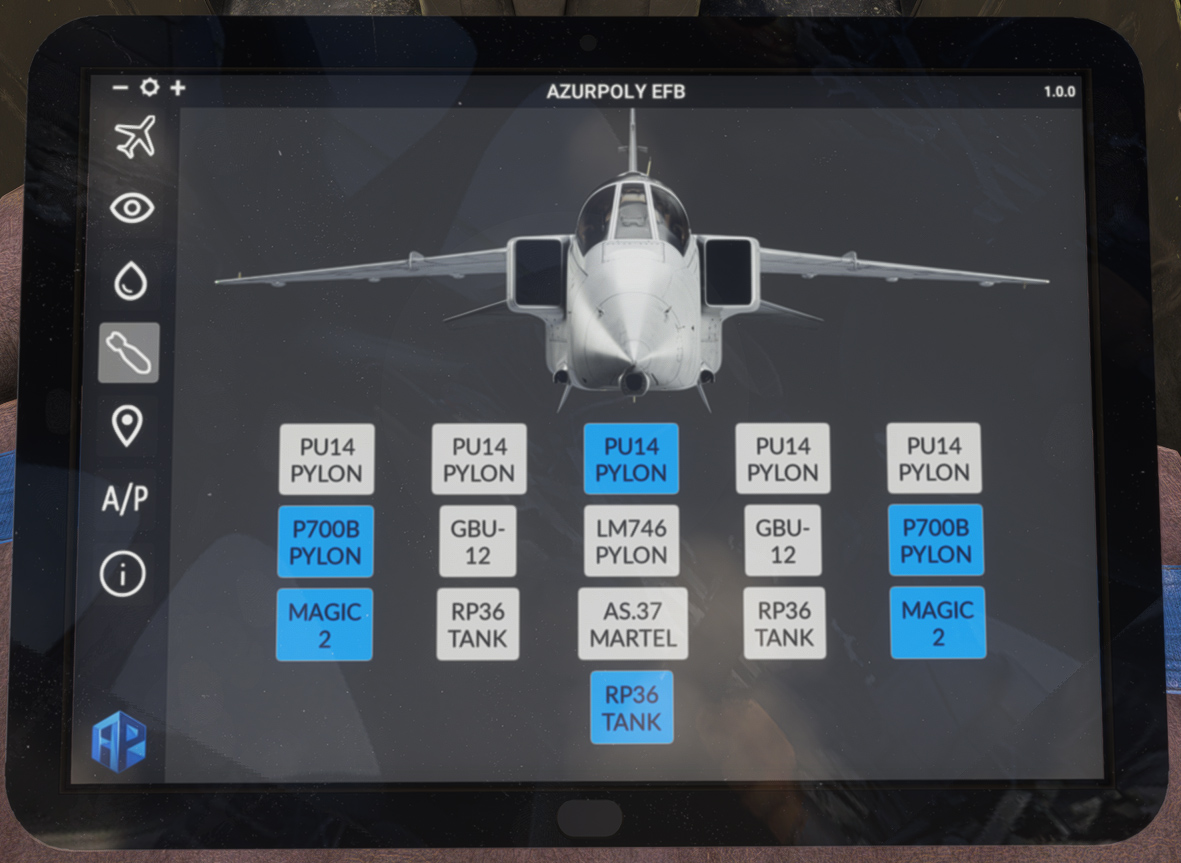
This page is used to display or hide external ordnance (distinct weapons for A and GR1 variants).
You can also add or remove external tanks easily from this page.
The impact of each object is simulated on the weight and balance of the aircraft. Each object will also increase drag, with a notable effect on performance (see performance section).
Map
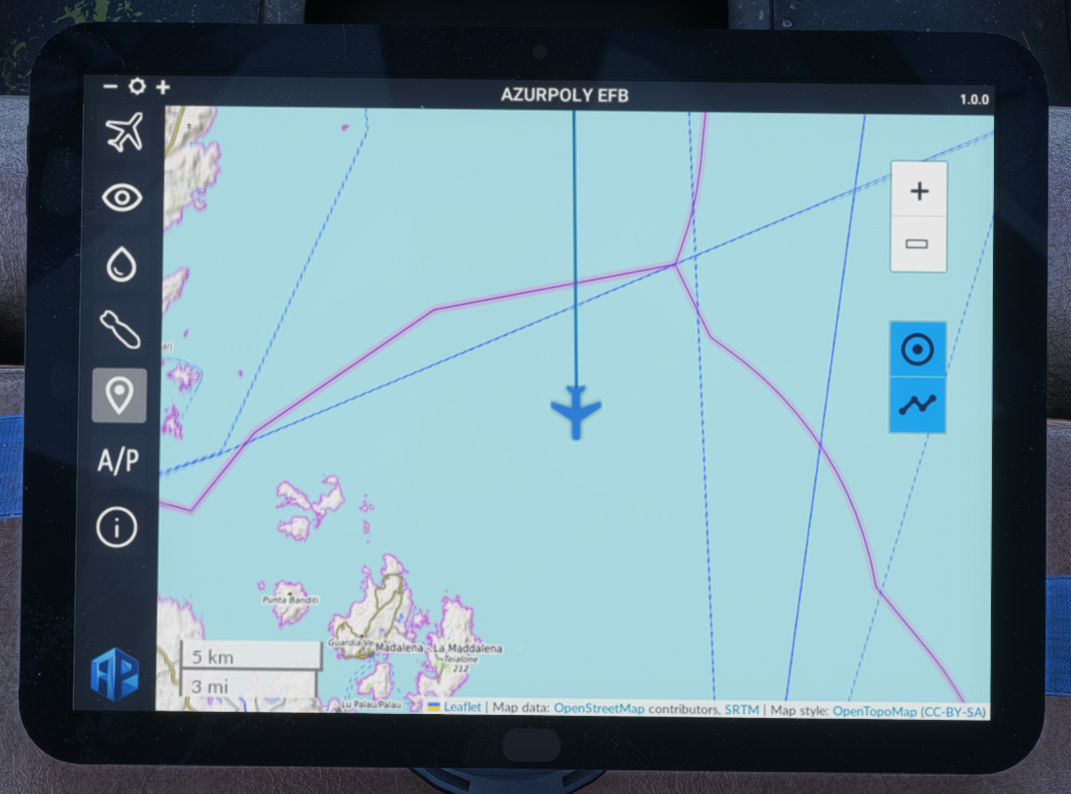
This menu consists of a map showing current aircraft position.
Different controls on the right part allow to interact with the map:
-
Zoom buttons.
-
Button to stop auto centering to aircraft position.
-
Trajectory button to show or hide aircraft path.
Autopilot
In addition to the autopilot fitted to the Jaguar, you can use the EFB for an easier operation.
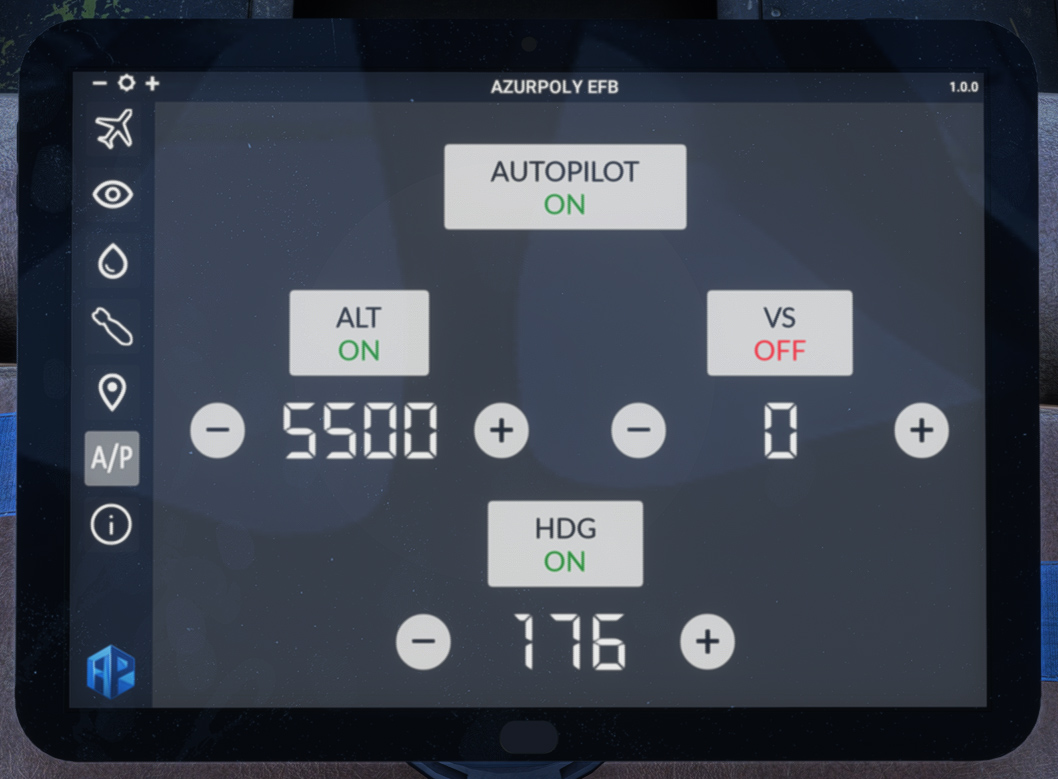
Clicking on top AUTOPILOT button allows to switch autopilot master on.
When turning ALT or HDG mode on, current altitude/heading will be set as target, and you can change the values with ⊕ and ⊖ buttons, in order to change target altitude or heading.
VS button allows to initiate a climb or a descent by choosing a target vertical speed (feet/min). The aircraft will automatically stop at the target altitude (set below ALT button) and hold it.
Info
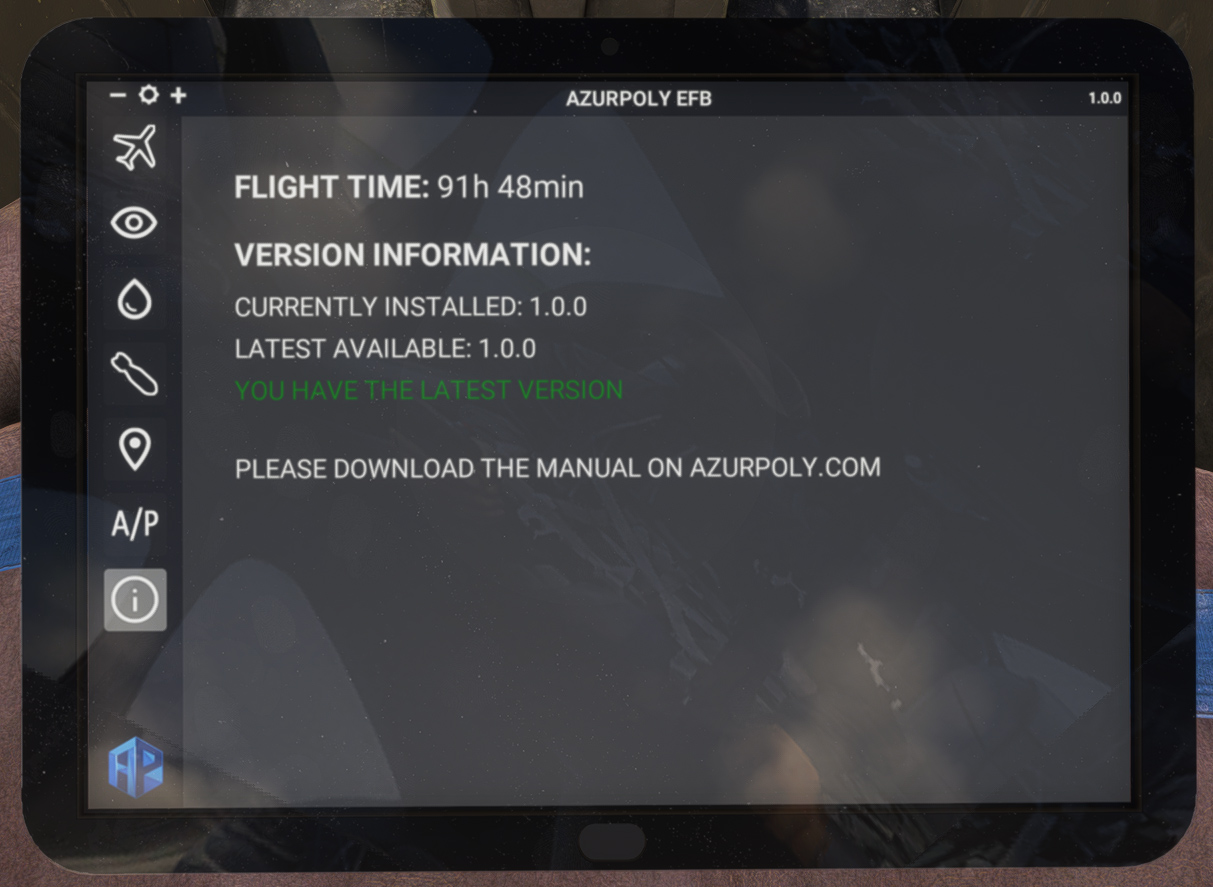
This menu indicates version of the aircraft currently installed on your machine. A message will be displayed if an update is available.
You can also see your total time spent inside the Jaguar.