Flight controls
Fly-by-wire overview
Digital flight controls were progressively introduced during the 1990s. This technology made a delta-wing aircraft much easier to exploit. It also ensures consistent control response throughout the flight envelope, reacts to the environment, compensates for center-of-gravity variations, and reduces part of the workload normally associated with conventional flight controls.
Because of the unique characteristics of the Rafale's close-coupled canard-delta configuration, a fully custom FBW implementation was developed for this module. The default simulator fly-by-wire system is not used. This allows us to model the interaction between the canards, delta wing, and flight control laws, as well as the aircraft's relaxed stability characteristics, although some behaviors may still differ slightly from the real aircraft.
Stores config
As the Rafale can carry a lot of external stores, different g-force and maximum roll rates limits must be applied to eliminate any risk on the physical integrity of the aircraft.
Depending on current aircraft configuration, a different FCS mode is applied:
-
A/A: most permissive "air-to-air" mode, with maximum 270 deg/s in roll and accelerations between -3.2 / +9G. This mode is selected if the aircraft does not have any external tank, except a single supersonic RPL701 tank with empty fuel. -
ST1: "stores 1" mode, with maximum 150 deg/s in roll and accelerations between -2.4 / +5.5G. This mode is selected when carrying external tanks, which is very common in most operational flights. -
ST2: "stores 2" mode, equivalent to a more restrictive version ofST1, with softer control response. This mode is selected when carrying bombs attached to the AT730 triple-bomb rack, or SCALP cruise missiles.
Current configuration is set with Stores Handling Mode Switch and must match the current aircraft configuration at any time. The aircraft throws an alarm if the selected stores mode does not correspond to the carried configuration. Flying in the wrong mode is prohibited as it could lead to aircraft damages.
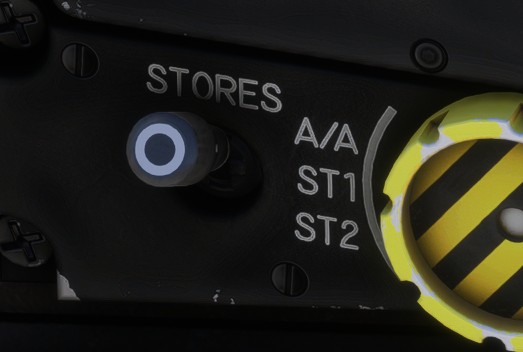
An EFB option is available to manage the switch automatically according to the loadout.
Pitch handling
In pitch, the FCS behaves as a load-factor command system. Stick input sends a G command, and the computers drive the elevons to achieve the requested value. When the stick is returned to neutral, the FCS attempts to maintain a constant load factor, typically 1G, which can be approximated as a near-constant attitude in steady flight.
This behavior allows flight path to be adjusted primarily through speed changes while attitude remains nearly constant. This is also the basic principle behind angle-of-attack hold.
An angle-of-attack limiter is also present and is set to approximately 28 degrees.
Roll handling
Unlike pitch, roll behavior is closer to a conventional aircraft. The FCS provides:
Roll-rate limiting: approximately 270 deg/s inA/Aand 150 deg/s inST1.
Those are maximum roll rates values, which are different from actual roll rate that will vary based on several factors (for example, roll rate is smaller at slower speeds for aerodynamics reasons).
-
Asymmetry compensation: When an external store is released or fuel is not centered laterraly, the resulting moment can significantly affect roll handling. This is automatically compensated by the FCS. -
Compensationfor roll disturbances induced by the environment.
Yaw handling
In yaw, the logic is more transparent to the pilot.
However, maximum rudder angle is automatically managed depending on airspeed in order to avoid damaging the aircraft.
The rudder is electronically coupled to roll input in order to coordinate turns and to compensate for aerodynamic effects generated by the simulation environment ("yaw damper" effect).
The FCS tries to maintain wings leveled in flight when the pilot moves the rudder.
Controls
Stick
The Rafale control stick differs from that of aircraft fitted with conventional flight controls. Travel is very short, around one centimeter only, and the stick responds primarily to the force applied by the pilot rather than to displacement. Its operational role remains the same.
The real aircraft includes an elastic stop allowing the pilot to override the normal envelope limits and reach up to 11G acceleration. This feature is not simulated as the existing flight controllers do not have this "elastic stop" (even force feedback joysticks).
Rudder & steering
The rudder pedals use a conventional layout. They combine yaw control, steering, and toe brakes.
Rudder pedals position can be set with a switch on right console.
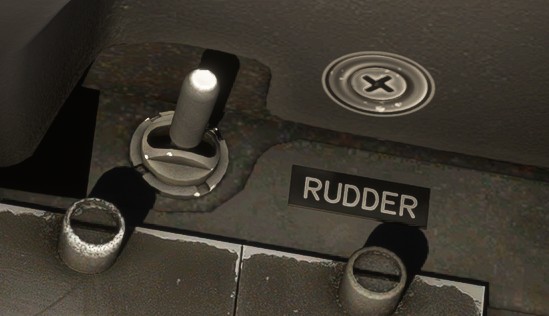
Hydraulic steering can be toggled with PM8 control. It is normally disabled by default when starting the aircraft, but we decided to simplify a little bit in the simulator.
Steering is automatically disengaged above 60 knots.
Trim
In normal conditions, with FCS in digital mode, pitch trim and roll trim are disabled and managed by the system.
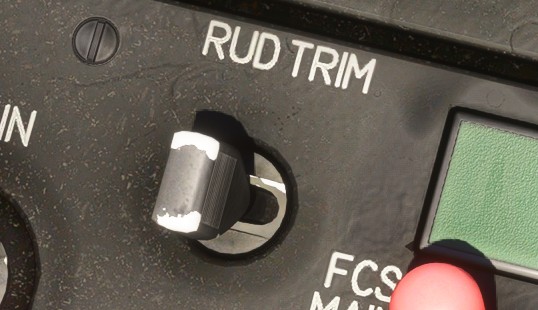
Rudder trim can be set in order to compensate aircraft drift.
FCS operation
Degraded modes
Under normal operation, the FCS operates in digital mode with variable gain scheduling, providing optimized handling qualities and full flight-envelope protections.
In case of digital mode failure, a dedicated switch allows the pilot to revert the flight controls to an analogue control mode. In this configuration, several aircraft systems and control functions are no longer available, resulting in a reduced level of assistance and protection:
- No autopilot.
- Canards disengaged.
- Slats retracted.
- Airbrakes not available.
In analogue mode, pitch trim and roll trim can be set manually by the pilot.
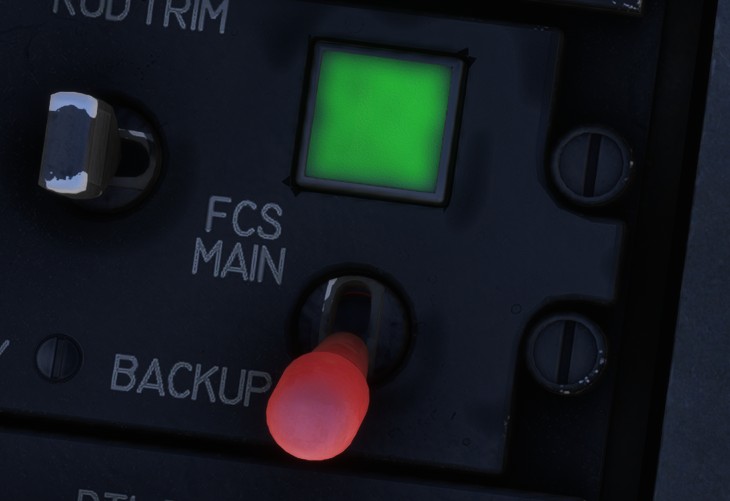
A green light indicates that the system is ready to be set to digital mode.
Selecting the emergency gain mode triggers an alarm, as some flight control protections are disabled. The pilot must therefore exercise increased caution when operating the aircraft in this degraded configuration.
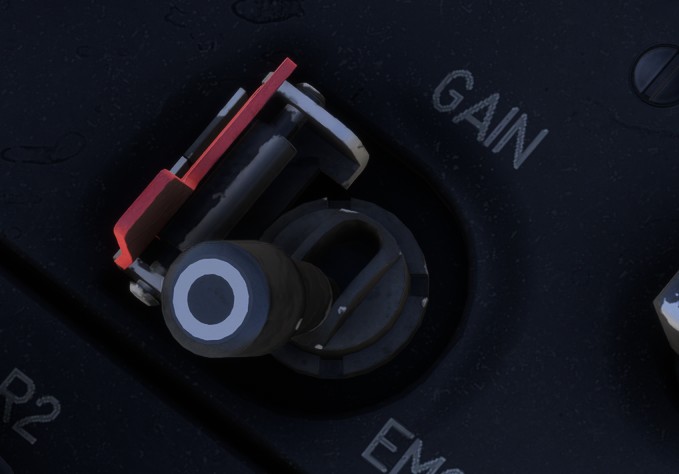
These degraded modes are not intended for normal operation, they have been reproduced to allow failure scenarios simulation.
Testing
After each startup, flight control system needs to be tested to check its integrity.
The test is automatic and triggered by the pilot from the right console with FCS Test Switch.
Two types of test can be conducted (short or long), the second one being longer and reserved to maintenance.
The short test will last approximately ten seconds and you can see flight surfaces pulses during the test.
Once the test is finished, a GO light indicates that FCS integrity is confirmed. A NOGO light indicates the opposite.
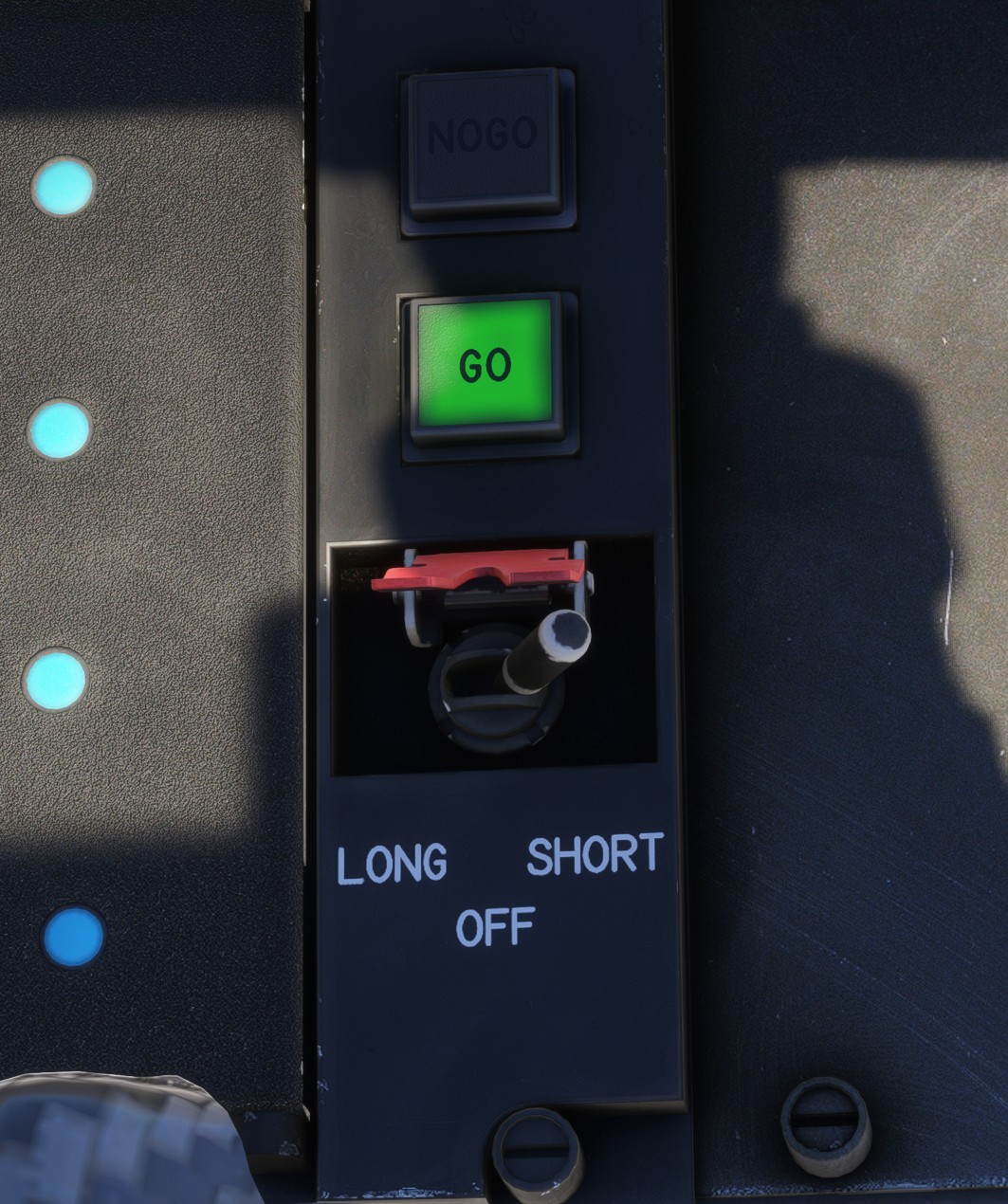
An alarm is displayed as long as the test is not conducted and successful. Trying to take off in those conditions will generate a NOGO alert.
Auto recovery
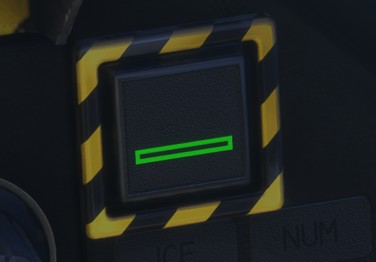
The auto recovery is activated by the Automatic Recovery Button.
Its purpose is to bring the aircraft back toward safe attitude and speed after a loss-of-control situation.
When pressed in flight, it commands roll back toward wings level and pitch toward a slight nose-up recovery attitude. At the same time, it forces autothrottle IAS mode with a 300 kts target.
The button has a green light showing that the system is currently active.
Spin mode
Spin Switch is located on main panel and is essentially used in case of handling urgency, for example if aircraft entered a spin.
Toggling the switch will disable all flight envelope protections and give full authority to the pilot input.
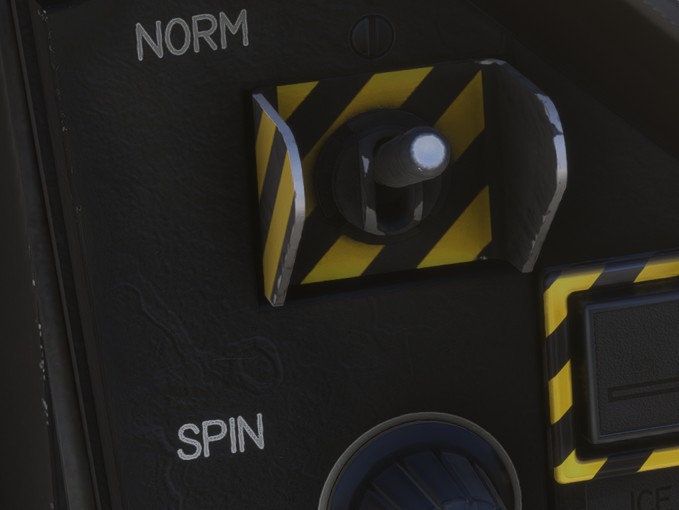
Without flight envelope protections, you can easily exceed maximum structural limitations.