Payload & Weapons
Our Rafale supports a wide selection of stores commonly associated with the aircraft.
The aircraft loadout can be configured and displayed from the EFB payload page.
All users, on both PC and console, can display the different stores on the aircraft. However, the functional weapon system is only available on compatible PC versions, as explained below.
Implementing a functional weapon system required a significant amount of research and development. Microsoft Flight Simulator was not originally designed to support this type of feature, which made its implementation considerably more complex. The final result goes well beyond the scope initially planned for the product.
Nevertheless, several technical compromises were required to keep the system efficient, stable and accessible to the widest possible range of users.
Microsoft Marketplace policies do not allow products distributed through the Marketplace to include functional weapons.
The Microsoft Marketplace version therefore does not include the functional weapon system by default. To enable it on PC, download the weapons manager patch from our website and install it in your Community folder.
The patch cannot be installed on Xbox or PS5, so the functional weapon system is not available on these platforms.
For versions purchased from compatible third-party stores, the functional weapon system is included by default.
Although we have made every effort to deliver a realistic experience, this implementation is based on free interpretations and should not be considered representative of the real Rafale weapon system, its capabilities, or its operational use.
The simulated weapon performance figures do not reproduce or disclose real-world performance data.
Payload overview
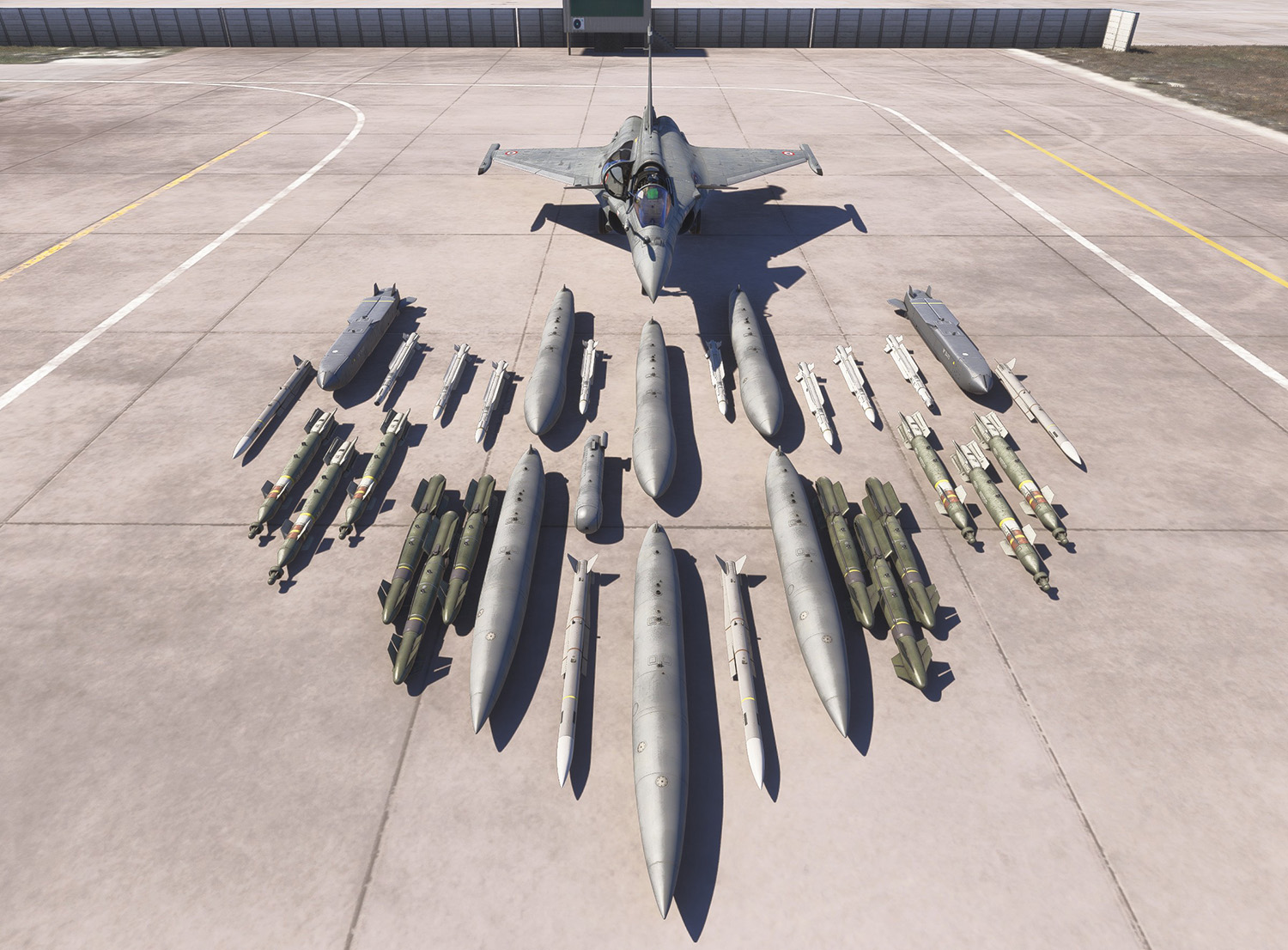
The weapons and store selection offered in our version focuses on the main items associated with the Rafale F3-R weapons set. Some stores are not included for various reasons.
The Rafale C has 14 hardpoints, numbered as follows:
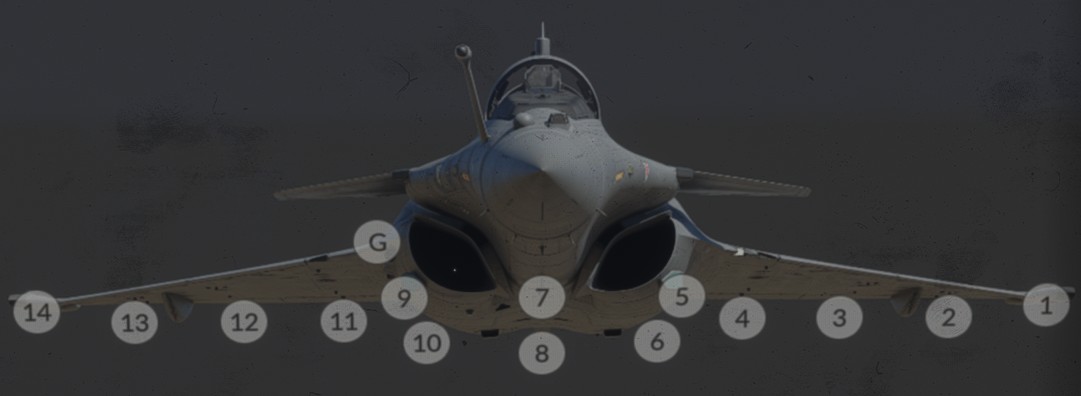
The two ventral hardpoints generally cannot be used simultaneously, as most centreline stores occupy or interfere with both stations.
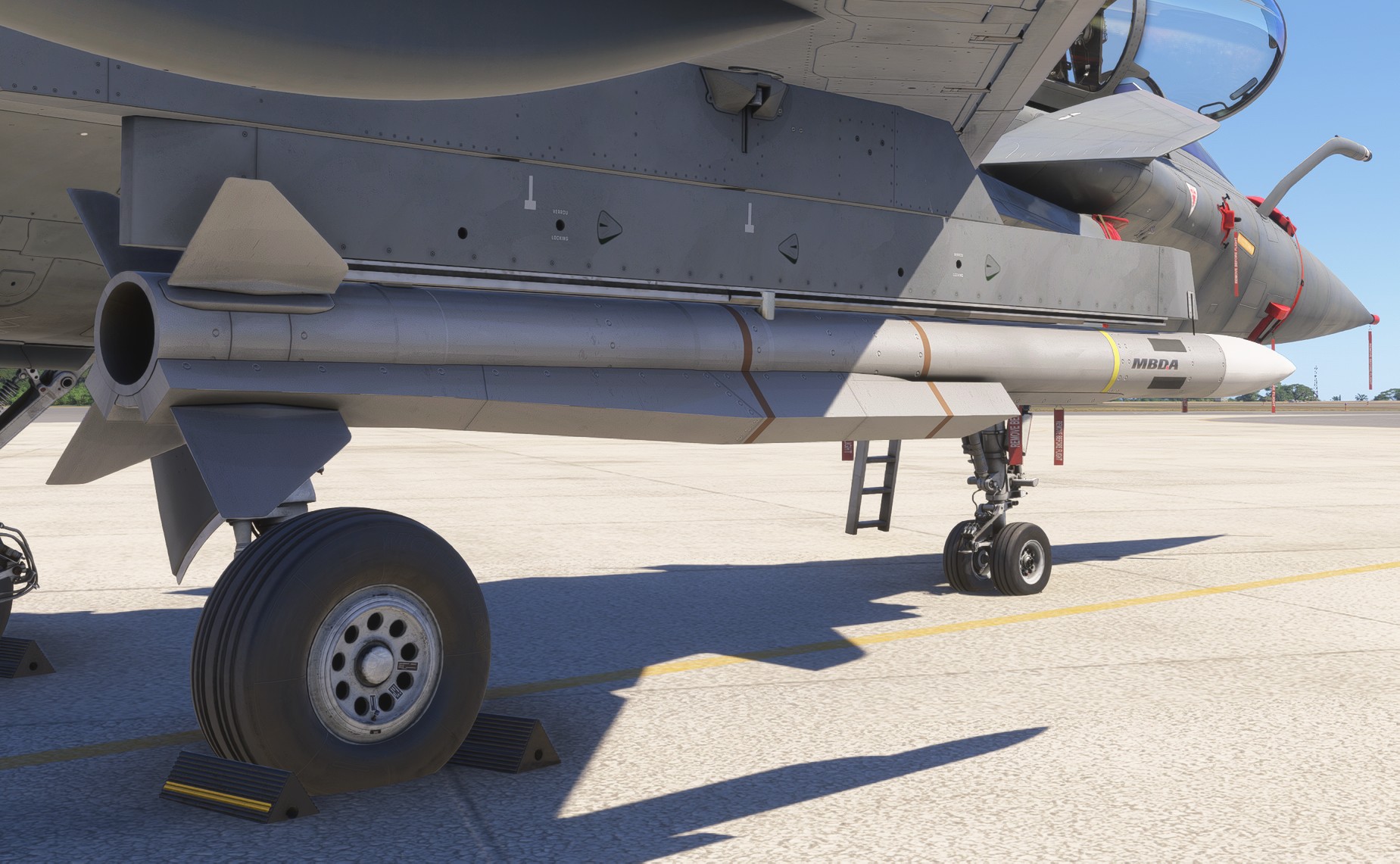
MICA (EM & IR)
The MICA family gives the Rafale a common missile body for short-range self-defense and beyond-visual-range interception. The two versions mainly differ by seeker type:
-
MICA EMuses an active radar seeker and is intended for all-weather radar-guided engagements. -
MICA IRuses an imaging infrared seeker and can support more discreet passive interceptions.
In practical terms, the pair gives the aircraft tactical flexibility rather than two completely different missile concepts.
Meteor
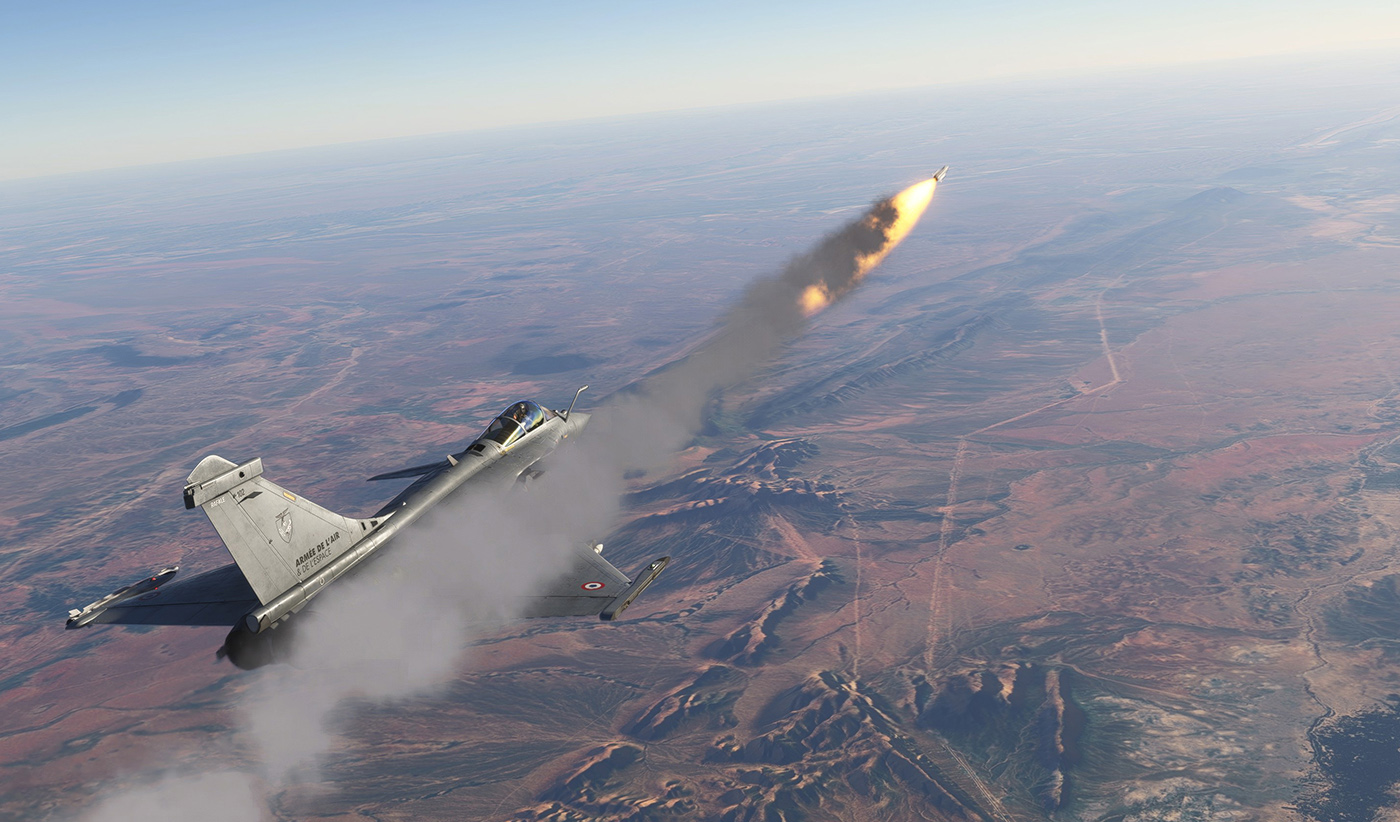
Meteor is the Rafale's very-long-range air-to-air missile. Its defining characteristic is its ramjet propulsion, which sustains energy deep into the intercept and gives it a particularly large no-escape zone compared with more conventional rocket-powered missiles.
Within the Rafale inventory, it serves as the primary long-range air-superiority weapon.
AASM
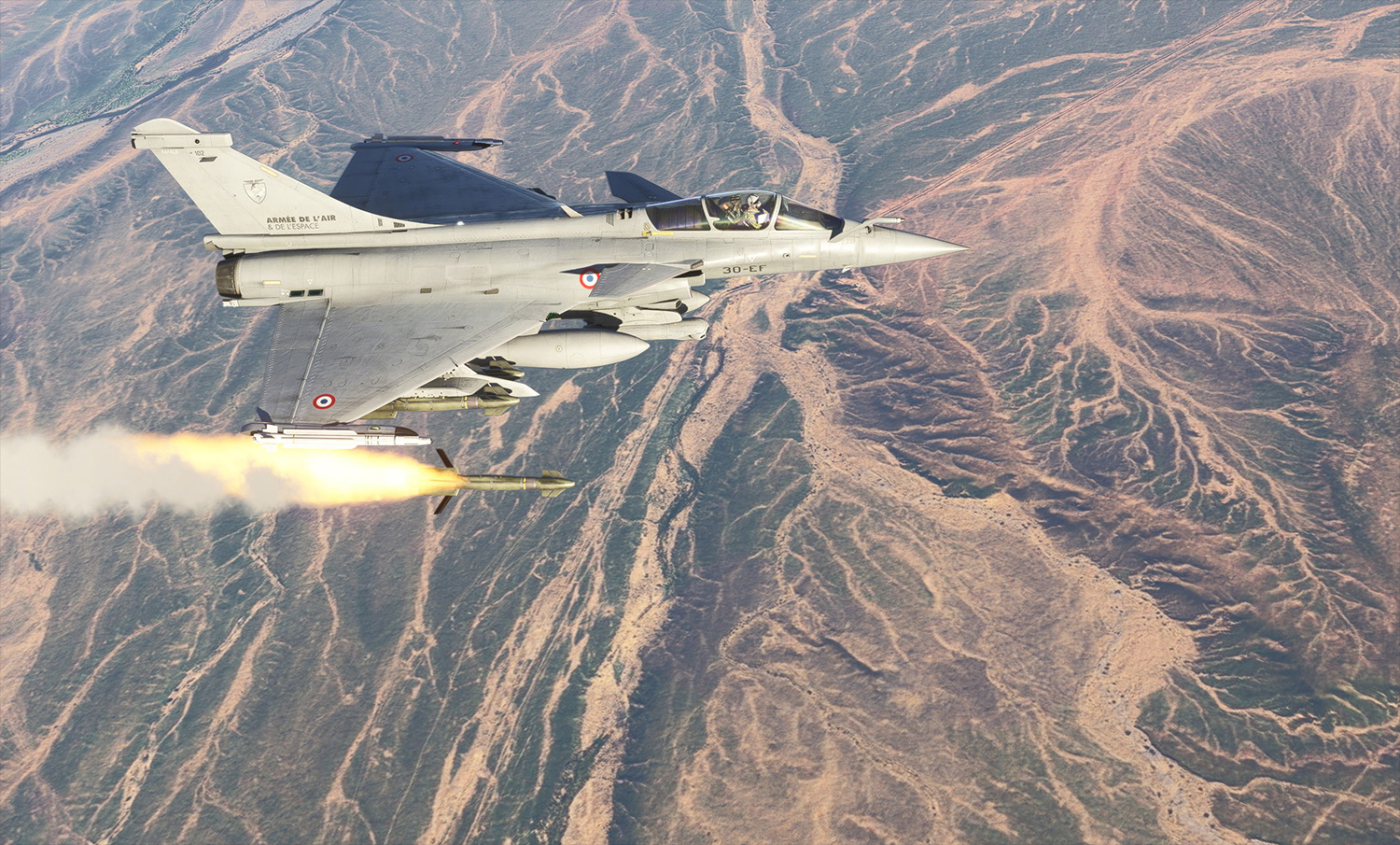
AASM, also known as HAMMER, is a modular precision-guided air-to-surface weapon.
It combines a bomb body with a guidance kit at the front and a range-extension kit at the rear.
The weapon family is available with several guidance configurations, including:
INS/GPSINS/GPS/IRINS/GPS/laser
Our version currently reproduces the INS/GPS variant.
The AASM provides the Rafale with an all-weather stand-off weapon suitable for precision strikes at both short and extended ranges.
GBU-12
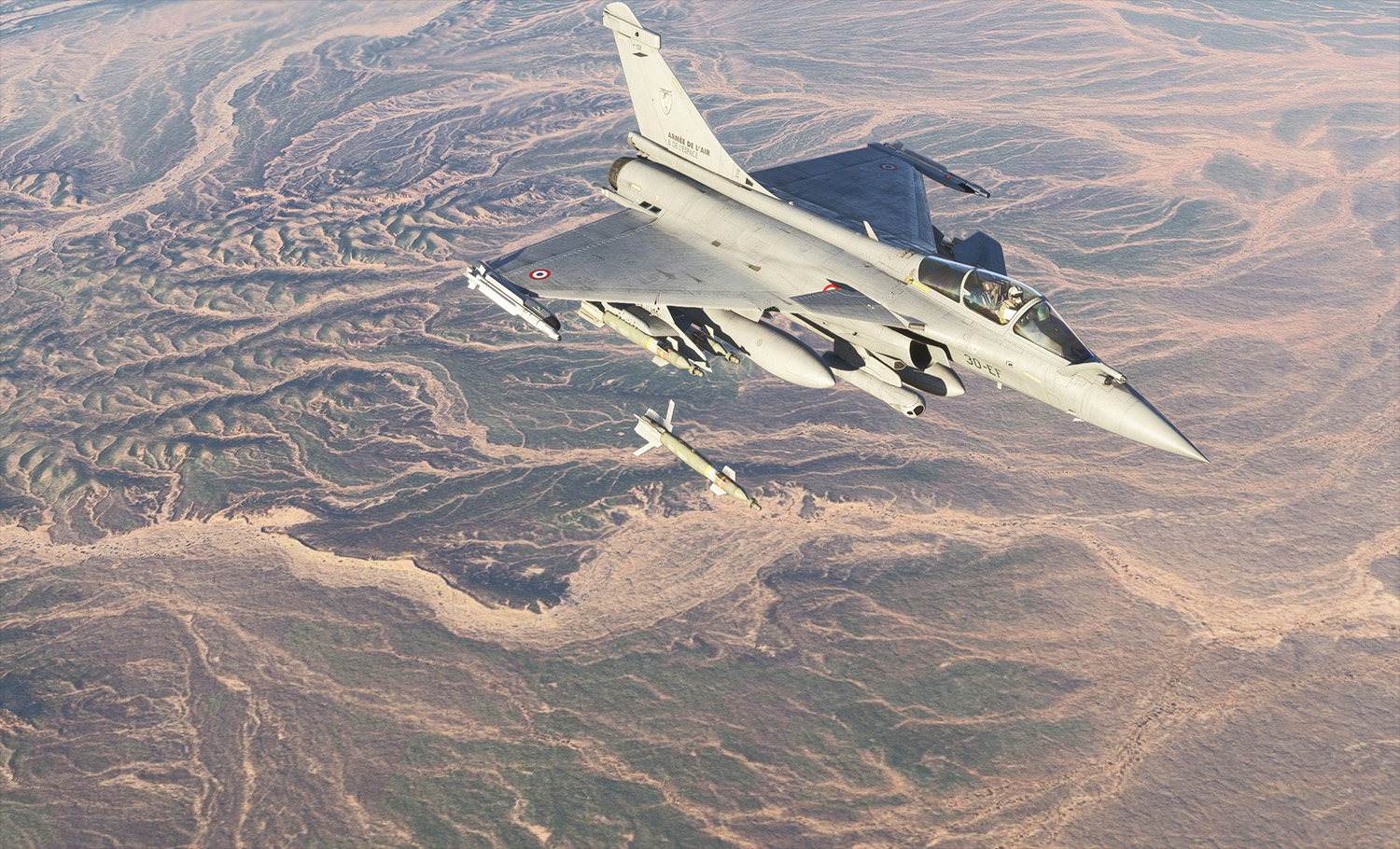
The GBU-12 is a 500 lb laser-guided bomb based on the Mk 82 general-purpose bomb body.
Unlike propelled stand-off weapons, it is an unpowered weapon whose range depends heavily on the aircraft's altitude, speed and attitude at release.
The target must remain illuminated by a compatible laser designator during the terminal phase of the attack. On the Rafale, this function can be provided by a targeting pod such as Damocles.
SCALP
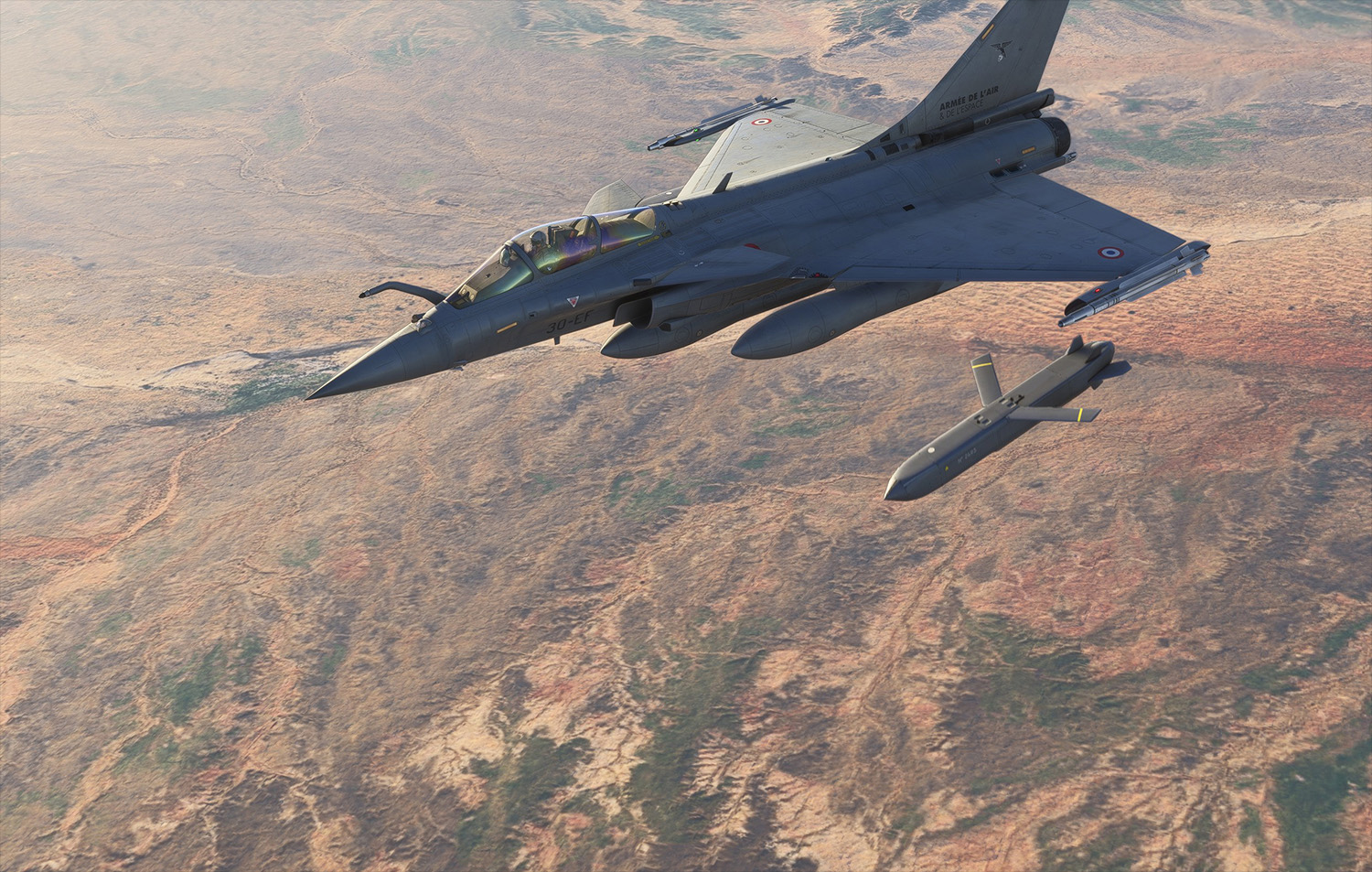
SCALP is a conventionally armed, long-range stand-off cruise missile intended for pre-planned strikes against high-value fixed or stationary targets.
It is designed for day, night and all-weather operation. Its navigation system combines INS, GPS and terrain referencing, while an imaging infrared seeker is used during the terminal phase.
Within the Rafale inventory, it provides a deep-strike capability against distant targets.
Cannon
The Rafale is equipped with an internal Nexter 30M791 30 mm cannon on both single-seat and two-seat variants.
The cannon can be used for close air combat and air-to-surface strafing. It has a firing rate of approximately 2,500 rounds per minute and carries 125 rounds.
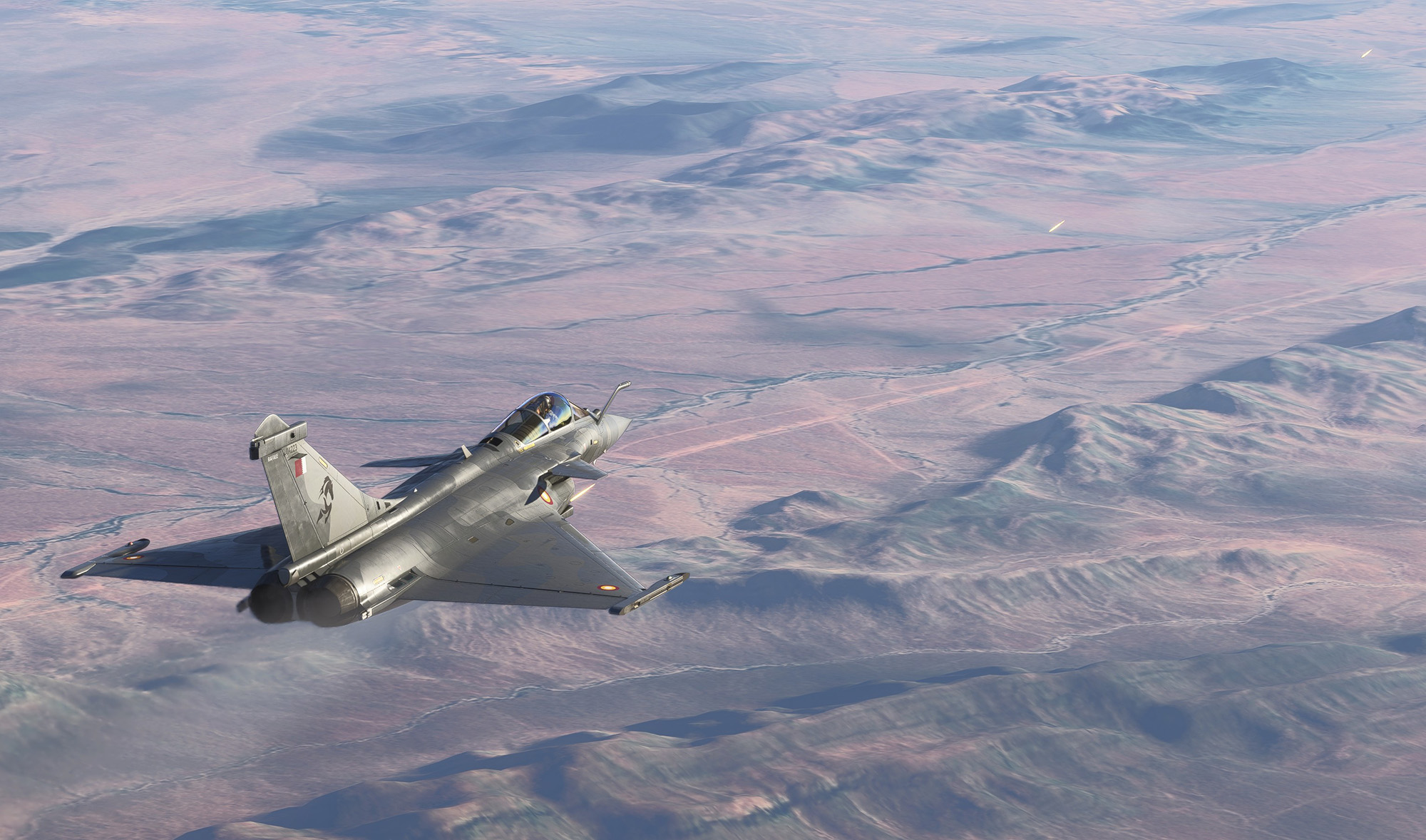
Damocles pod
Damocles is a targeting and laser-designation pod used for target acquisition and laser-guided weapon employment.
It allows the aircraft to observe, identify, track and designate surface targets during day and night precision-strike missions.
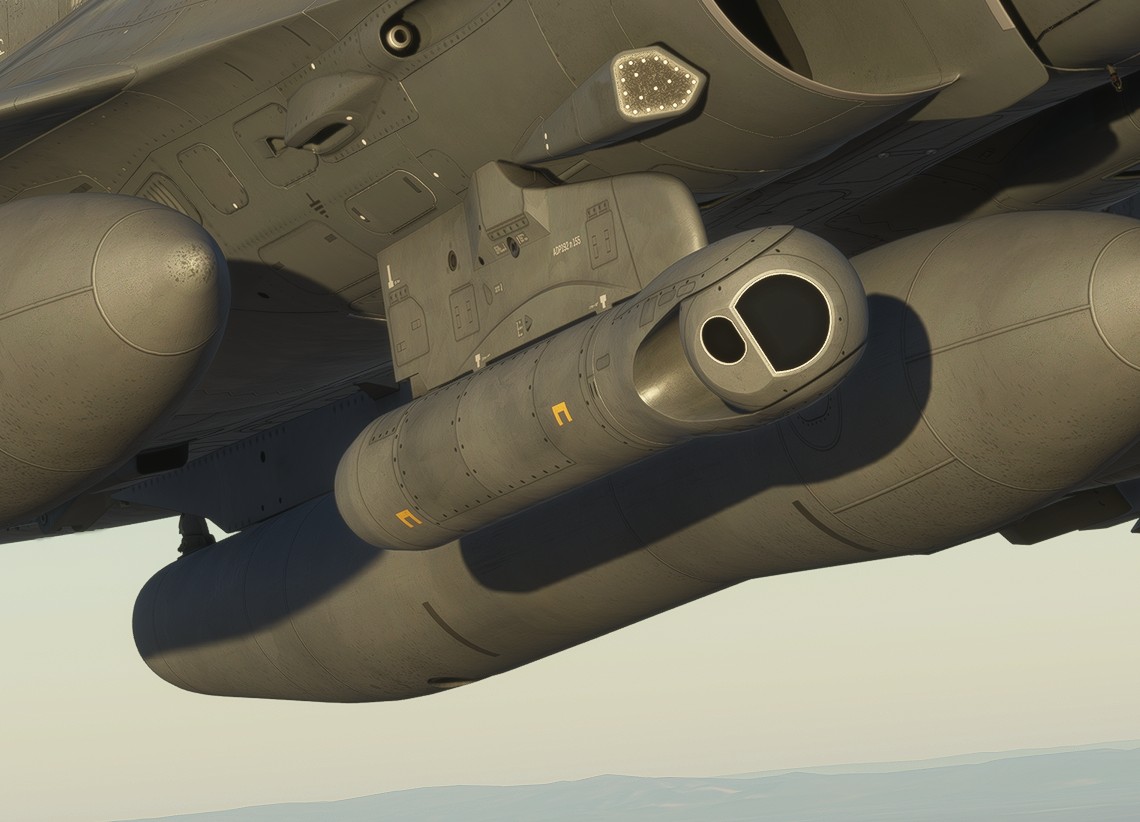
External tanks
The Rafale can carry external fuel tanks to increase its range, endurance and available loiter time.
In the configurations represented by this add-on, the aircraft can carry up to approximately 4.8 tonnes of external fuel. Three wet stations can be used to carry external tanks.
Subsonic RPL741
The RPL 741 is the larger subsonic external tank.
It maximises fuel capacity for missions where transit range, endurance or loiter time is more important than high-speed performance.
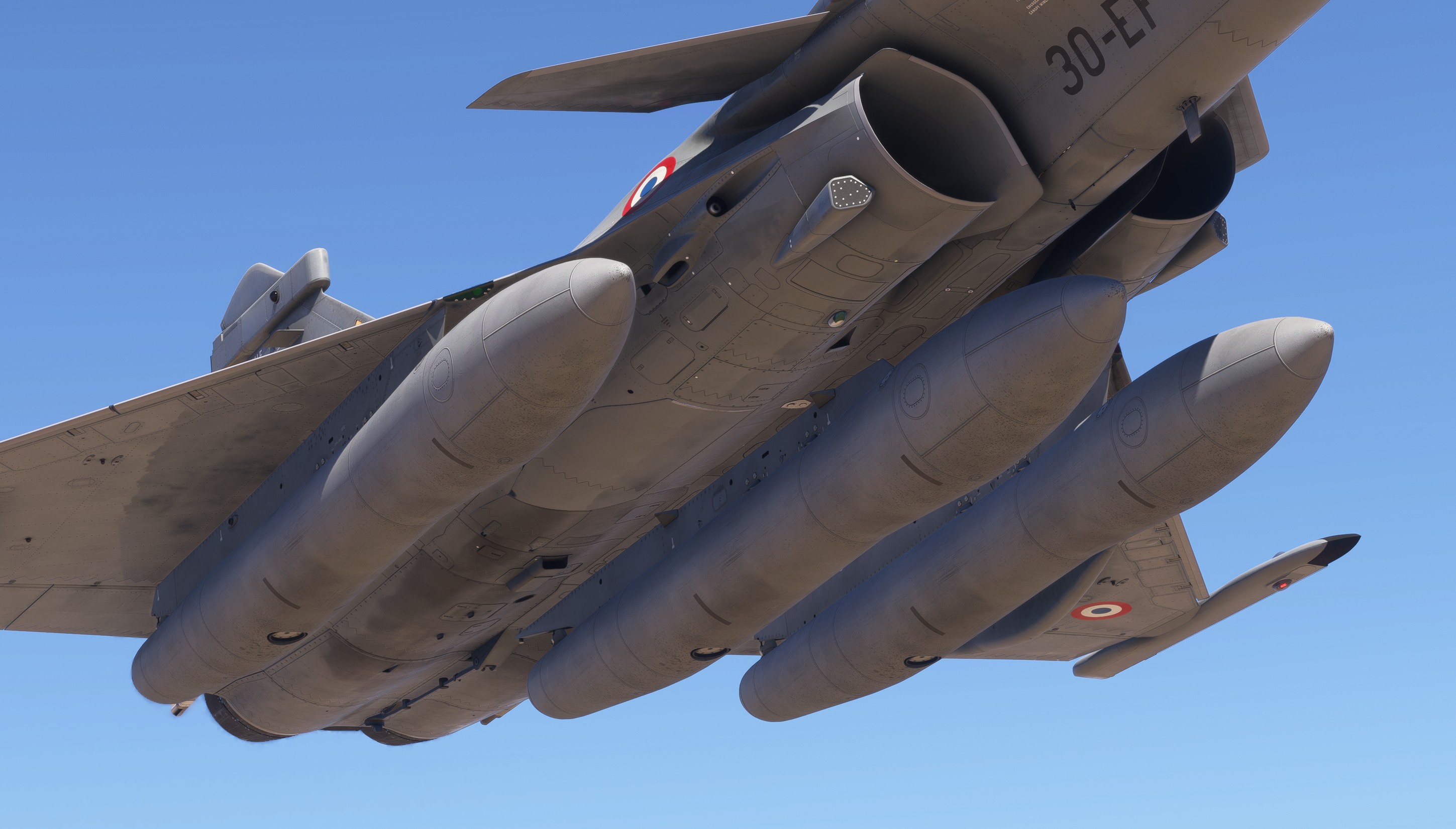
Supersonic RPL701
The RPL 701 is the supersonic-compatible external tank.
Compared with the larger RPL 741, it carries less fuel but provides a more favourable aerodynamic profile for high-speed flight.
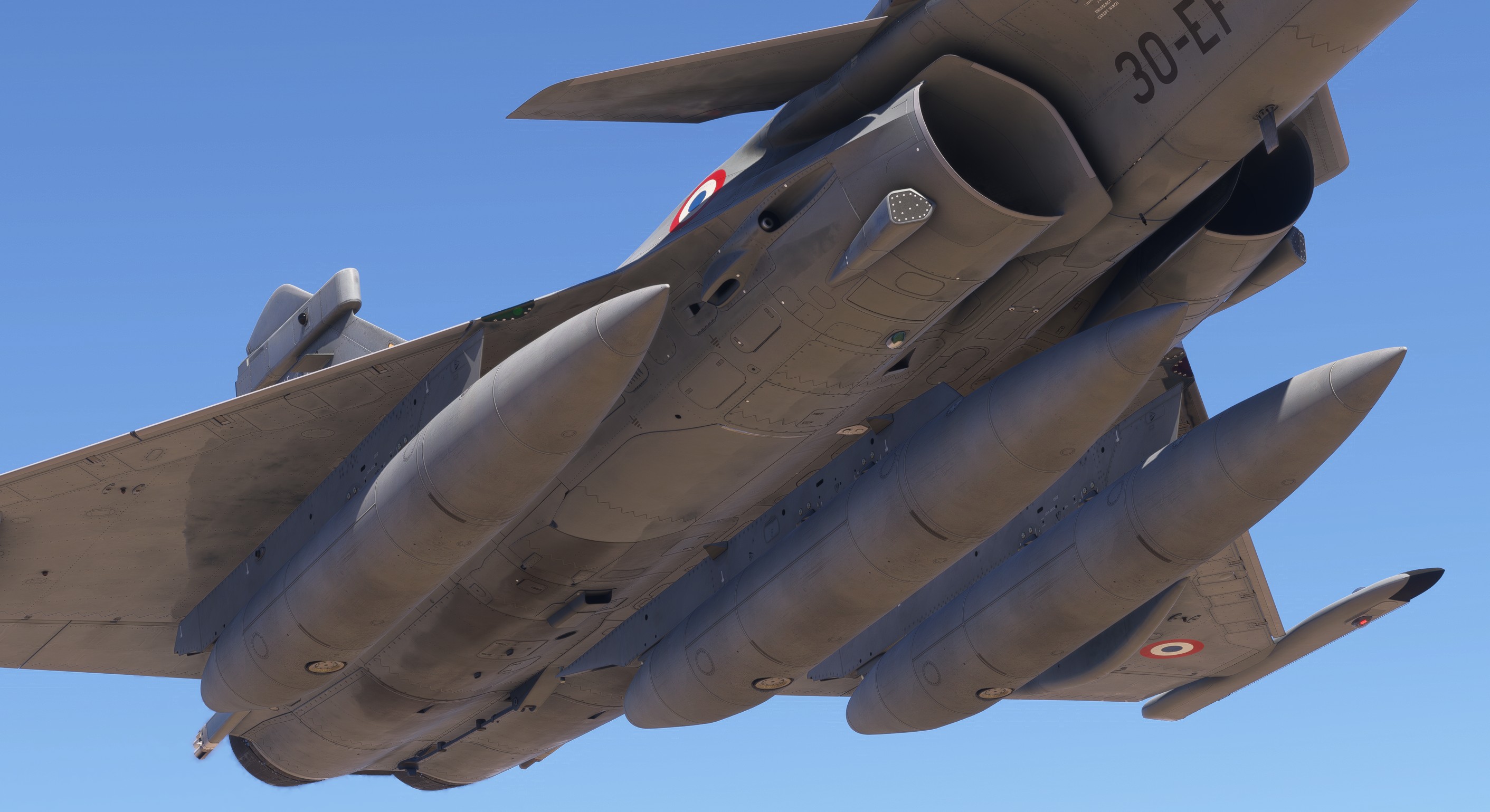
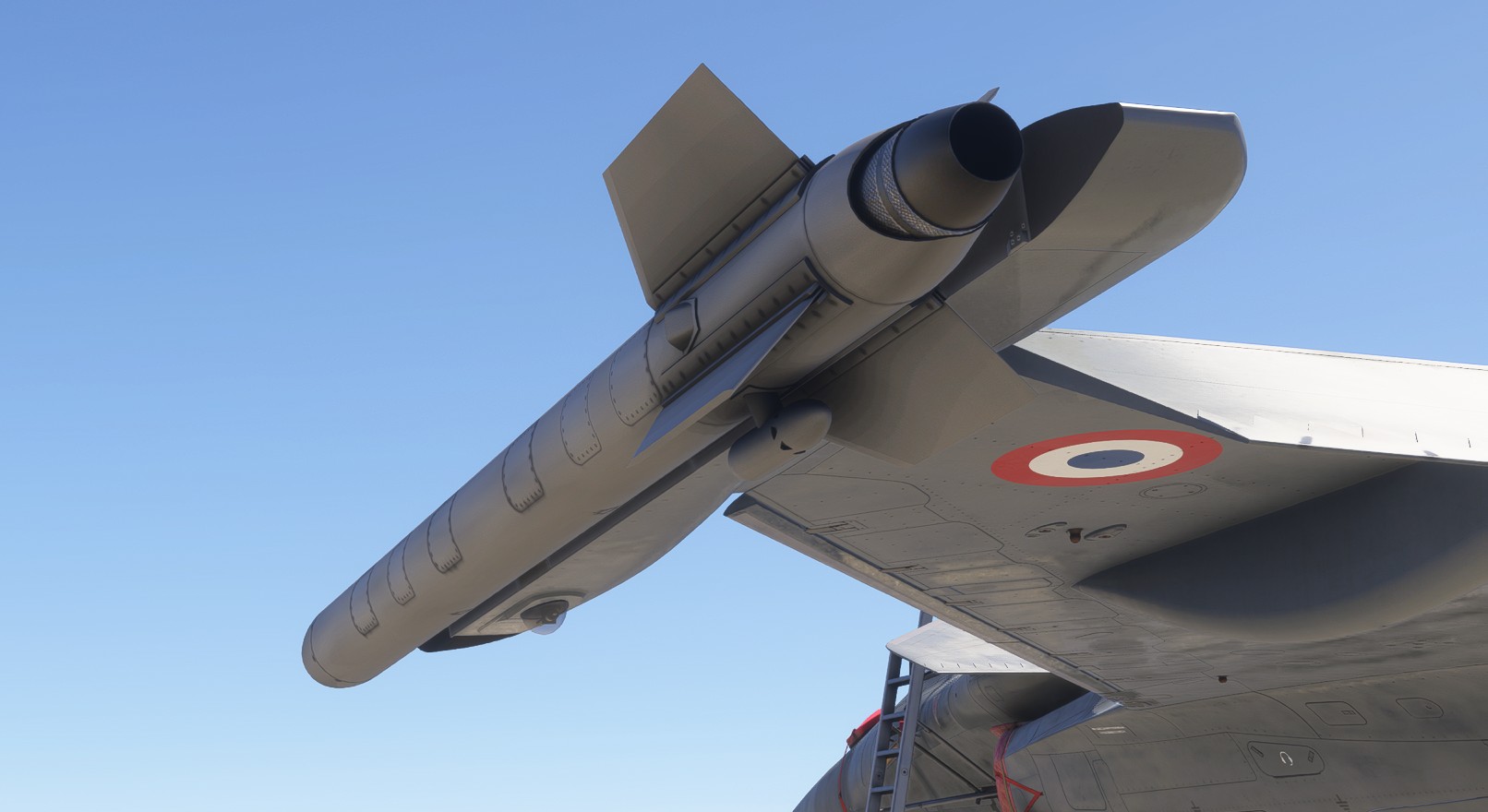
Smokewinders
For air displays, the aircraft can carry a smoke pod on each wingtip station.
The smoke system can be controlled using the bindings described in the controls section.
Weapons operation
This section explains how to operate the functional weapon system on compatible PC versions.
Microsoft Flight Simulator was not designed to support functional weapon systems. This implementation therefore operates within the technical limitations of the simulator. For instance, you cannot see the weapons fired by other multiplayer users.
Weapon rendering, collision detection, visual effects and target behaviour may vary, particularly on lower-end hardware or in complex scenarios.
The system may be improved through future updates as new simulator features become available.
Air-to-air
Air targets can be engaged using MICA or METEOR missiles. Each missile has a different intended use and a simulated maximum range of approximately:
MICA IR: 60 km / 32 nmMICA EM: 80 km / 43 nmMETEOR: 170 km / 90 nm
MICA IR is primarily suited to close-range engagements, while MICA EM and METEOR cover progressively longer engagement ranges.
Operation
Follow these steps to fire a missile at an air target:
-
Ensure that at least one compatible missile is included in the current loadout.
-
Switch to
A/Amode. -
Designate an air target on the center display using MG4 or the
TDbutton. -
Select the desired combat mode using MG6:
- Select
MIRto useMICA IRin close air combat. - Select
MIFto useMICA EMorMETEOR.
-
Open LD WPN and prepare the selected missiles for launch.
-
Set both the
GEN SAFETYandMASTER ARMswitches toHOT. -
Press PM1 to fire.
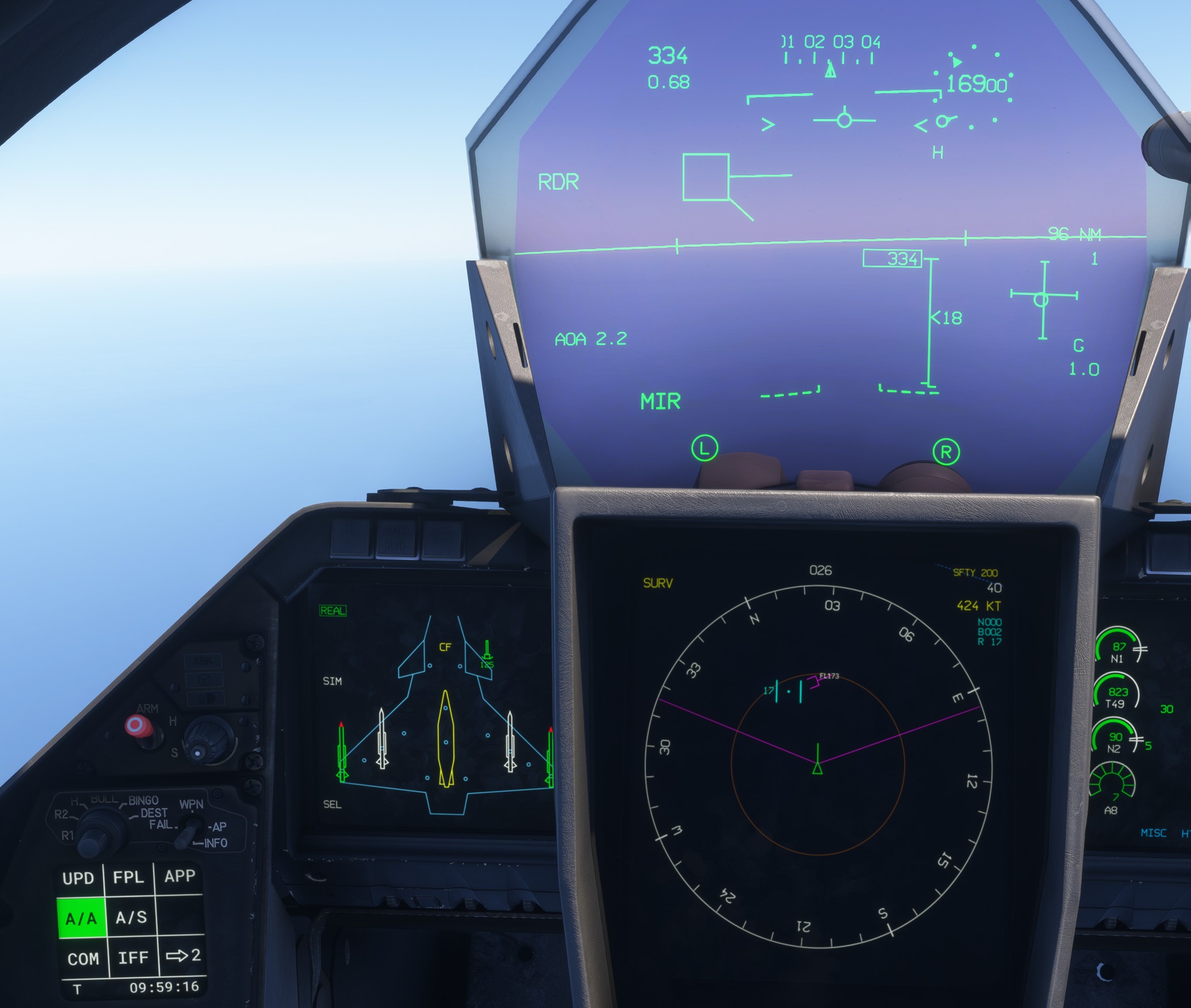
When the firing conditions are suitable, based on factors such as range, aircraft speed and target trajectory, a shoot cue is displayed on the HUD.
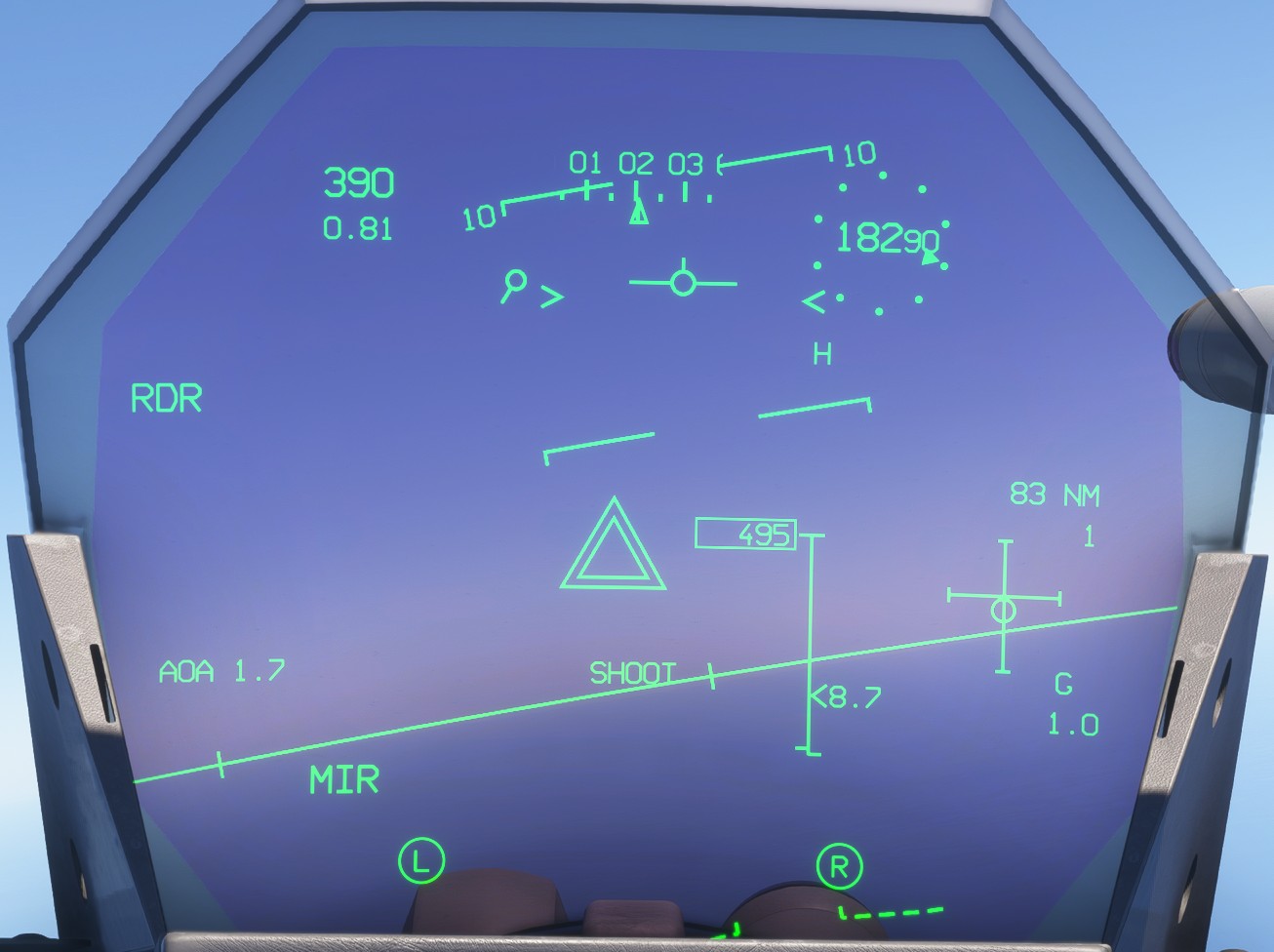
The complete associated symbology is described on the HUD page.
On our add-on, only one target can be designated at a time, and missiles are launched individually. A second missile can be launched a few seconds after the first. If several missiles are ready, the system will choose which one to fire first.
Impact and miss
Following a successful hit, the system takes control of the target aircraft and places it into an uncontrolled descent. Smoke and fire effects can be used to identify the approximate crash area.
Microsoft Flight Simulator does not currently allow us to hide the original traffic model or replace it with a custom damaged model. As a result, the target aircraft may remain visible and stationary after reaching the impact point.
If the missile misses its target or is unable to reach it, it automatically self-destructs after a short delay.
Air-to-surface
Surface targets can be engaged using the following air-to-surface weapons:
-
GBU-12: an unpowered laser-guided bomb. Its achievable range and impact point depend directly on the aircraft's altitude, speed and attitude at the time of release. Within the simulation, the bomb attempts to maintain an efficient glide profile to preserve as much speed and range as possible. -
AASM: a rocket-assisted precision-guided bomb. After release, it accelerates towards its cruise speed and altitude. Once an appropriate terminal-attack geometry has been reached, it turns towards the target and begins its final descent. Its simulated maximum powered range is approximately 50 km, with a cruise speed of approximately Mach 0.9. -
SCALP: a long-range cruise missile intended for strikes against distant targets. Its simulated maximum range is approximately 300 km, with a cruise speed of approximately Mach 0.8.
Our current SCALP implementation is highly simplified and does not include terrain-avoidance logic. The missile cannot automatically detect or avoid terrain along its route.
Operation
Follow these steps to release an air-to-surface weapon:
-
Ensure that at least one compatible air-to-surface weapon is included in the current loadout.
-
Switch to
A/Smode. -
Designate a surface target on the center display using MG4 or the
TDbutton. A target can also be designated from a database point on the LD page. -
Select the desired combat mode using MG6:
- Select
AGBto use a bomb (GBU-12orAASM). - Select
AGMto use a missile (SCALP).
-
Open LD WPN and prepare the selected weapons for release.
-
Set both the
GEN SAFETYandMASTER ARMswitches toHOT. -
Press PM1 to release the weapon.
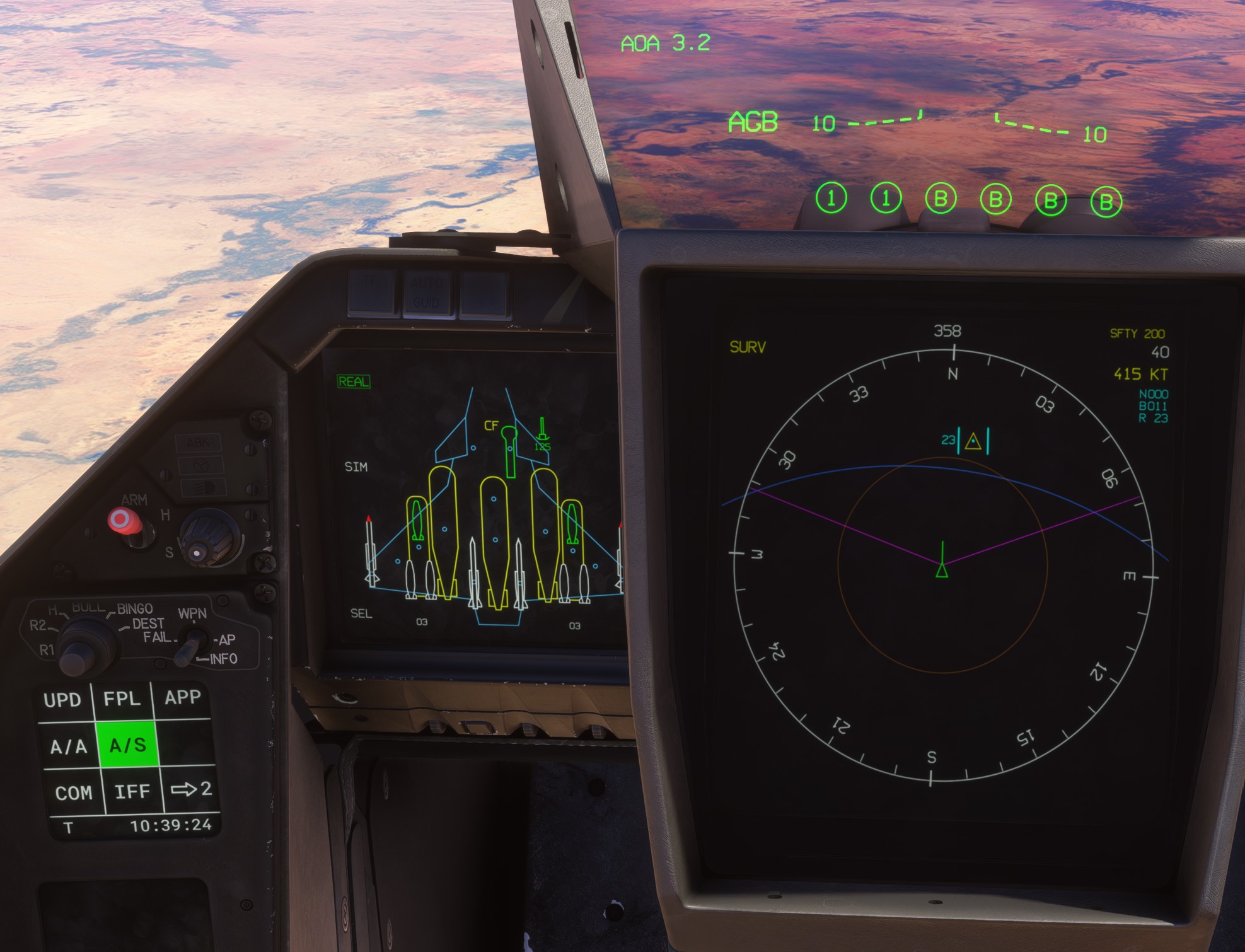
The complete associated symbology is described on the HUD page.
All prepared bombs are released sequentially, with a short delay between each weapon.
Cannon
The cannon can be used against both air and surface targets. The GUN combat mode can be selected while in either A/A or A/S primary mode.
To engage an aircraft, first designate it on the center display. When the target is successfully hit, the same target-response behaviour used for missile impacts is applied.
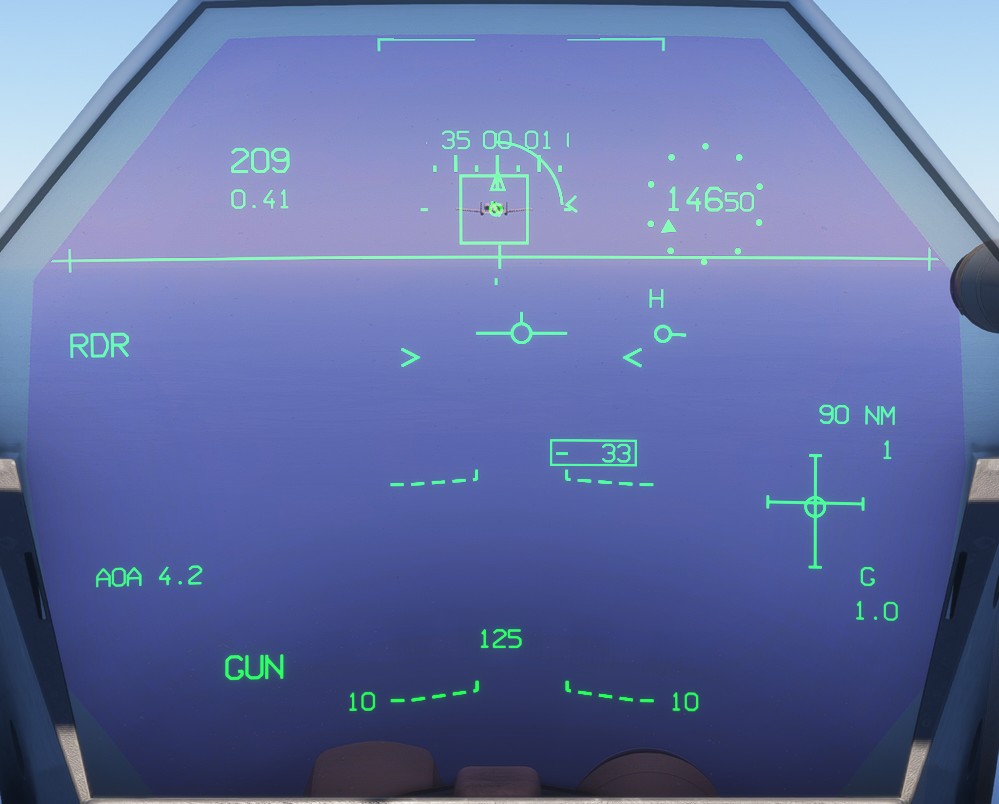
Firing the cannon at ground targets produces the associated visual effects, but will not damage any object as this is not possible in the simulator.
Air targets must be radar-locked in order to be hit by the cannon.
Cannon ammunition can be quickly replenished from the EFB payload page.
Jettison
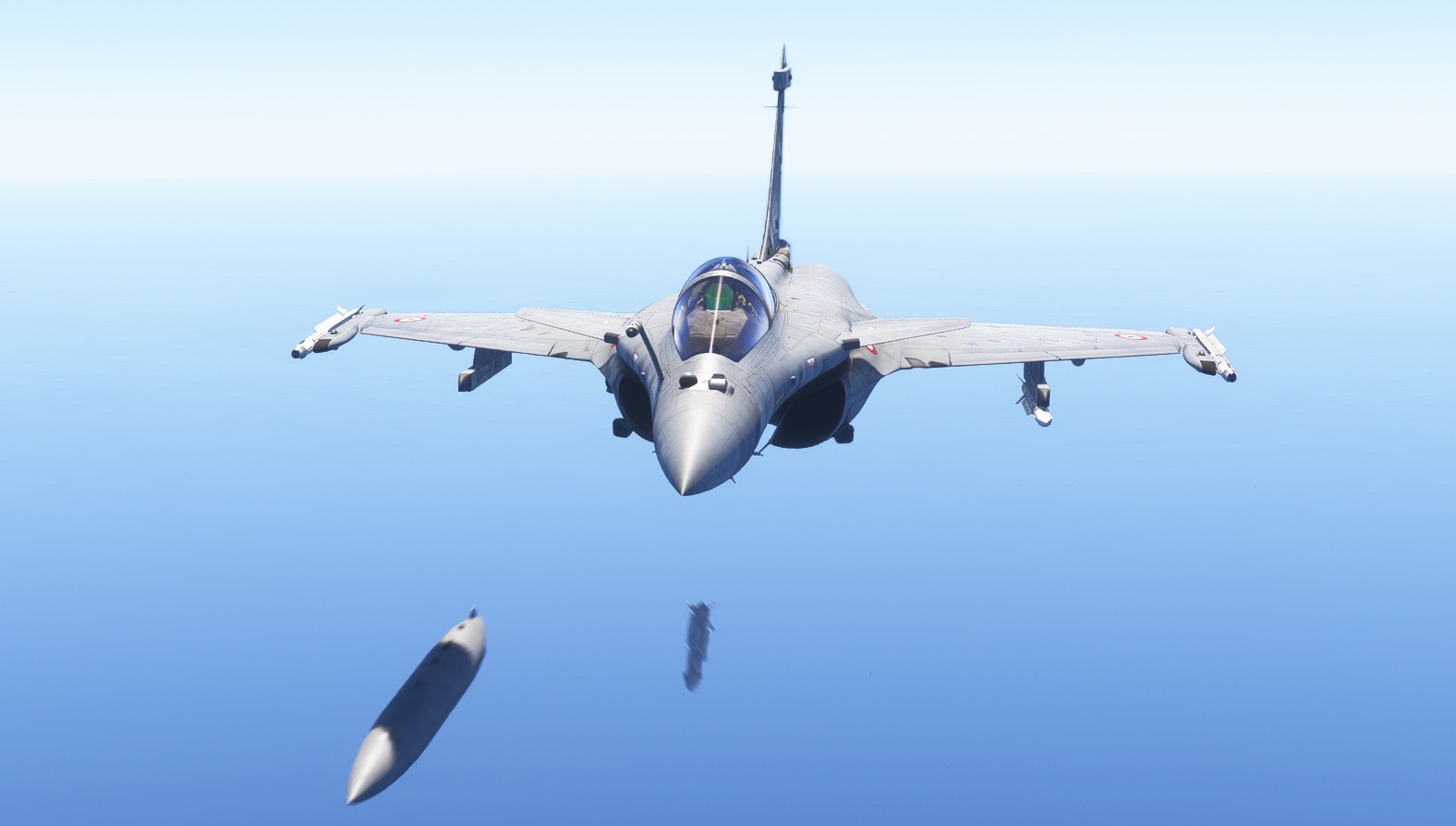
The aircraft provides several ways to jettison external stores in an emergency, such as following a loss of engine power or in other situations requiring a rapid reduction in weight or drag.
Compatible weapons and external fuel tanks can be jettisoned independently.
On the real aircraft, the triple-bomb rack can also be jettisoned. This is not currently implemented in our add-on.
Emergency jettison
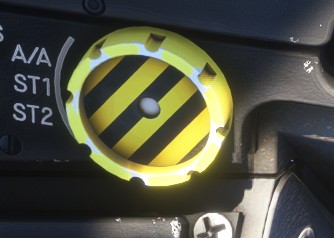
A yellow-and-black-striped button located on the left side of the cockpit jettisons all compatible external stores simultaneously, except for the wingtip MICA missiles.
Selective jettison
When only specific stores need to be jettisoned, the selective jettison procedure can be used.
The procedure is as follows:
- Open the LD WPN page and select
SEL. By default, all jettisonable stores are selected and displayed in magenta.
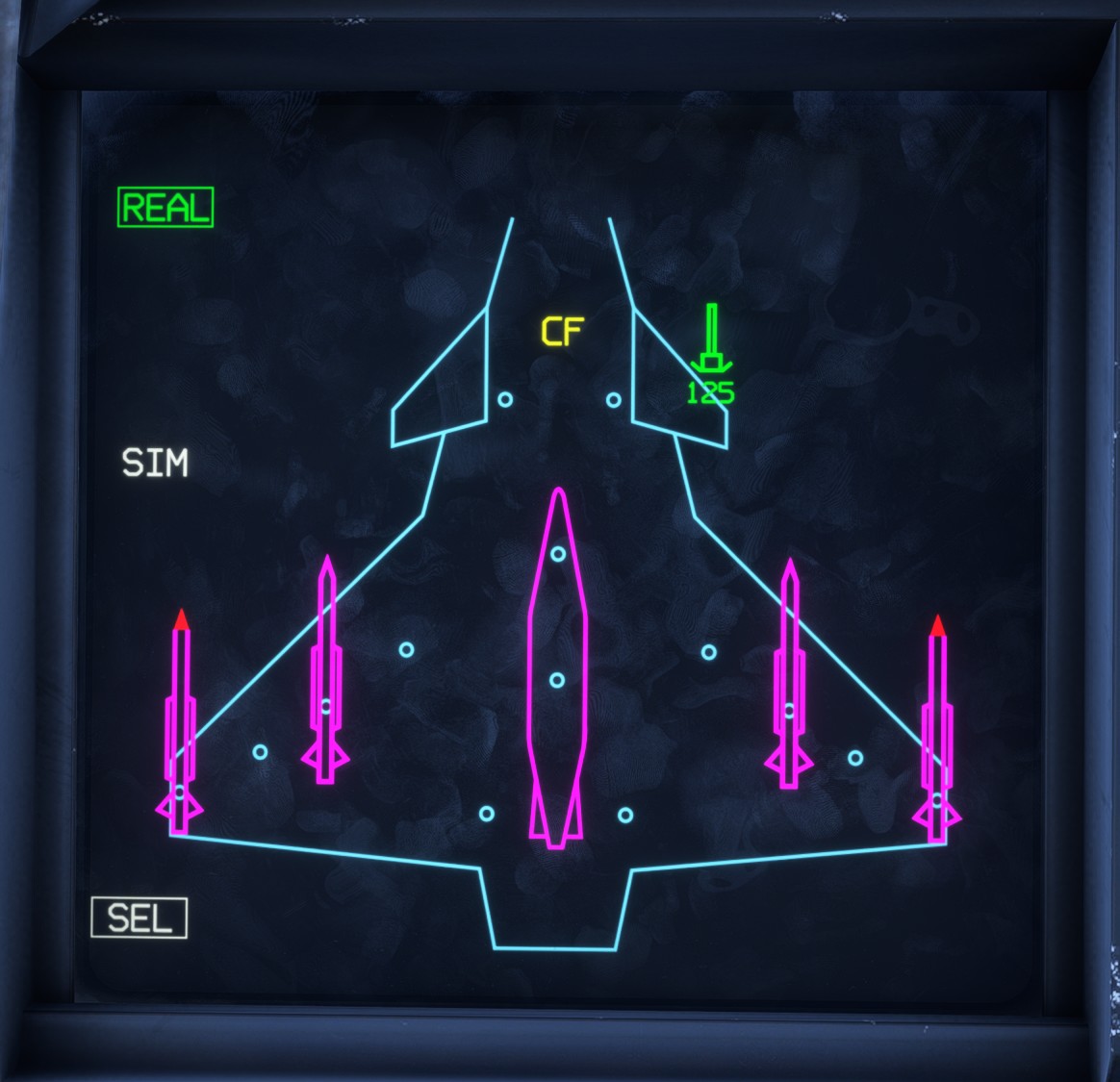
- Select each store that you want to exclude from the jettison sequence. Excluded stores are displayed in yellow.
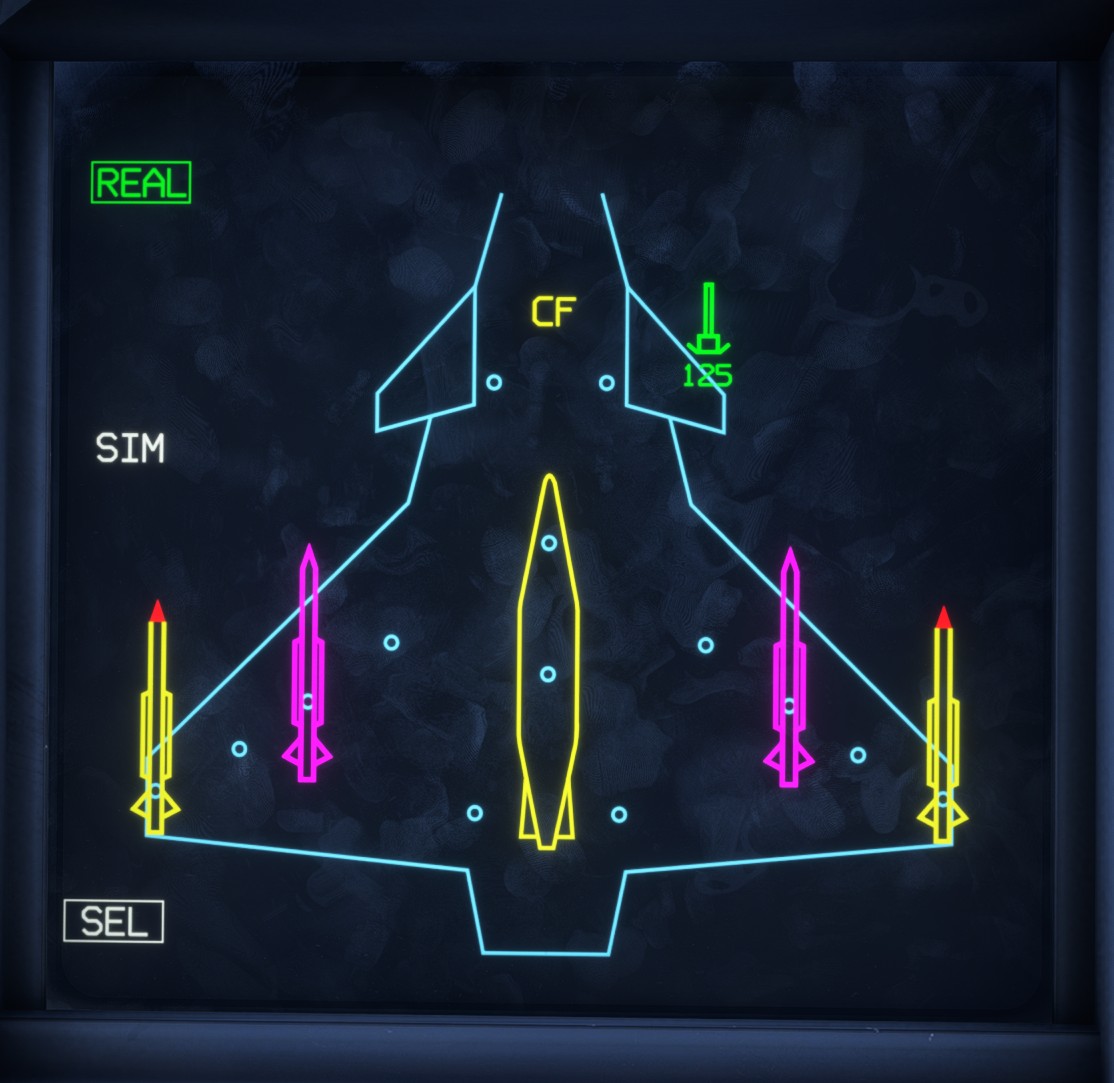
- Translate the protective cover over the selective jettison button to arm the sequence.
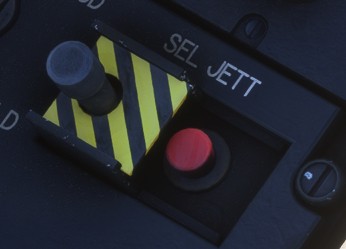
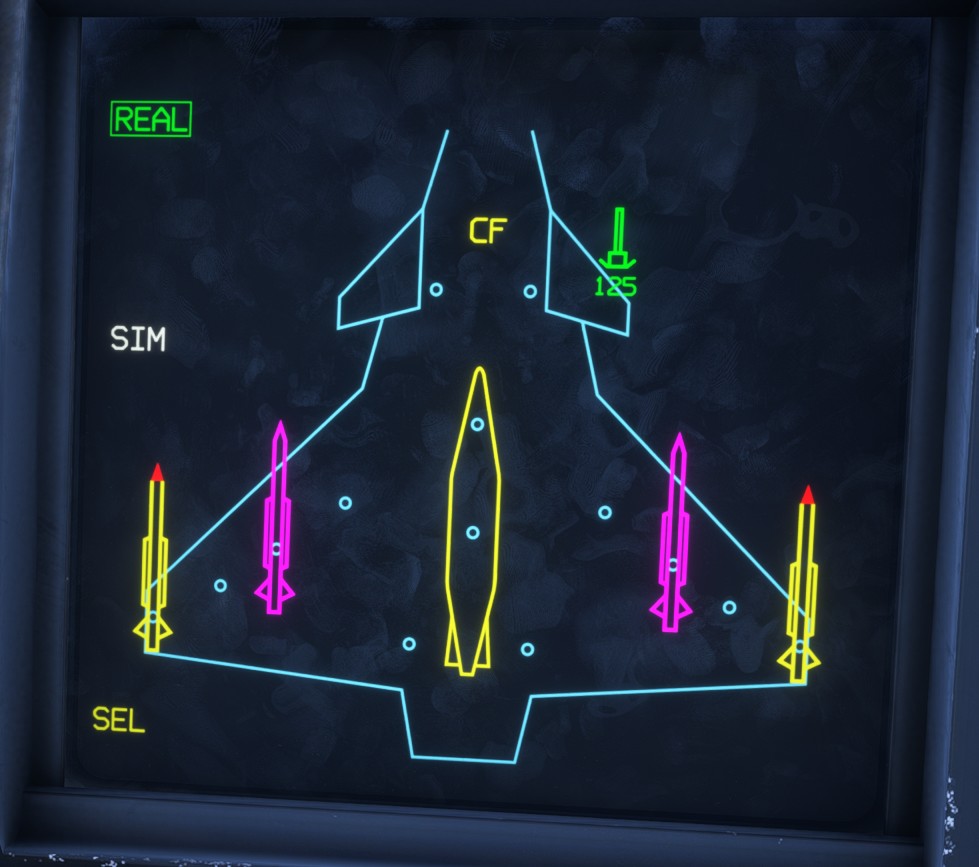
- On the LD WPN page,
SELchanges to yellow. Press the selective jettison button to execute the sequence.
- All stores that remain selected are jettisoned from the aircraft.
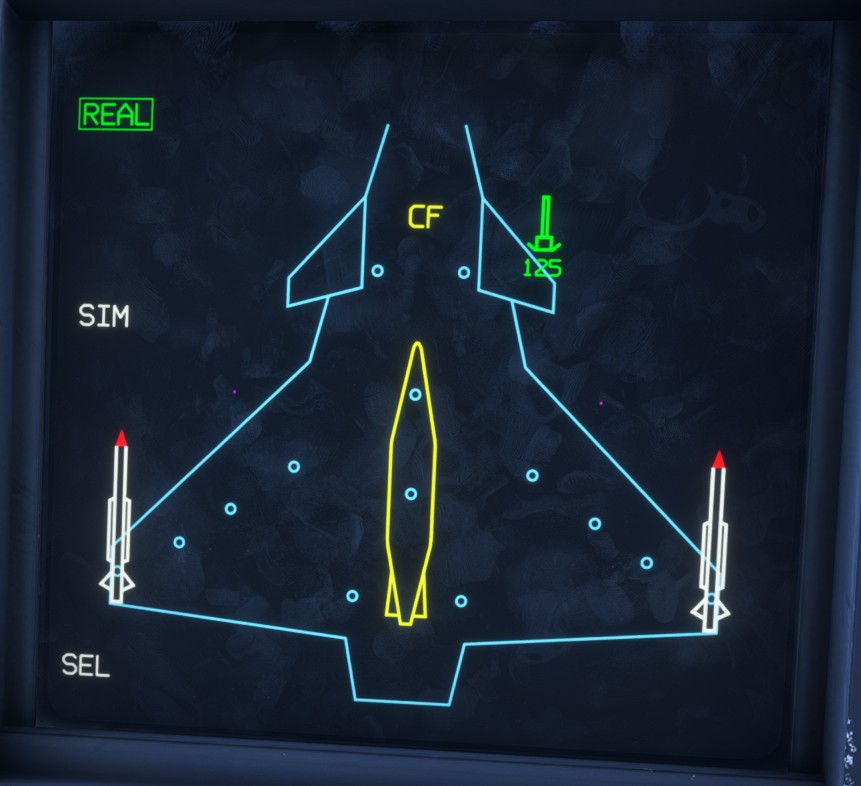
On the real aircraft, the wingtip MICA missiles are launched under their own power to ensure safe separation rather than being conventionally jettisoned. This behaviour is not simulated in our current version.
Custom cameras
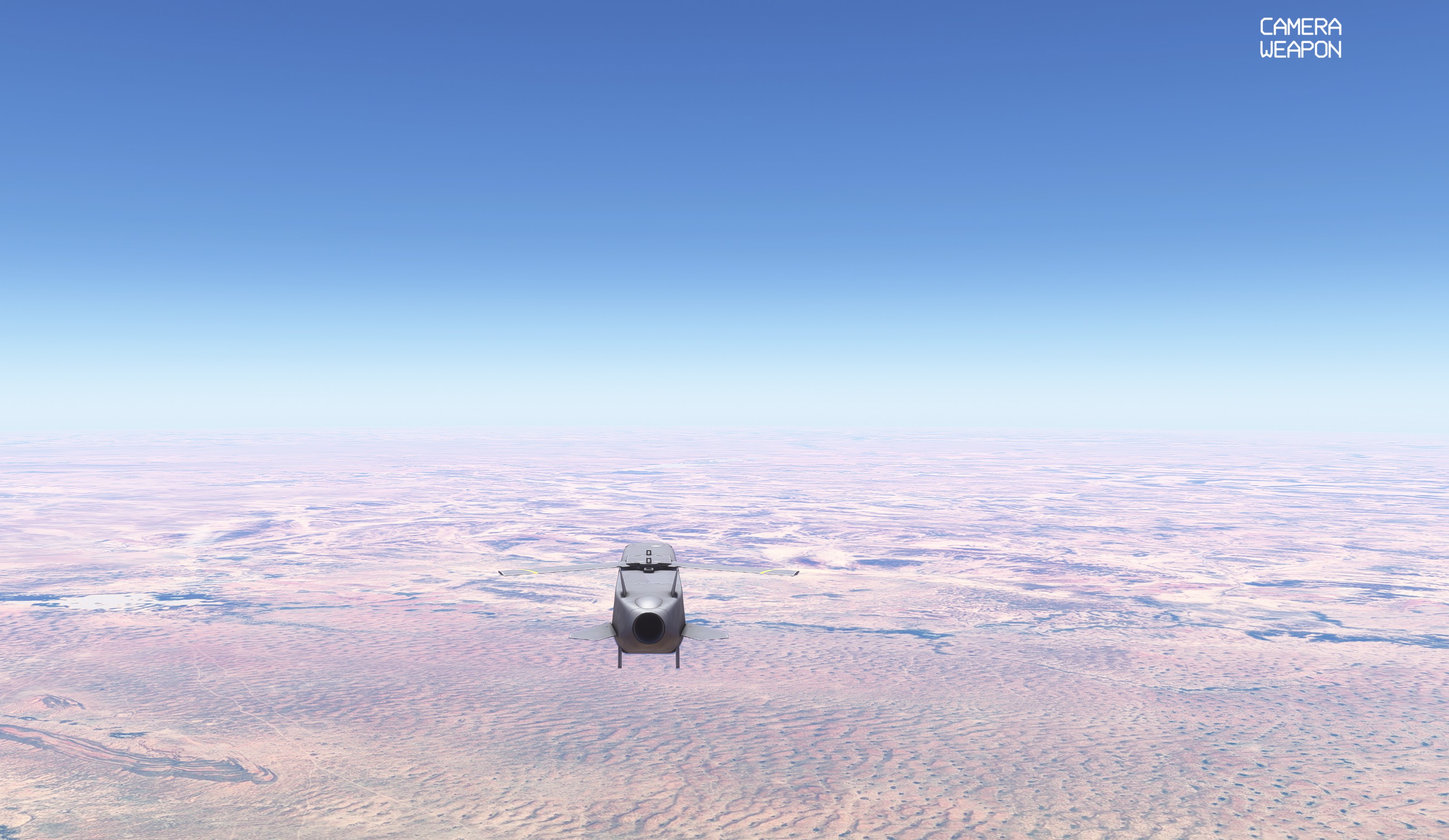
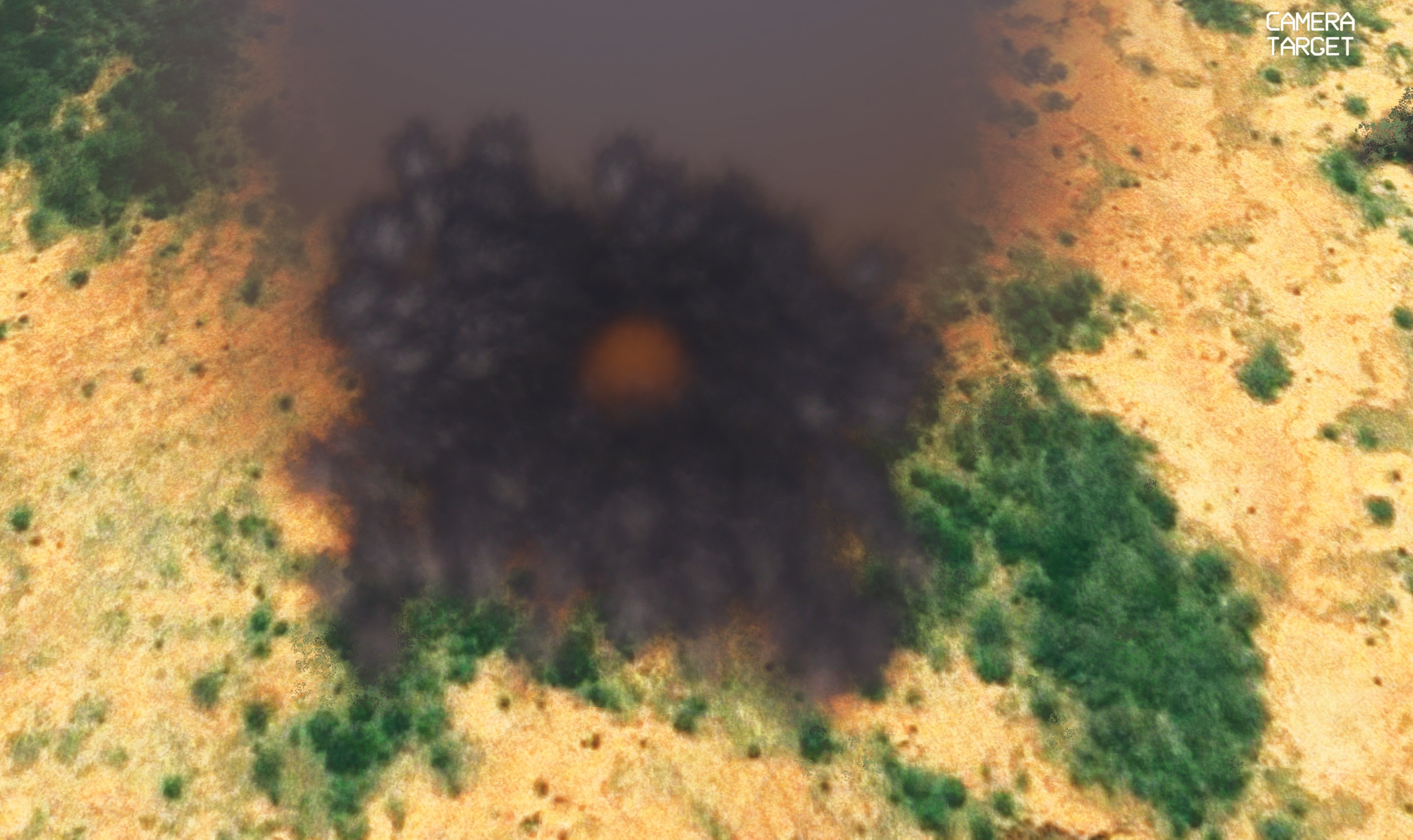
To make mission scenarios more immersive, we have implemented a custom camera system that can be controlled using the custom bindings.
The available camera views depend on the active primary mode (A/A or A/S).
A small label in the upper-right corner of the screen indicates the currently active camera.
TOGGLE_FEATHER_SWITCH_1toggles between the normal camera and a camera following the most recently fired weapon.
TOGGLE_FEATHER_SWITCH_2toggles between the normal camera and the designated-target camera. This camera follows the selected aircraft inA/Amode or the designated surface target inA/Smode.
TOGGLE_FEATHER_SWITCH_3cycles through the available weapons when several fired weapons are currently active.
Countermeasures
The Rafale can carry several types of expendable countermeasures.
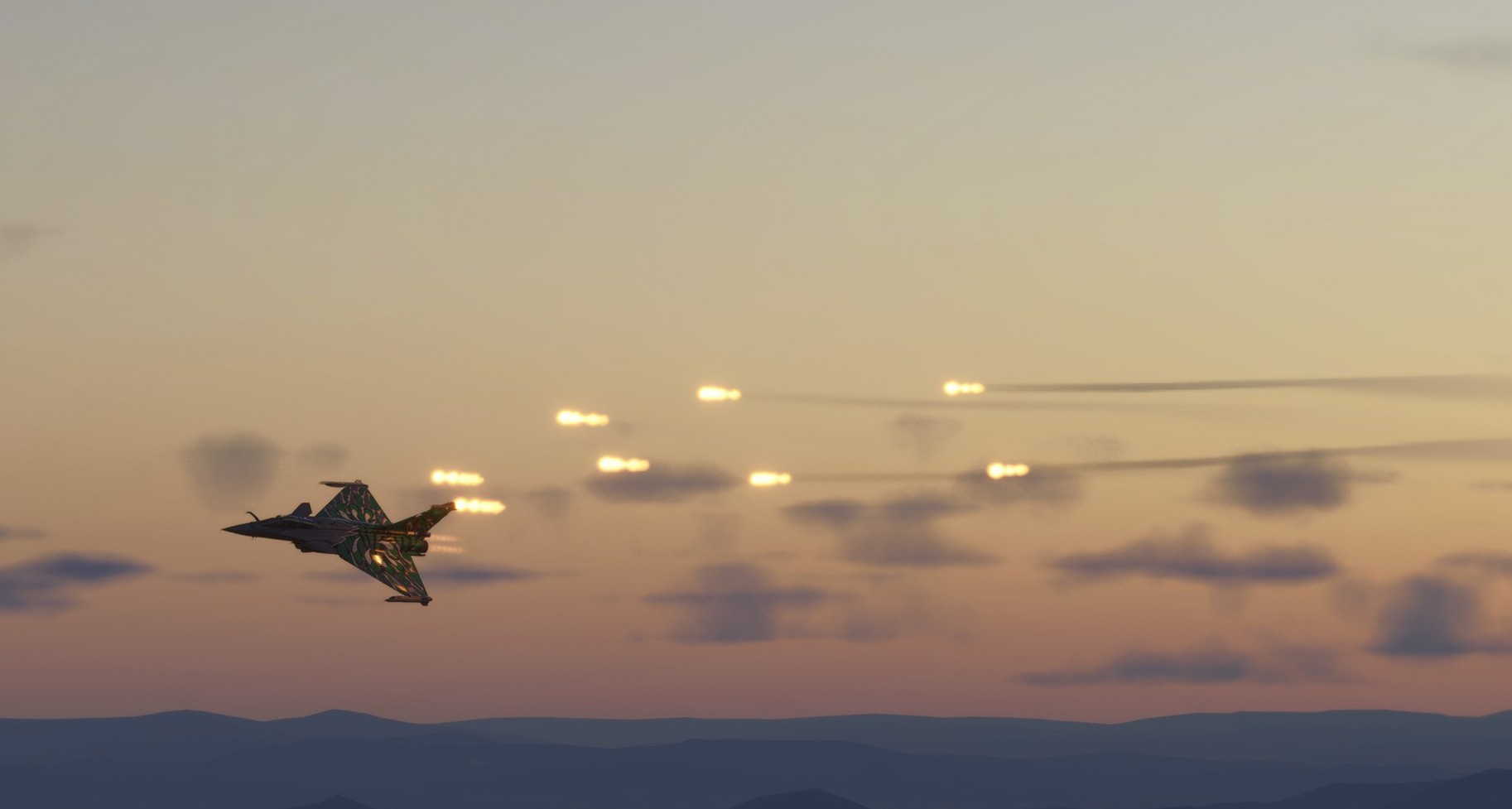
Our version supports the release of flares, intended to decoy infrared-guided threats.
Only manual dispensing is currently supported. The binding used to release flares is described in the controls section.
Nine different dispensing programmes can be selected on the LD ECM page. Each programme defines the number of countermeasures released and the dispensing rate.