DB
Description
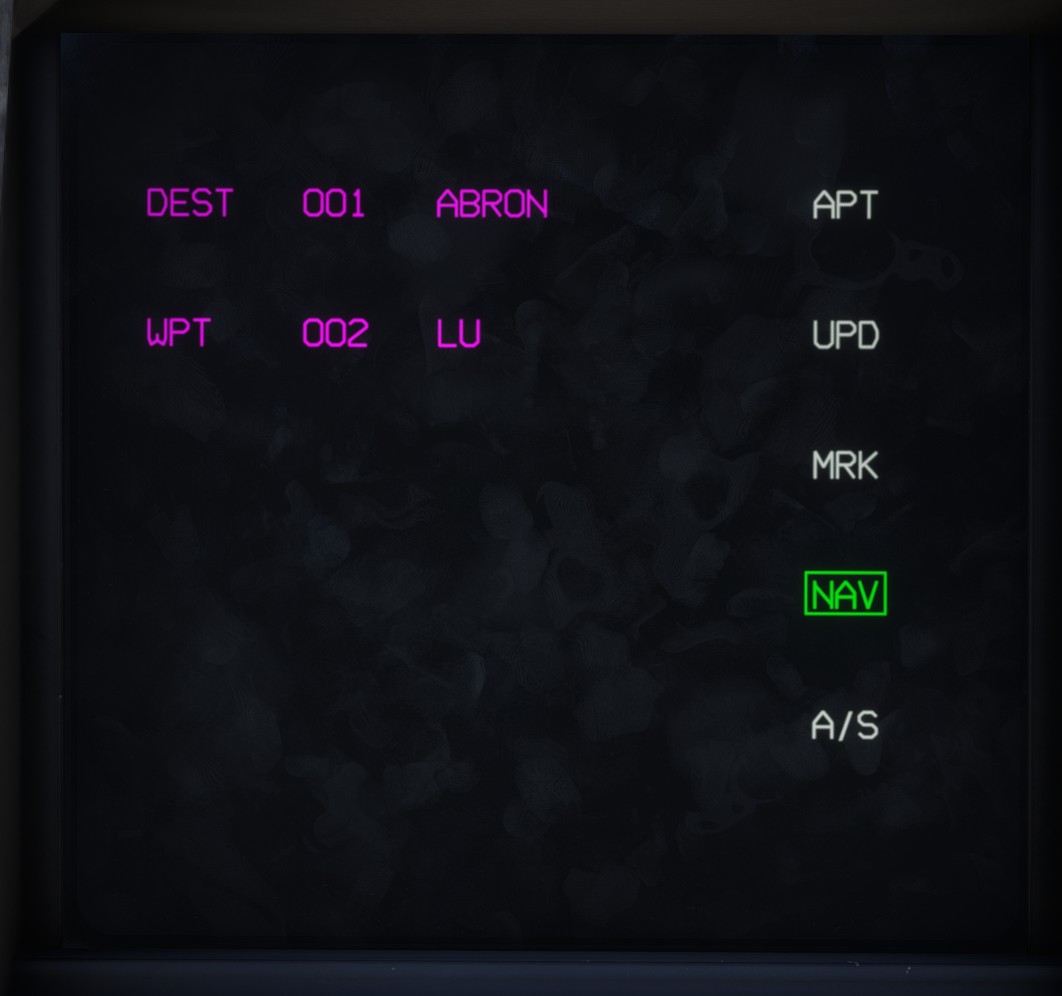
The database page allows you to view all goals stored in the avionics database.
This page can be opened from PDS1.
As described in the navigation section, each goal belongs to one of the following types:
APT: airport goal.UPD: update goal.MRK: marker goal.NAV: navigation goal.A/S: air-to-surface goal.
Click a goal type to display the list of corresponding goals. The currently selected type is highlighted in green.
Each goal entry displays:
WPT, orDESTif the goal is currently the primary goal.- The goal number, between 1 and 999.
- The goal name.
Details page
Click a goal to open its details page.
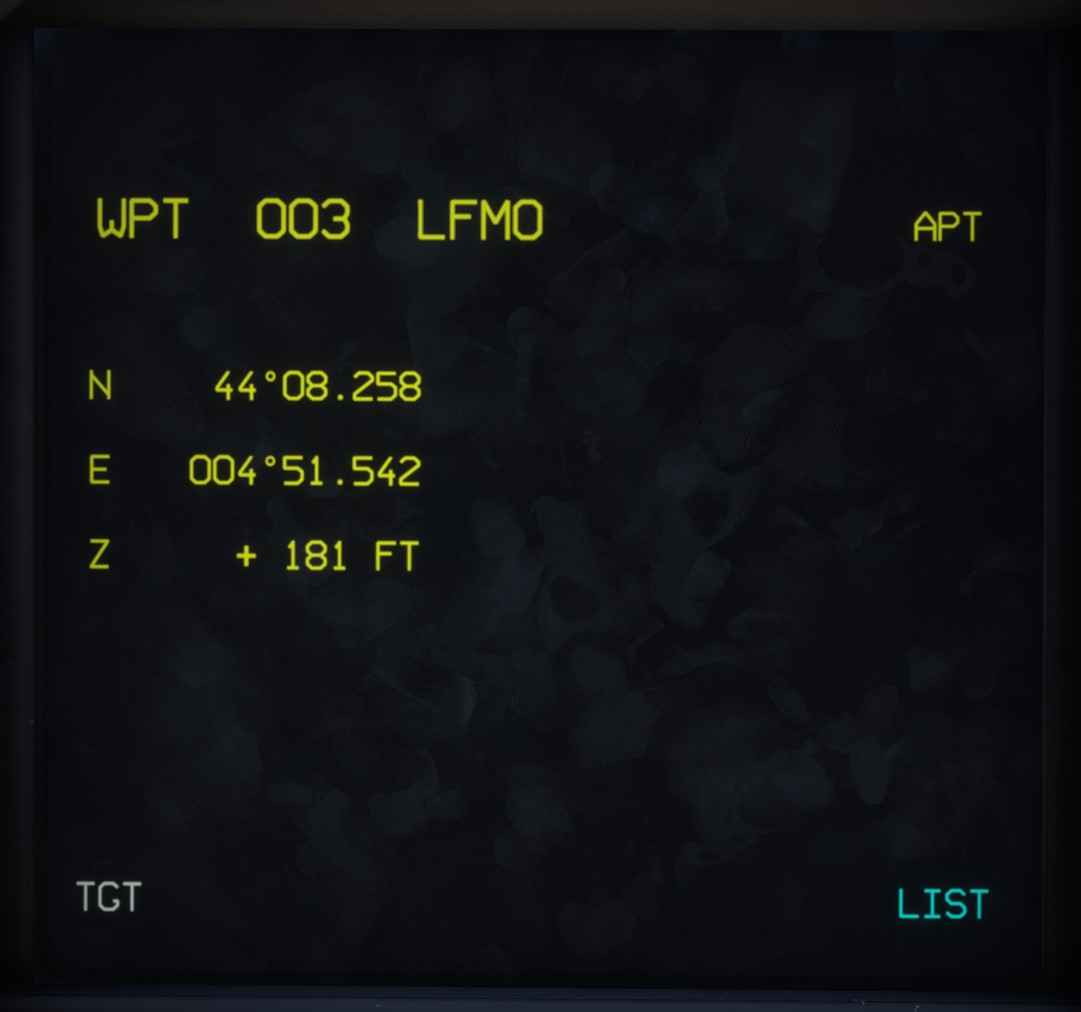
The top of the page displays the goal number, name and type.
The following information is also displayed:
- Goal latitude in DDM format.
- Goal longitude in DDM format.
- Goal altitude in feet, only when the goal is an airport.
The TGT button assigns the goal as the current surface target for weapon delivery.
The LIST button returns to the main database page.
Editing
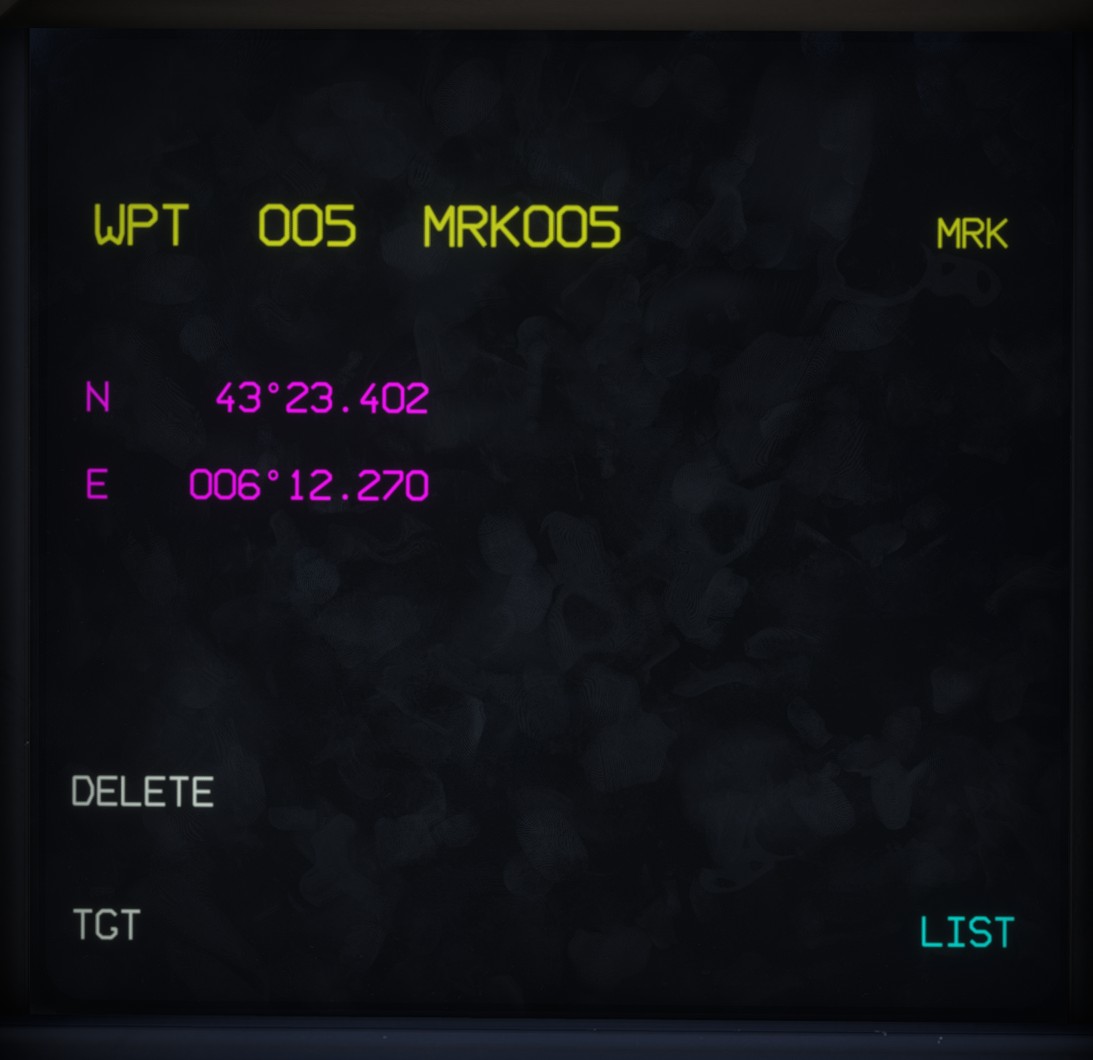
Only MRK and A/S goals can be edited.
On the details page, editable coordinates are displayed in magenta.
The goal can also be deleted by clicking DELETE.
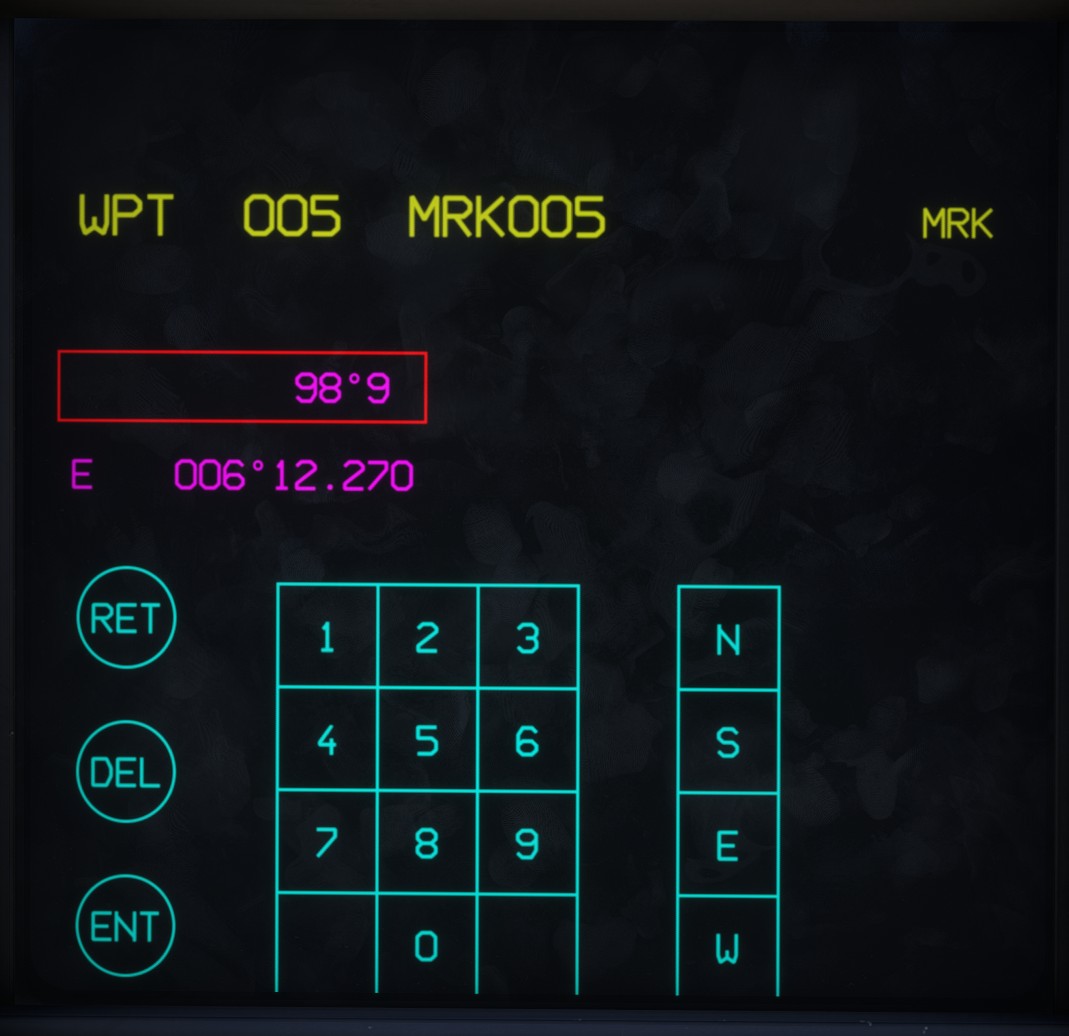
To edit a coordinate, click it. The selected coordinate is enclosed in a magenta rectangle, and a keypad appears.
Three buttons are available:
RET: cancels the operation and retains the existing coordinate.DEL: deletes the last character entered.ENT: validates and applies the entered coordinate.
The cardinal direction letter can be entered before, during or after the numerical value.
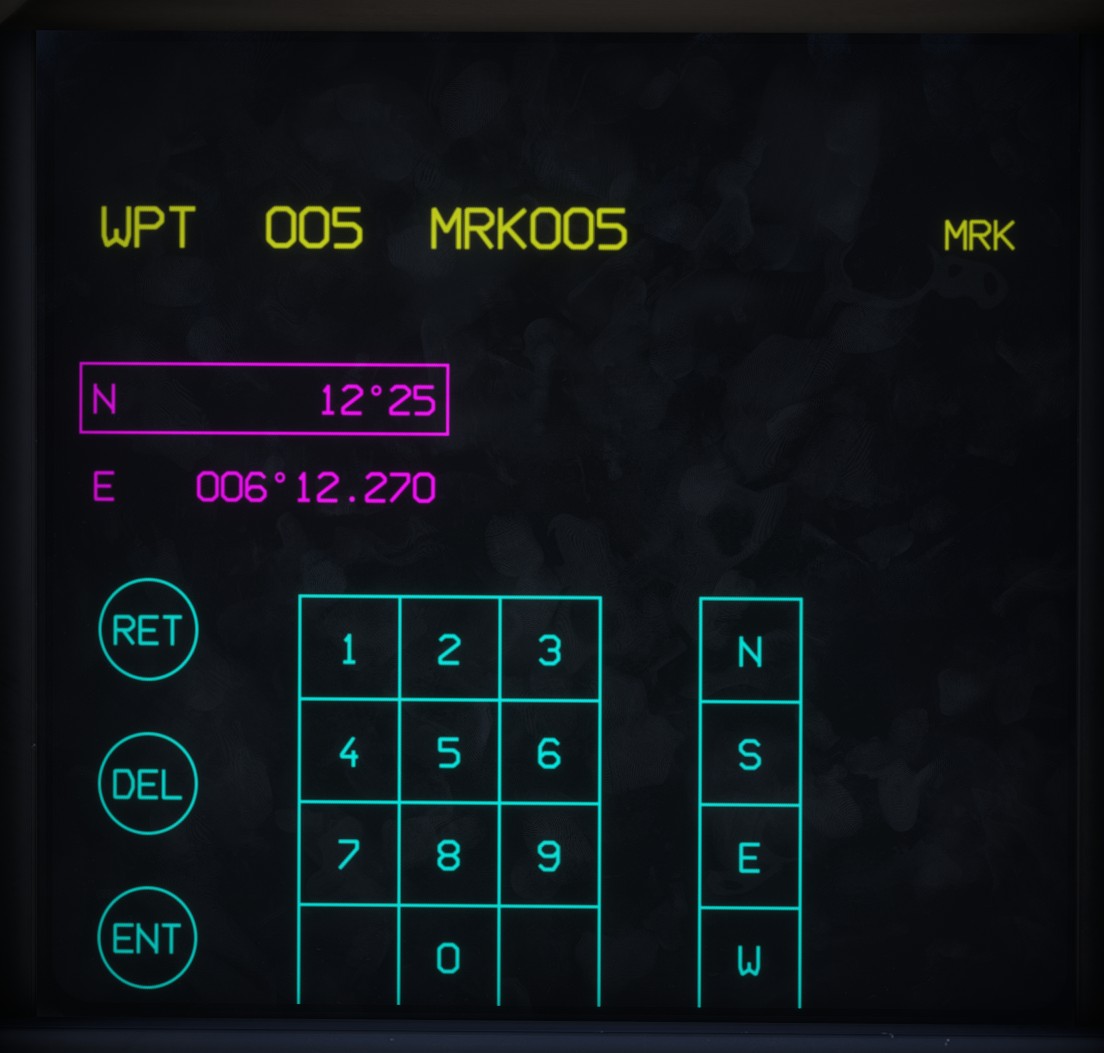
If an invalid coordinate is entered, the border turns red when validation is attempted.