WPN
Description
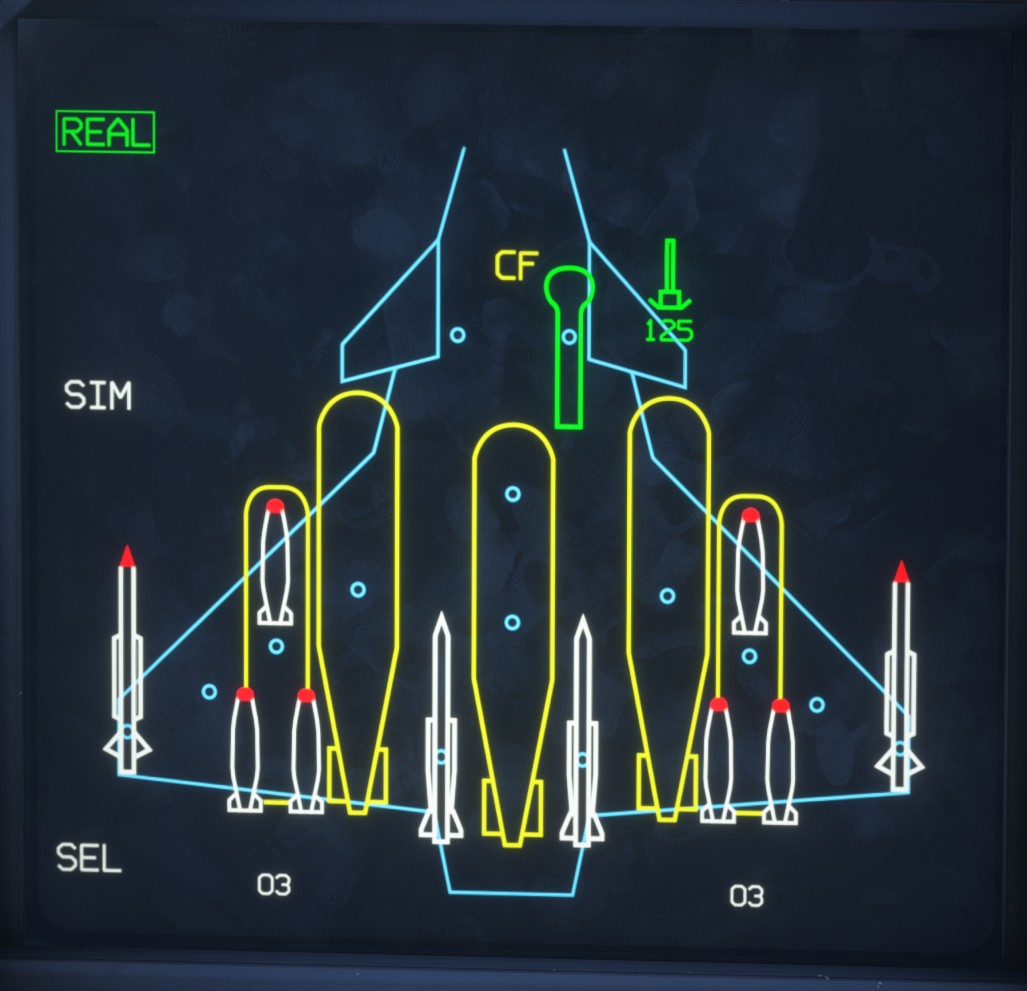
The weapons page displays the aircraft's current loadout configuration and the status of each store.
To display this page, move the LLD Page Selection Switch to the WPN position.
The available weapons, pods and external fuel tanks are described in the payload section.
REAL indicates that the page is operating in live weapon mode. The SIM training mode is not implemented (we are already in a simulator, after all).
Loadout display
The aircraft is shown from above, with its 14 store stations arranged around its outline. Each fitted store is displayed at its corresponding station.
Triple-bomb racks are represented on stations 3 and 12. The two-digit values displayed below them indicate the number of AASM or GBU-12 bombs carried on each side.
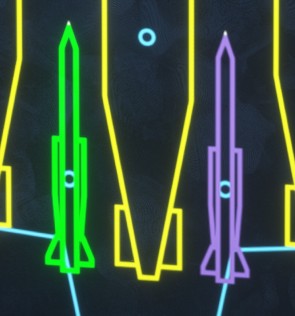
The color of each store indicates its current status:
| Color | Status |
|---|---|
| White | Not ready |
| Purple | Preparation in progress |
| Green | Ready |
| Red | Failure |
| Magenta | Selected for jettison |
External fuel tanks and their pylons do not have a preparation status and remain yellow.
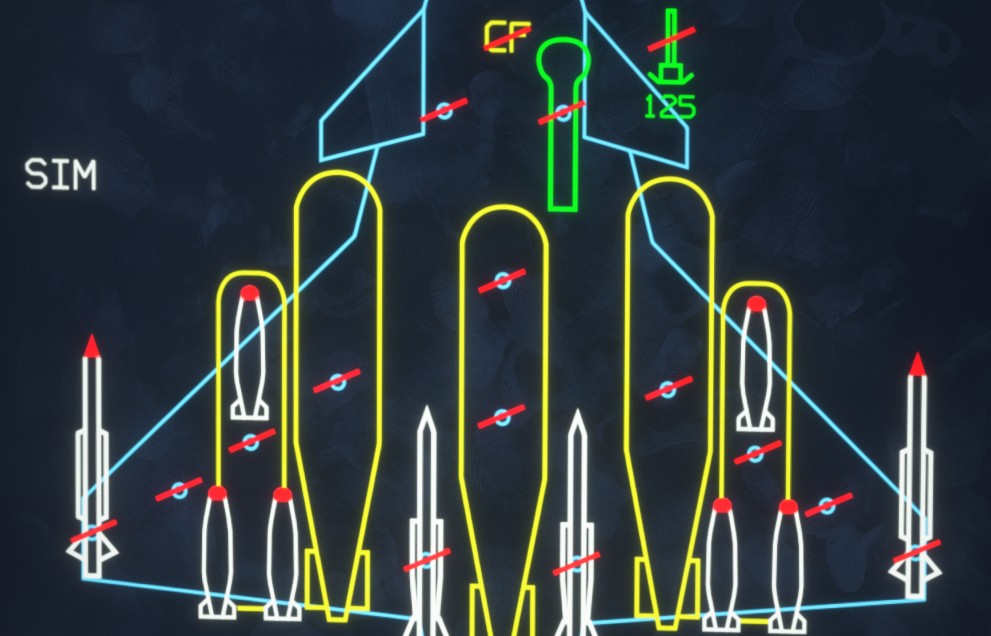
Red diagonal lines appear across the store stations when the General Safety Switch is set to SAFE, indicating that electrical store release and jettison commands are inhibited.
Click a weapon to start its preparation sequence. It turns purple while preparation is in progress, then green when ready.
Only ready weapons can be included in a firing sequence. Clicking a weapon again while it is being prepared or is already ready cancels its preparation and returns it to the not-ready state.
Selective jettison
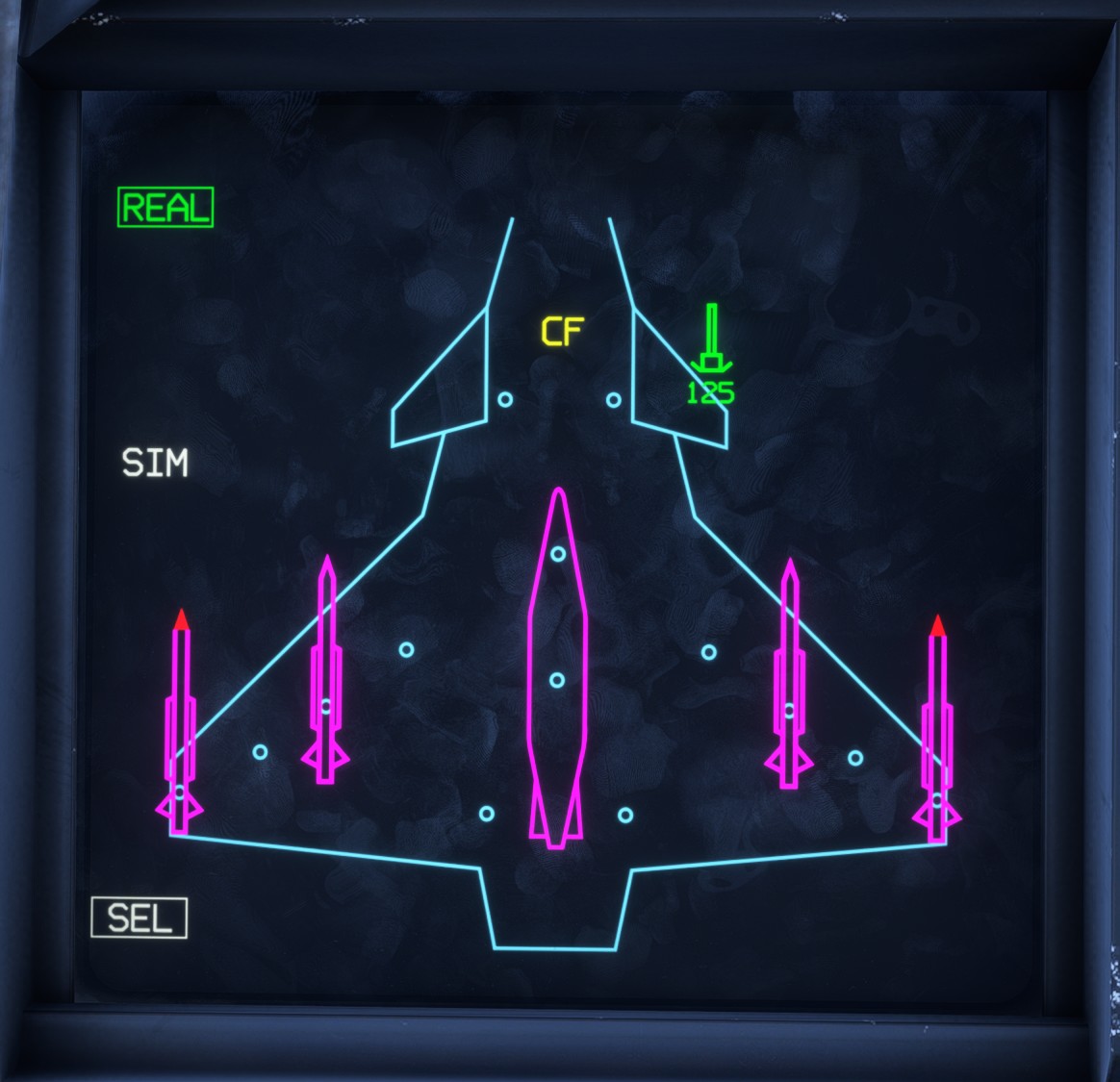
The SEL indication in the lower-left corner shows the current selective jettison status:
- In the normal state,
SELis displayed in white. - While store selection is active, a white rectangular border appears around
SEL, and releasable stores are displayed in either magenta or yellow. - When the Selective Jettison Hood is open,
SELturns yellow, its border disappears and the displayed selection is locked.
The selective jettison procedure is described in detail in the payload section.
Cannon
The cannon symbol is followed by the number of rounds remaining. Both are displayed in green while ammunition is available and turn amber when the cannon is empty.
