APP
Description
The approach page is used to manage approach settings when APP primary mode is enabled.
This page is displayed when approach mode is enabled from the PDS1 screen, or by pressing PM10 up while approach mode is active.
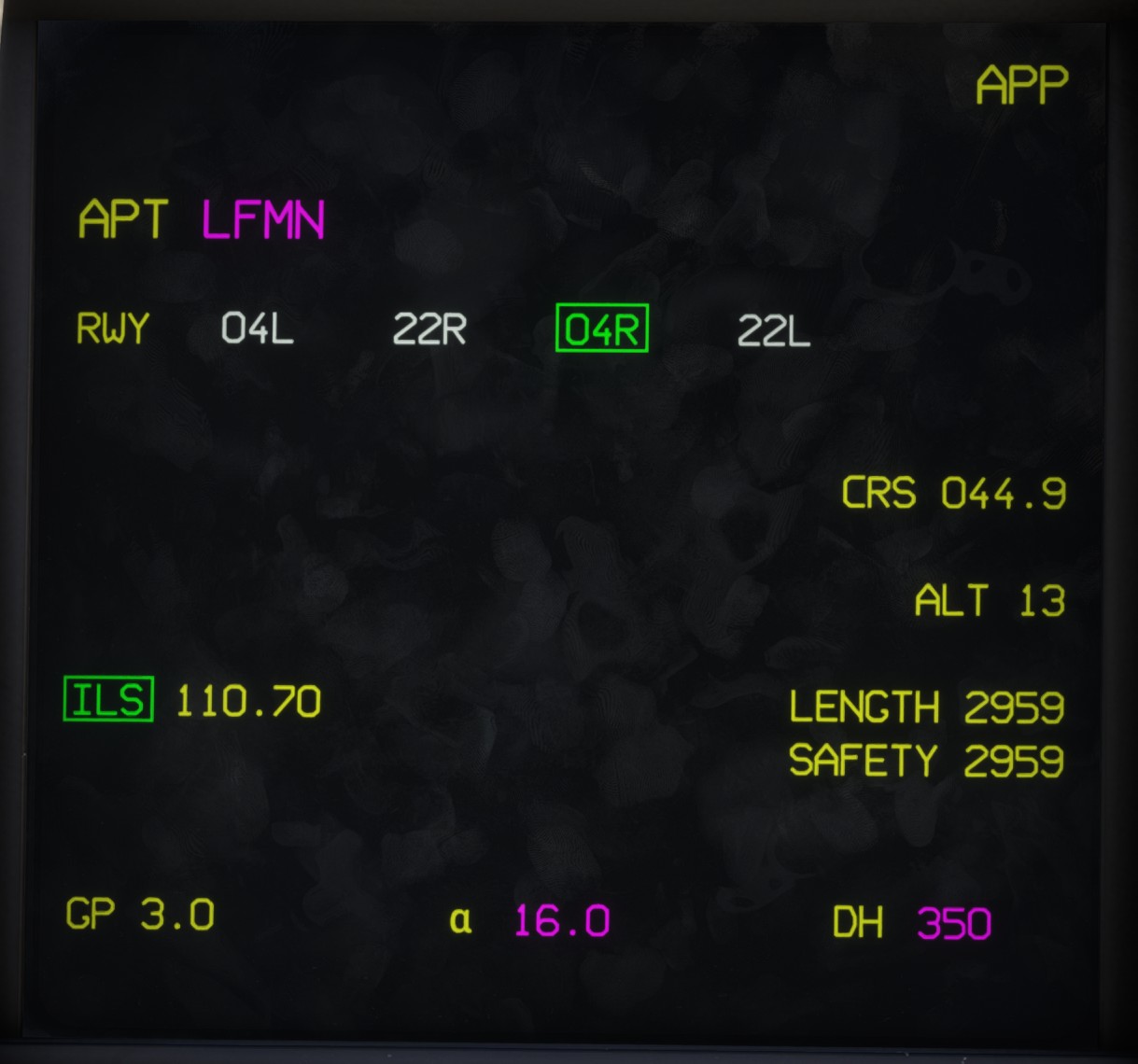
The top section displays the ICAO code of the selected approach airport, which may differ from the arrival airport defined in the flight plan.
Below is the list of available runways. The active runway is displayed in green with a green border.
On the right:
CRSindicates the runway course in degrees.ALTindicates the runway elevation in feet.LENGTHindicates the total runway length in meters.SAFETYindicates the usable safety length (runway length excluding the displaced thresholds).
If an ILS is available for the selected runway, its frequency is displayed. Clicking the ILS label enables or disables the ILS approach in the avionics.
At the bottom:
GPindicates the glide path angle in degrees.αindicates the approach angle of attack, which can be adjusted (16° by default).DHindicates the decision height, which can also be adjusted.
Airport selection
By default, either the nearest airport or the arrival airport defined in the flight plan is selected.
However, you can click the airport code to select a different approach airport. This is useful for quickly setting up an ILS approach at any airport.
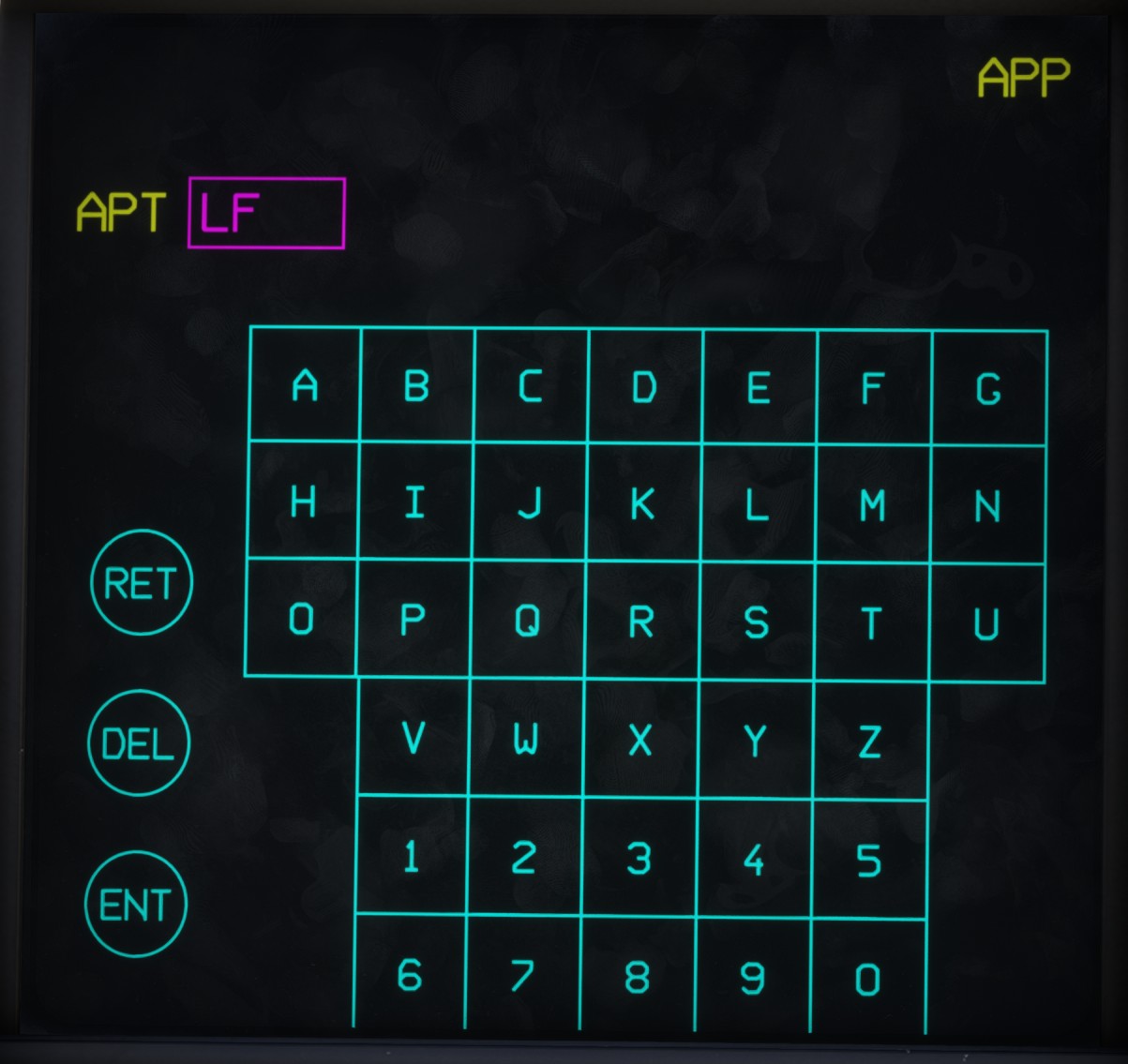
In edit mode, an alphanumeric keyboard is displayed, allowing you to enter any valid ICAO airport code.
Three buttons are available:
RET: cancels the operation and retains the existing airport code.DEL: deletes the last character entered.ENT: validates and applies the entered airport code.
If the entered code is invalid, the edit window turns red.