COM
Description
The communication page is used to manage the aircraft's two radios, R1 and R2, and their associated frequencies.
This page is displayed from the PDS1.
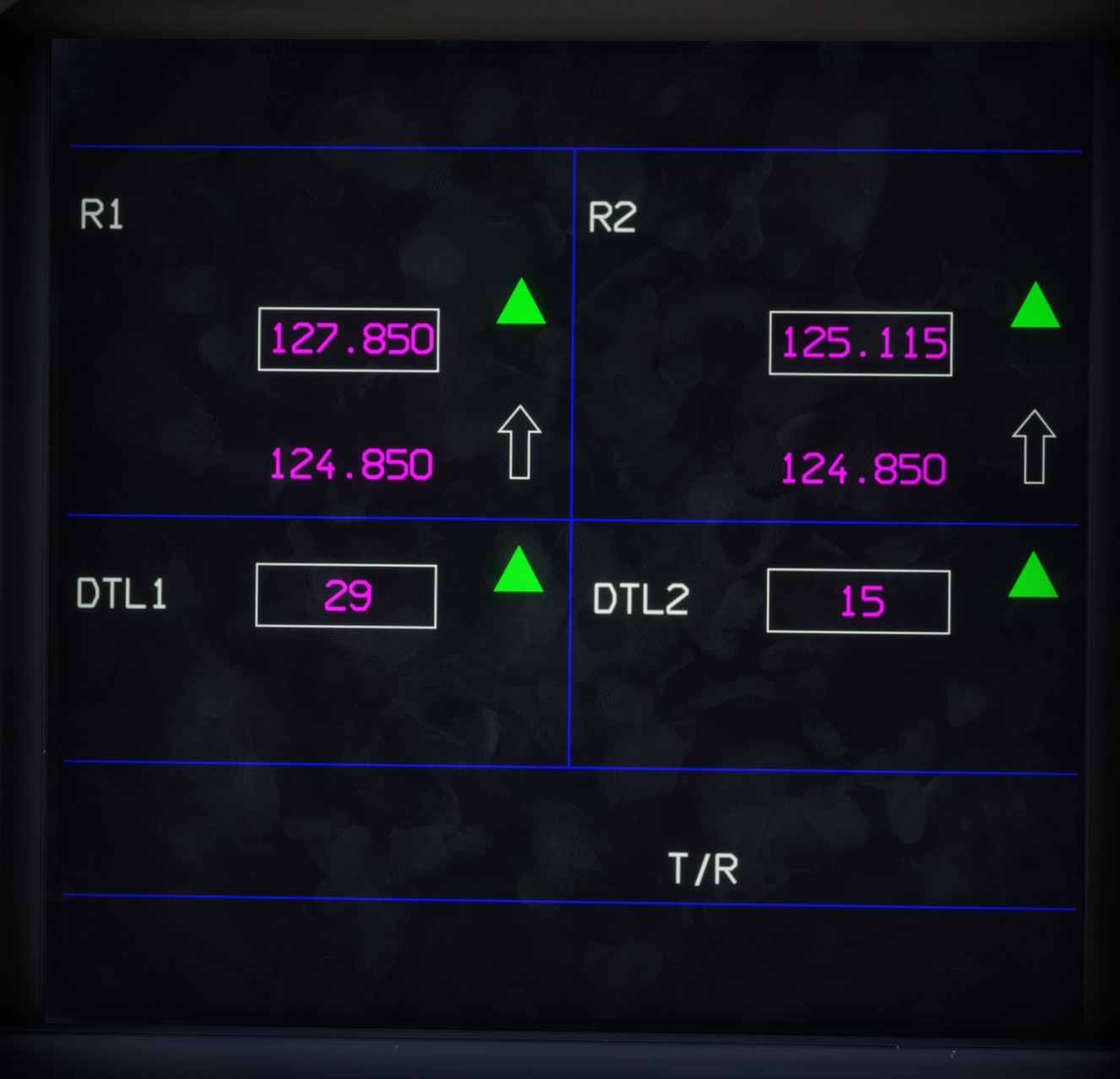
Radio
Each radio, R1 and R2, has an active frequency and a standby frequency. They correspond to COM 1 and COM 2 in the simulator.
The active frequency is displayed at the top and enclosed in a rectangle. The standby frequency is displayed below it.
Both frequencies can be adjusted using the visualization knob.
Click the arrow to swap the active and standby frequencies.
Data link
DTL1 and DTL2 each contain a channel number between 1 and 99.
These values have no effect in the simulator, as the data link is not simulated.