IFF
Description
This page is used to configure the IFF system and its various settings.
It can be opened from PDS1.
The current IFF settings are also repeated on PDS2.
Settings
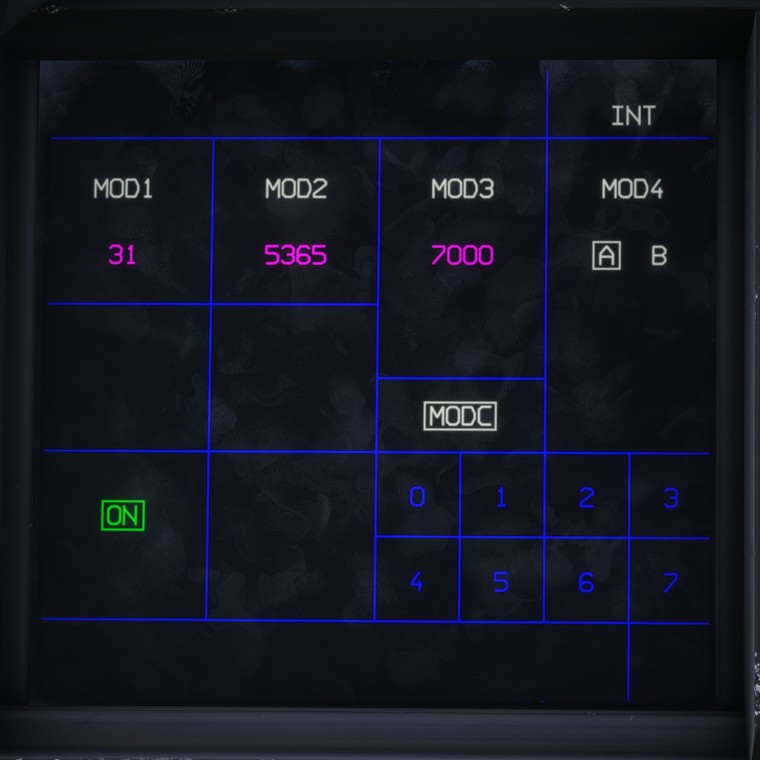
The transponder status is displayed as either ON or STDY (standby). Click the status to switch between the two states.
The available settings are summarised below:
MOD1 | Two-digit identification code |
MOD2 | Four-digit identification code |
MOD3 | Four-digit transponder code |
MODC | Altitude reporting, toggled by clicking |
MOD4 | Key A or B, selected by clicking |
To change a numerical value, select MOD1, MOD2 or MOD3, then enter the required digits using the keypad. Only digits from 0 to 7 are accepted.
The code is applied automatically once the required number of digits has been entered.
As a reminder, only Mode 3 has a functional purpose in the simulator, as it corresponds to the transponder code.
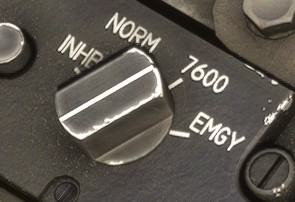
The selected Mode 3 code can be overridden by the IFF Mode Selection Knob when it is set to one of the following positions:
7600: sets transponder code 7600, used in the event of a radio communication failure.EMGY: sets transponder code 7700, used in an emergency.